


The user does not appear on the Soft Deleted Users page until being deleted from the Users page.
If Soft Delete is the user deletion method, to delete a user:
While logged in as a user with a UserAdmin role, click the profile icon in the top right corner of the screen to access the profile panel.
Click User Management on the profile panel.
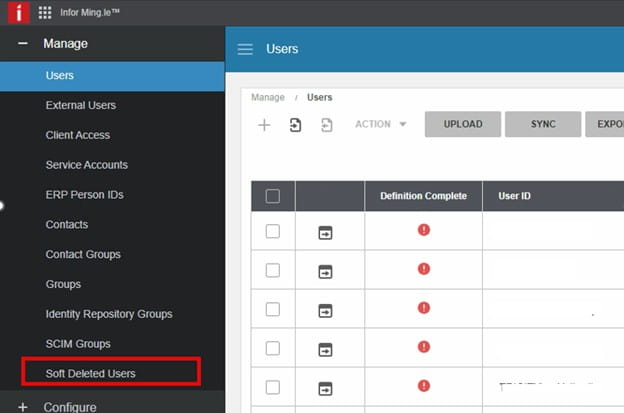
Click Soft Deleted Users under Manage.
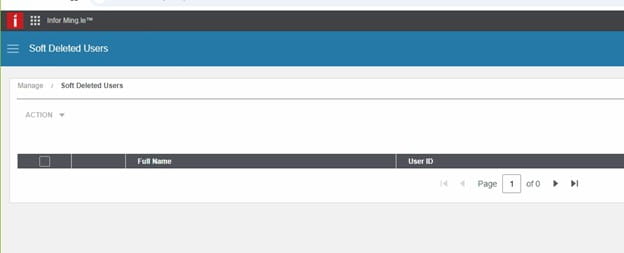
On the Soft Deleted Users screen, enter the name of the user to be deleted in the search box on the right and press Enter.
Click the Soft Deleted Users table and select the check box next to the name of the user to be deleted.
Select Action > Delete.
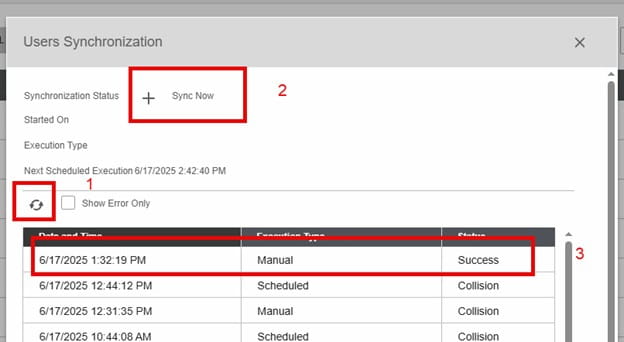
Click on the refresh button to see if the sync completes. It is complete when the + is not grayed out. Also, you will see the manual execution and status of success.
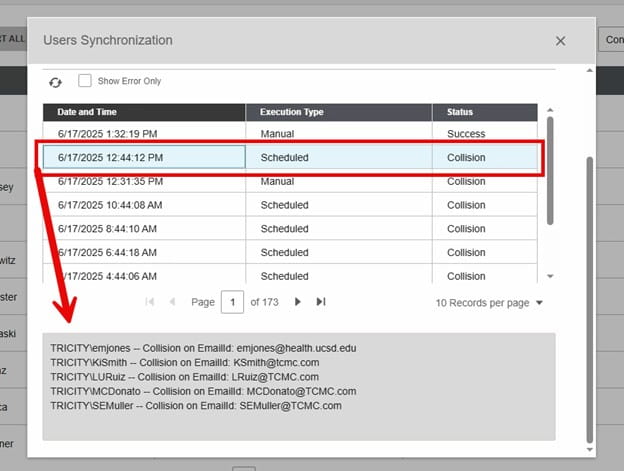
To troubleshoot, highlight a collision one and scroll down to the bottom of the page to see the errors.
Validate:
Is user in InforOS?
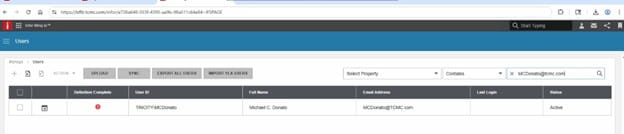
https://chromewebstore.google.com/detail/saml-tracer/mpdajninpobndbfcldcmbpnnbhibjmch?hl=en
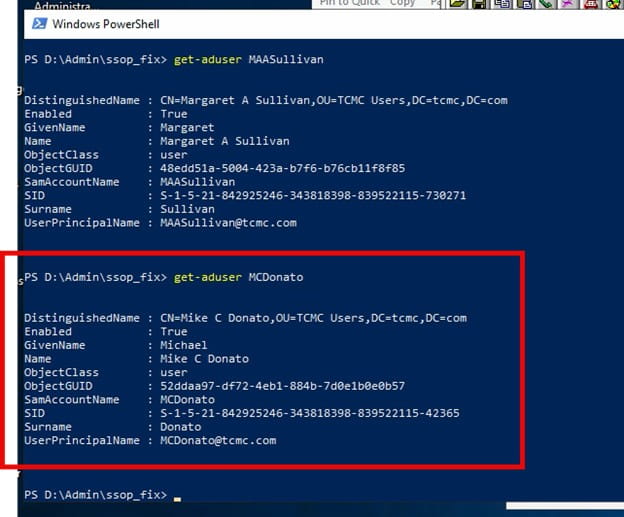
Export the AD User-Get-ADUser username -Properties * | Select * > username.txt to check AD to make sure UPN doesn’t have any weird characters in it.
An Error Occurred:
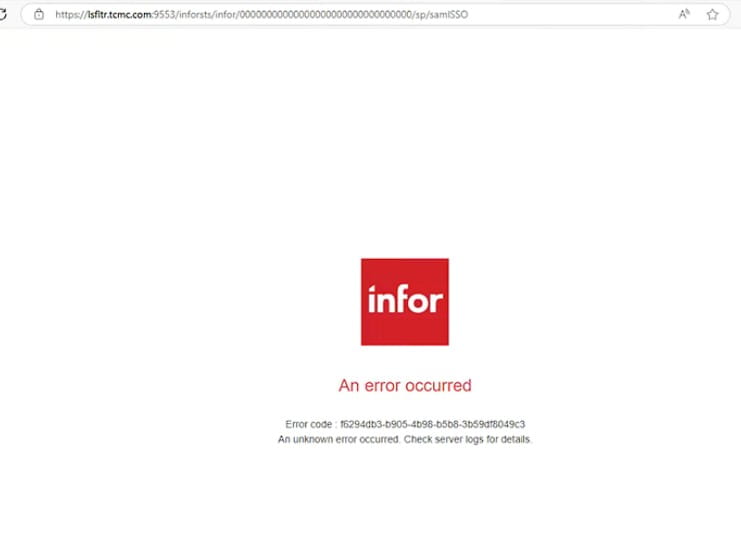
In INFOR OS, Check Soft deleted users, hard delete and sync
Infor OS Mingle Logs on-prem Logs:
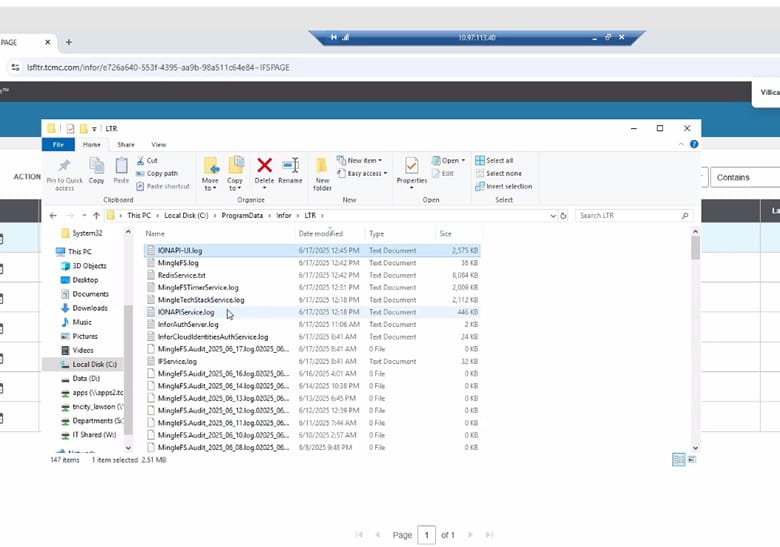
Other notes: Export the AD user to check AD for unique characters that are causing the UPN to not match up with Infor OS, also check Infor OS for those same characters.
Get-ADUser username -Properties * | Select * > username.txt
SAML Tracer
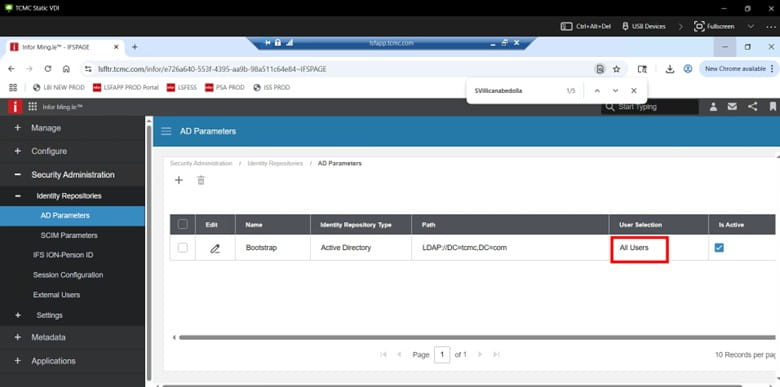
In order to add items (or users manually in Infor OS), AD Params would need to be “manual” (not All Users) this is in OS Security User Management
If you are receiving an IPA (Infor Process Automation) Memory Alert of type WU Alloc when an IPA flow runs, and you have made every attempt to optimize your flow, you can increase the alert threshold. Note that this fix will only work for on-premises customers. To increase the alert threshold, you will need to open a Landmark command window and run the following command:
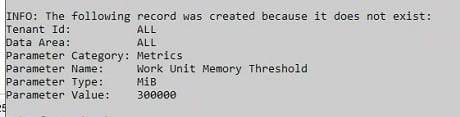
paadm cfgprm update –tenant ALL –dataarea ALL –category Metrics –name “Work Unit Memory Threshold” –type MiB –value <new threshold>

The record will either be created (if this has never been done before), or updated. It should look like the screenshot below.


User is trying to submit a requisition when clicking Special / Service and getting error:
“Requested delivery date cannot be less than today’s date” even though the requested delivery date was not less than today’s date. See workaround below.


NOTE: The above resolution is a workaround, you’ll have to consult with Infor to get this resolved on the application level. Nogalis also offers a team of consultants under a single MSP service plan if this is something you need future support for as we also handle communications through Infor.

Follow the quick steps below to learn how to resolve dbreorg errors.
Problem Description:
Executing lasetup with the preview option.
ERROR – failed to uncompress “patch.tar.Z” file.
Installation YEAREND126174.preview of YEAREND126174 terminated abnormally (start = 12/20/2023 13:27:01, stop = 12/20/2023 13:27:01).
ERROR – lasetup execution unsuccessful.
lawappinstall PREVIEW YEAREND126174.preview installation completed unsuccessfully at 12/20/2023 13:27:01.
Resolution:
To solve the errors, complete the following actions:
perl LUUsetup.pl -c E:\LUU
This should resolve the dbreorg errors you have.

To manually run an IPA Workflow, first log into process administrator:
https://<landmark_server>:<web_port>/<product_line>/LpaAdmin/page/ProcessFlowAdministrator
If you get this page, just keep refreshing until the page loads

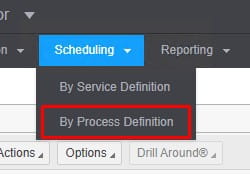
Go to Scheduling > By Process Definition
If the Process Name isn’t listed, you’ll need to add a trigger
Click the add icon
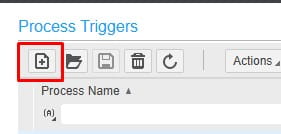
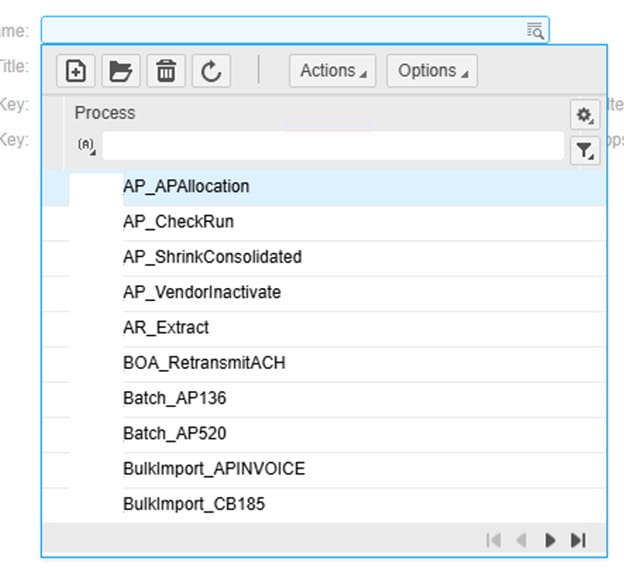
Select the Process
Work Title is required
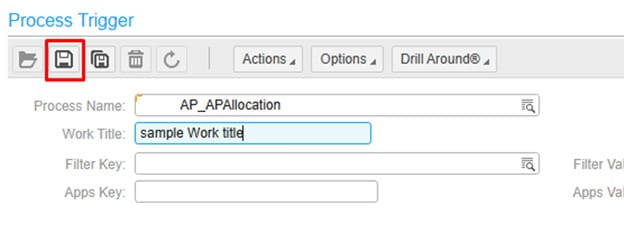
Click the save button after selecting a workflow and entering the work title
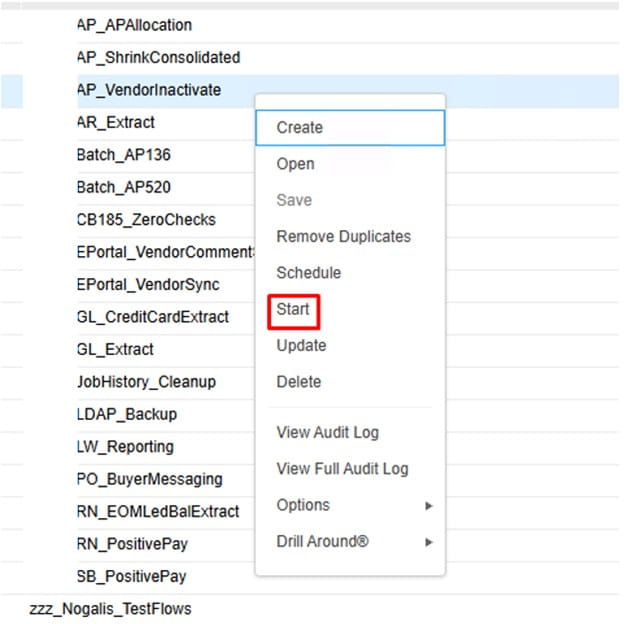
To run the process, right-click on the Process Trigger, and select “Start”
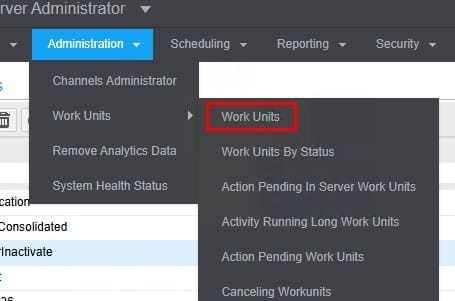
To view the process update and log, go to Administration > Work Units > Work Units
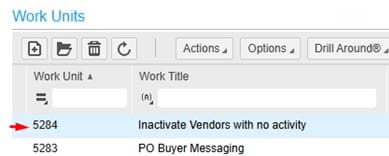
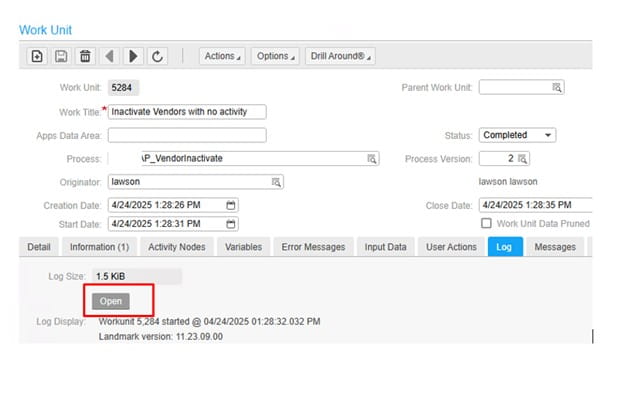
Double-click the work unit to open the admin panel. The “Log” tab is the most useful. It’s best to click “Open” on the log and it will download to a text file.
Please note: This reboot sequencing requirement only applies IF the DB server is rebooted. If the DB server is not rebooted, you can reboot the other servers in any order
Follow this process to ensure the Lawson system comes up clean when a DB server is rebooted:
The main concern is that the DB server must be up and running for all other Lawson applications to connect to the DB.

When logging into Lawson via a federated system and SAML configuration, a SAML response is received from Azure and that is all Lawson cares about when authenticating.
Users may see an error like this if the ID differs from the SAML configuration:
Authentication Failure
Unable to create a session. Contact your system administrator and provide this information along with the tracking id:
<long hash code ID for Infor to debug>
How to debug:
Once you’re in Lawson, any app issues are related to Lawson internally.


That’s it! This is what is being returned from SAML response on the Azure side. You’ll have to work with the network team to coordinate on the proper ID for the user to use in Lawson.