

Change the Passwords in install.cfg
The passwords in install.cfg are encrypted in later versions of lawson. If these passwords change, it would be ideal to also change them in install.cfg so the next update doesn’t run into any issue. To do this, follow the instructions below:
First, Open a command line utility with Lawosn env variables set.
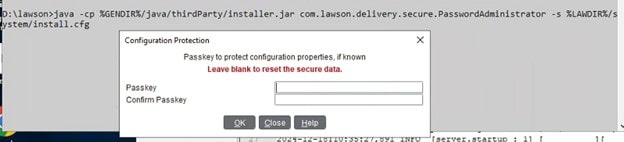
Then type in the command java -cp %GENDIR%/java/thirdParty/installer.jar com.lawson.delivery.secure.PasswordAdministrator -s %LAWDIR%/system/install.cfg
Enter the Lawson configuration password
Next, View or edit passwords. You can show them in clear text by clicking the “Yes” radio button.
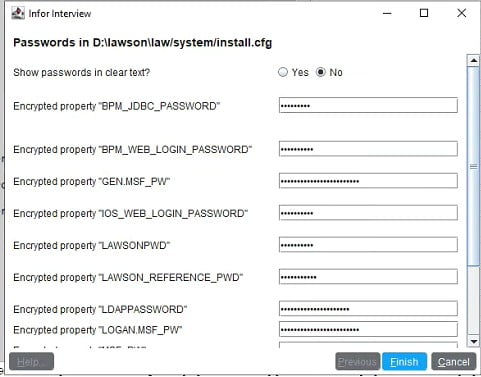
Click finish when done
Restart Lawson services, or reboot the server. This should make the necessary changes and prevent any issues.
Retiring Lawson, PeopleSoft, or Oracle? APIX archives the entire application — every table, every year, attachments and security included — into your own AWS account in about 30 days, so you can decommission the legacy system and keep full access to the history.

