

Below is a useful tip for using the field prefix to search for a column in SQL
Clicking Ctrl+Shift+O in a field on a screen in Lawson is a useful tool to determine what database file that field is populated by. This can be used in Lawson DME Queries, but it also can be used in SQL queries. The prefix of the field name (such as VEN) maps to the table name where the value comes from. If you don’t know how the prefix maps to a table, you can easily find this information in the GEN database. The table you want to search is FILEDEF on the PREFIX column. So, your query might look something like this:
SELECT * FROM FILEDEF WHERE PREFIX = ‘VEN’
This will return the record that contains table name and other information about the database file that populates this screen.
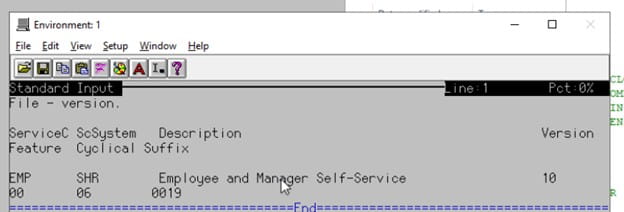
To find out your EMSS (Employee and Manager Self-Service) version, please run the following command in LID (Lawson Interface Desktop):
rngdbdump logan version | lashow
The command rngdbdump logan version | lashow is used to get the EMSS version. This command is designed for Lawson environments. In a Lawson environment with LID is intended to extract version information from the logan database file, and display the extracted version information.
When you run the command, you will get a screen similar to the one shown below. There, you can look up your EMSS version on your Lawson environment.


Problem
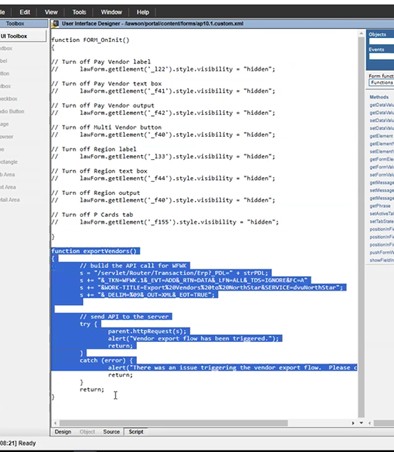
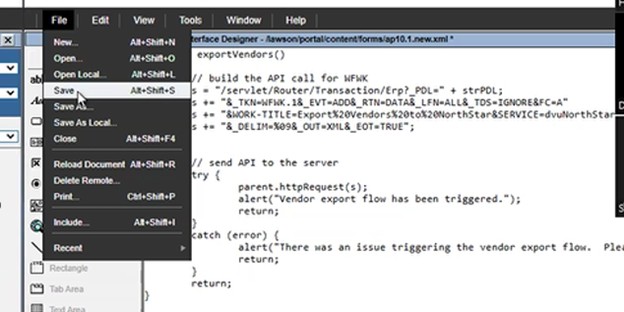
We need to make a change in TEST to AP10 custom form.
Next steps:
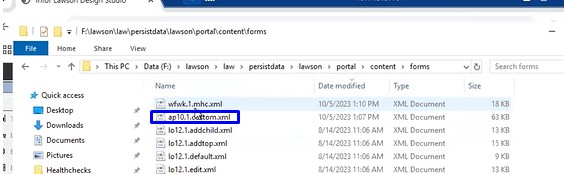
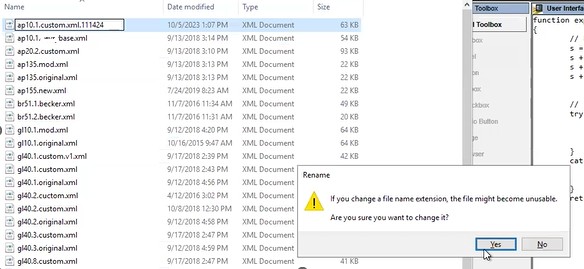
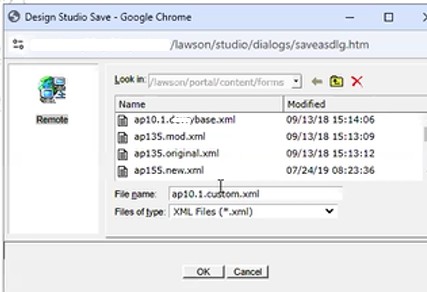
Backup the existing AP10 custom file and copy the new version, ap10.1.custom.xml file to Prod F:\lawson\law\persistdata\lawson\portal\content\forms
There is no impact to users and no outage required.
After the change is in place, AP10 users will need to clear their browser cache and cookies and an IOSCacheRefresh will need to be run to clear the DS from Portal.
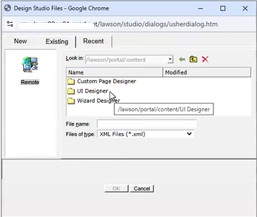
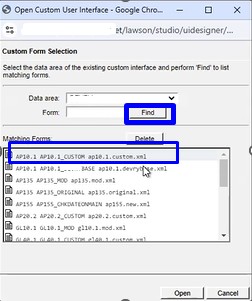
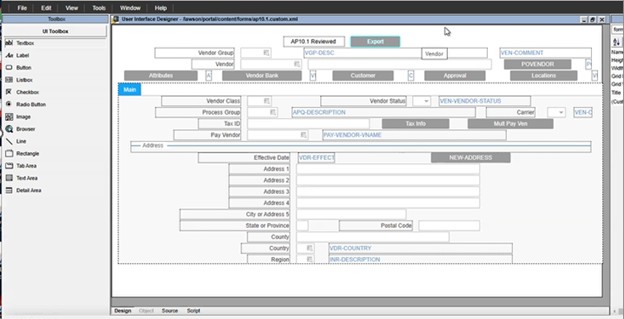
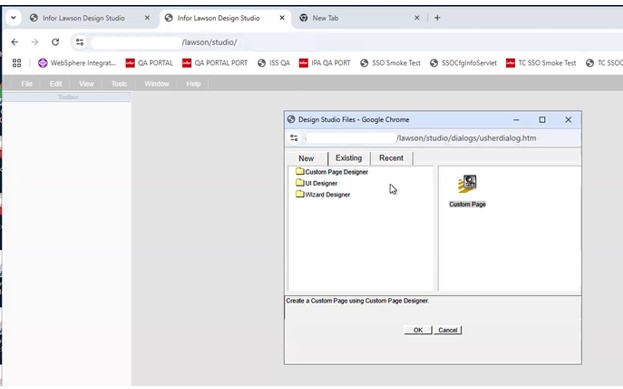
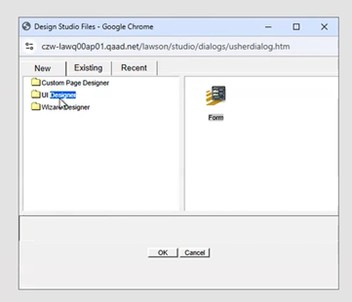
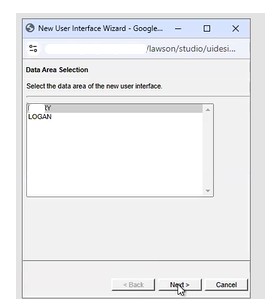
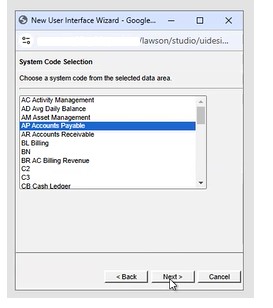
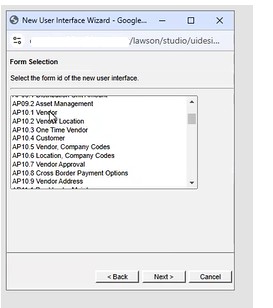
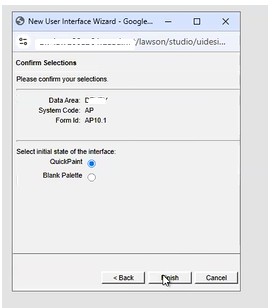
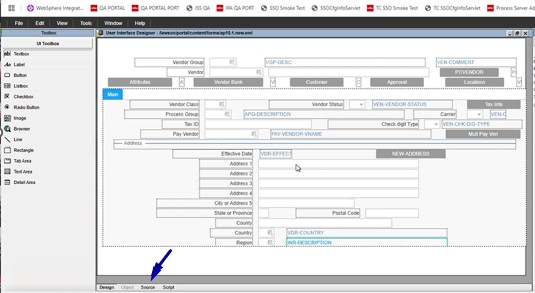

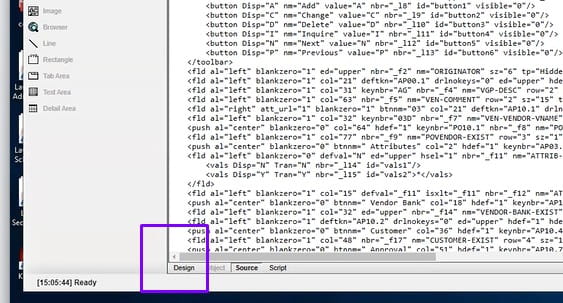
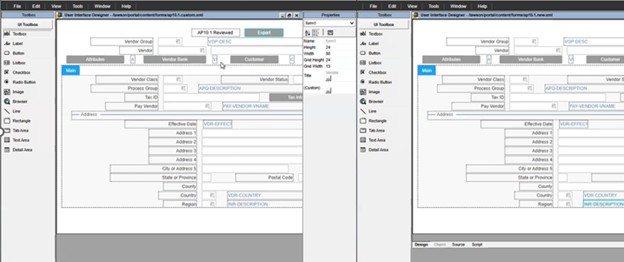
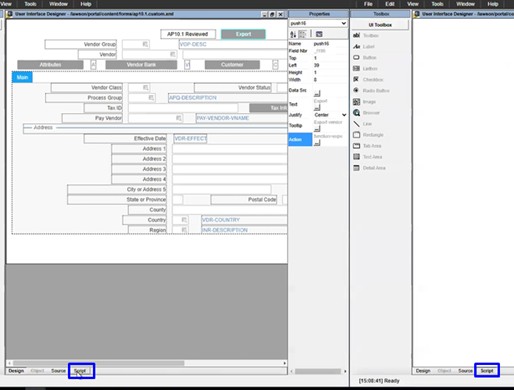
The ap10.1 reviewed is the customization
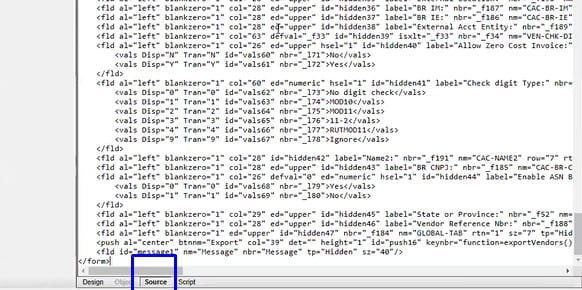
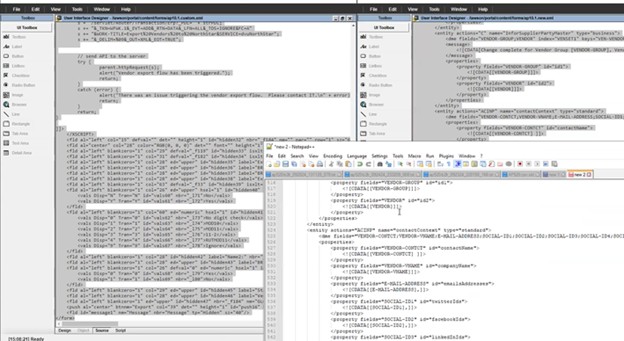
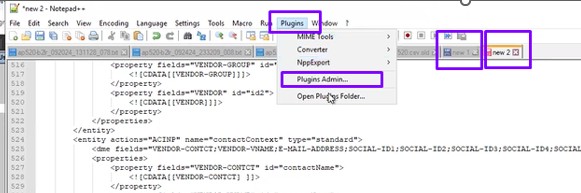
Look for compare and check it and click install
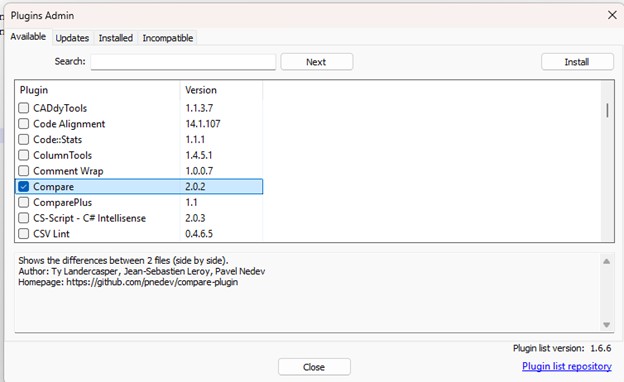
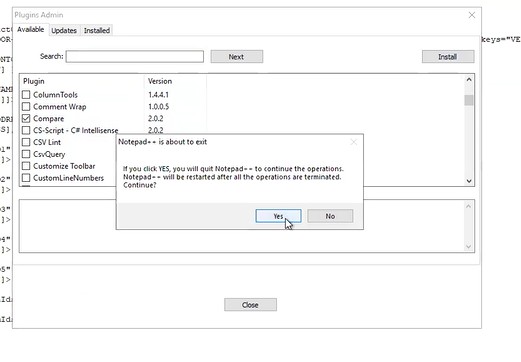
Then go back to plugins admin/compare and
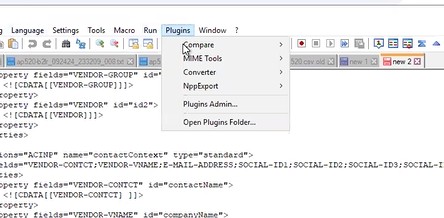
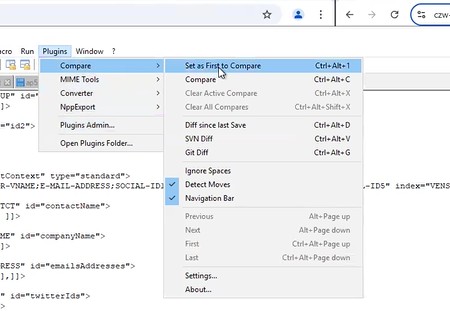
Compare/compare
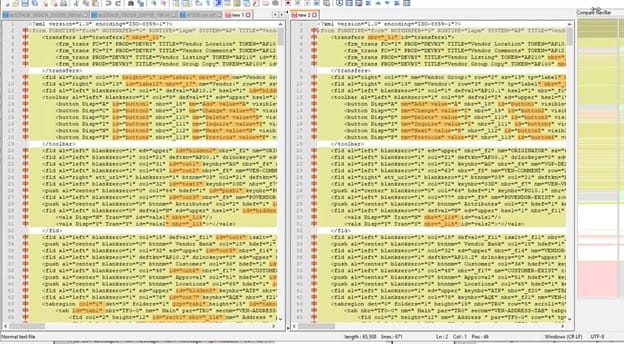
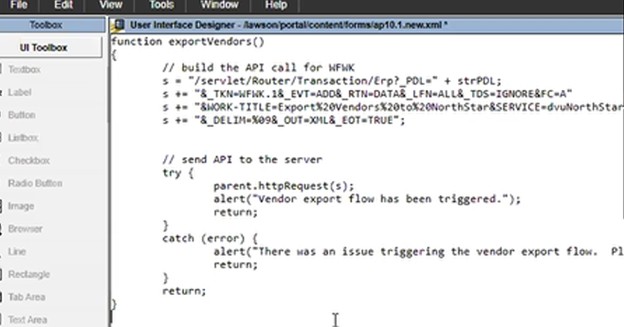
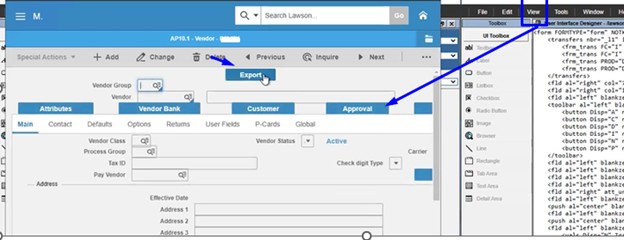
Just add the export button to a fresh form and overwrite the old one.
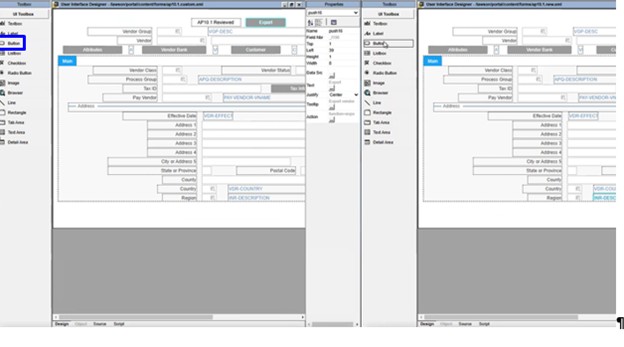
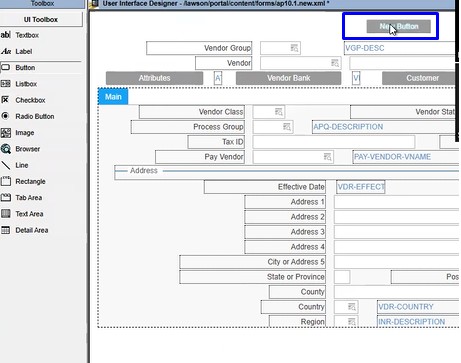
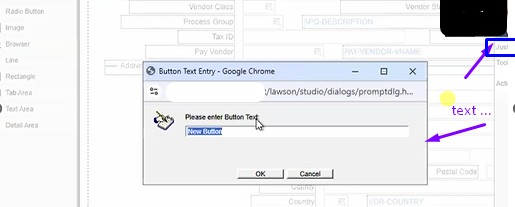
Type export 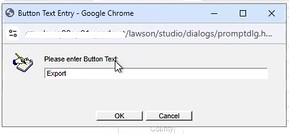
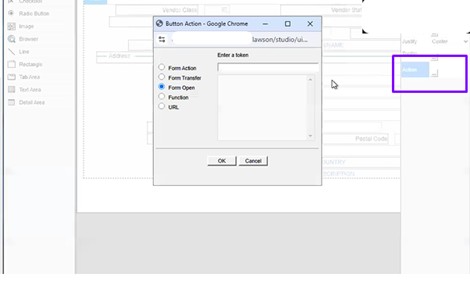
This tells you want you want it to do, so go to the other screen and copy what that one has
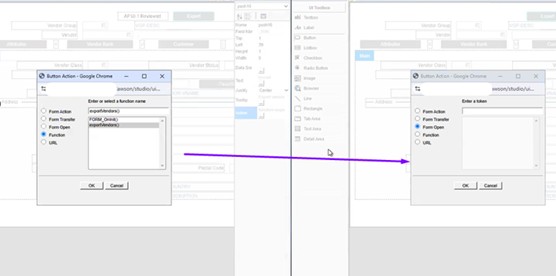
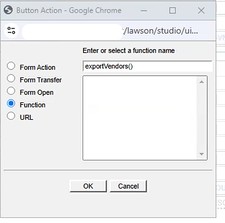
Since they have old code, we don’t need the other one
In Lawson v10, Admin users would have direct access to system logs but in the cloud, you’re access is limited to FTP access.
Problem: Reviewing IOS and LADB logs live is more difficult through FTP since you’re unable to download or view a file that is currently being written to. To get around this you simply use the copy line command or cp.
To understand this process, follow the steps below:
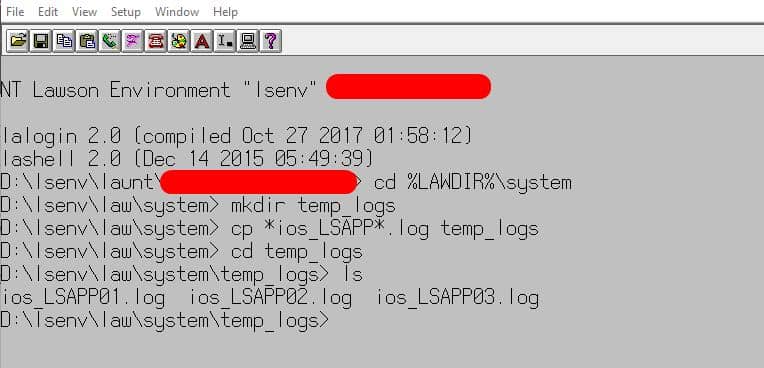
Step 1: Open LID and connect to the Lawson environment you want to access logs from.
Step 2: Go to %LAWDIR%\system directory
Step 3: Create a new folder in %LAWDIR%\system directory, command is: mkdir temp_logs (this will create a folder called temp_logs)
Step 4: In %LAWDIR%\system type this command (change based on your log names):
cp *ios_lsapp*.log temp_logs
Step 5: Go to %LAWDIR%\system\temp_logs and run the ls command to view your copied log files or simply download them from the FTP.
Here is a screenshot of my results:
If you found this article helpful, Nogalis offers expert technical resources for managing Lawson Cloud environments. Whether you’re dealing with FTP restrictions or need assistance with accessing logs, our team is here to provide guidance and support. Contact us to learn more about how we can assist with your Lawson system needs.

BSI Support has asked for a BSI Display Log. Use this method to configure your system to create the logs.
Open msgmnt and enter your Product Line and enter Category ‘PRTFX’.
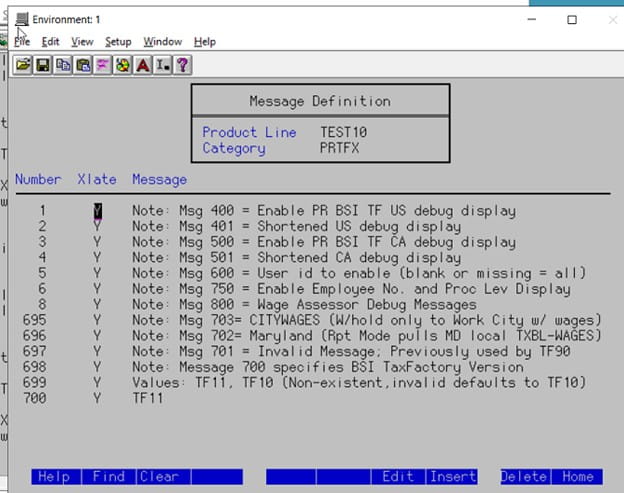
Look in the Number column to see if the Number 400 appears. If there is not a message 400, you will need to add it.
You can either Tab or Down Arrow to get to a position to enter the 400 line.
Use the F8 key to Insert a line.
Type 400 in the Number column.
Type Y in the Xlate column.
Within the Message portion, type in the fix for the message
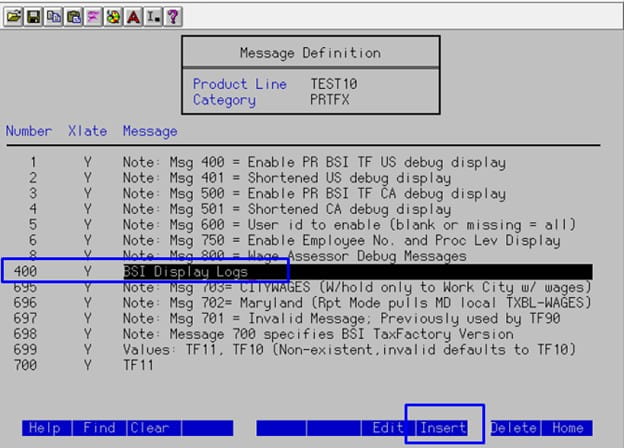
After pressing Enter twice, the 400 message will appear in the appropriate order and has been added to the listing.
Now go to PR80, create a payment and Calculate
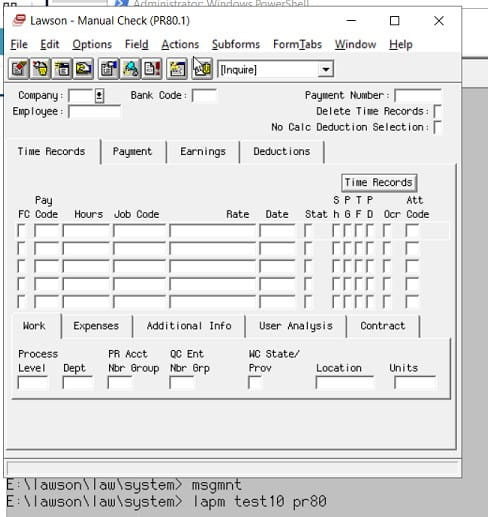
After the PR80 has been successfully calculated, click on Options > Display Log File
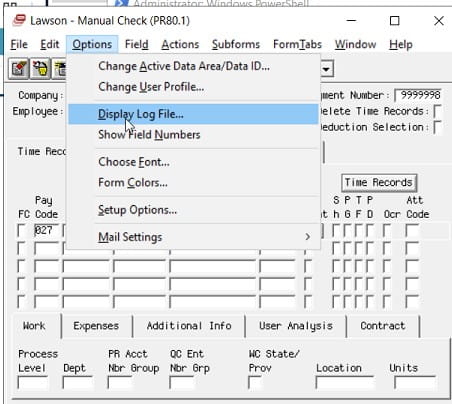
The Display Log will appears in a new text editor. Save the file as ‘BSIDisplayLog’ and send the file to BSI.
A common ED501 message is “WARNING: SUBSTITUTION TABLE ENTRY NOT FOUND”. This substitution table is maintained in screen ED40.1, and if the key values passed to ED501 are missing, you will receive this error. Simply update your ED40.1 and recover the job.
If this message causes your job to go into recovery, that is because you have not set up notifications for EDI. Here is a simple solution to troubleshoot this message: If you set up notifications, then this message will cause an email to be sent about the warning, but the job will continue to process the remaining files. Notifications are configured on ED00.1, as well as the configuration file located in the EDI directory.

Every time an employee makes a benefits change, a new record is stored in the benefits table. Additionally, a new record is stored in the employee’s deduction master table for each deduction related to that benefit. If these records are allowed to accumulate unchecked, this can slow down payroll processing and even cause errors. The larger the benefits and deductions table become, the slower payroll batch jobs will run. These batch jobs, such as PR140, loop through each record in these benefits and deductions tables so that the correct deductions are applied. Some of these batch jobs have a limit of the number of records allowed, so if an employee has deductions that exceed that limit, the job will error out. Also, traversing through these records can greatly slow down processing.
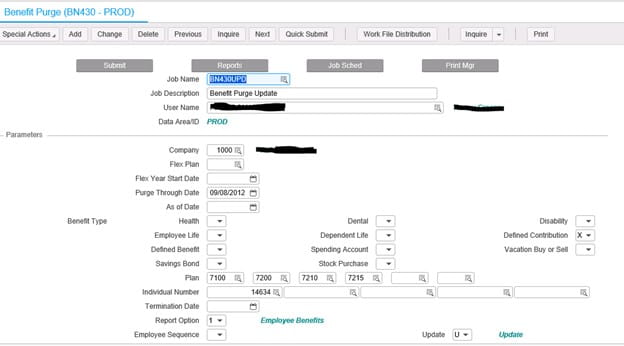
To help alleviate these issues, we recommend running the BN430 benefits purge program periodically. When you are processing payroll, if you see an error similar to “26 20591 PRDED-DED-TABLE must be increased; Cur size 0500”, chances are you have an employee with too many benefits changes, and need to run the BN430. But, before you receive this error, you should make the benefits purge part of a normal maintenance process. Ideally, payroll users would make this part of the payroll process each pay period, and choose a “Purge Through Date” corresponding to your company’s record retention period.