After configuring ADFS, if you attempt to launch LBI and receive the message “(security:3042) Unable to authenticate user”, go to the SystemOut.log to gather more information. If the error is displayed there with a reference to the username, this is a known issue with LBI and ADFS. Navigate to the SystemOut.log on the LBI server to gather more information.
7/2/19 11:58:30:986 EDT] 00000069 webapp E com.ibm.ws.webcontainer.webapp.WebApp logServletError SRVE0293E: [Servlet Error]-[GenericServletWrapper]: com.lawson.efs.security.GeneralAuthenticationException: (security:3042) Unable to authenticate user.
com.lawson.security.interfaces.GeneralLawsonSecurityException: Event request failed: Could not get identity for user – lawson
Stack Trace :
com.lawson.lawsec.authen.LSFSecurityAuthenException:Could not get identity for user – lawson
If your stack trace looks similar to the above, you will need to create a user in Lawson security where SSOP matches RMID. This means, that you need a user whose RMID is formatted as their userPrincipalName. To do this, you must have a service account that can be used for the purpose. Also, you must load the user details with the loadusers command, as the characters “@” and “.” are not allowed when adding users in LSA.
First, have your networking team create a service account for this purpose. Then, create a loadusers.xml file like this:
Next, on the Lawson server, run the command loadusers -f <full path to your loadusers file>. In LSA, assign the LBI admins and LBI users groups that your organization uses to this account, and verify that the user has the SuperAdminRole. In the Framework Services Configuration assistant in LBI, change the RM user to lbirmadmin@company.com and set the password. This can also be done in the SYSCONFIG table of the EFS database.
Restart LBI WebSphere and try the connection again.
https://www.nogalis.com/wp-content/uploads/2022/04/Unable-to-Authenticate-User-Lawson-After-Configuring-ADFS.jpg470470Angeli Mentahttps://www.nogalis.com/wp-content/uploads/2013/04/logo-with-slogan-good.pngAngeli Menta2022-05-10 08:34:462022-05-03 13:29:22Unable to Authenticate User Lawson After Configuring ADFS
Infor’s Configuration Console is a tool that can be used to configure Landmark applications. It can be used to create new user interface components, or customize existing user interface components. It is a very useful tool for customizing and enhancing the user experience in Landmark applications. The tool uses a proprietary language called “Landmark Pattern Language” (LPL).
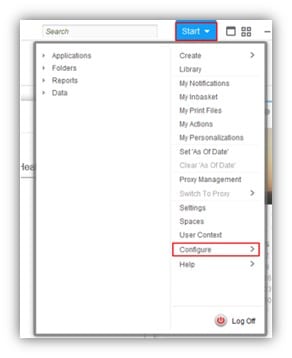
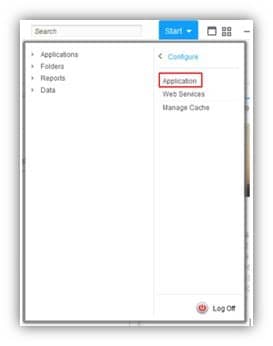
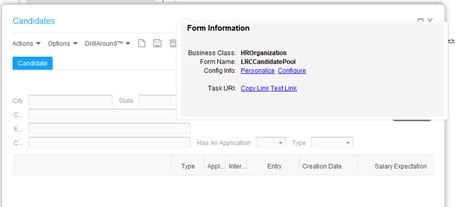
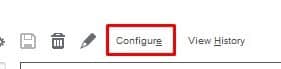
To get to the Configuration Console in Rich Client, go to Start > Configure > Application. Or, you can ctrl+shift+click on a Landmark form and click the “Configure” link.
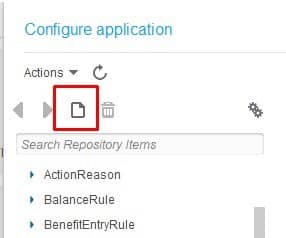
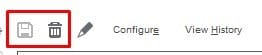
The “empty sheet” button is used throughout Landmark applications to create a new item. Configuration Console is no exception. Press this button to create a new configuration. The save and delete buttons are also intuitive. When you click the delete button, remember you are deleting the configuration only, not the Infor-delivered component!
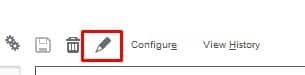
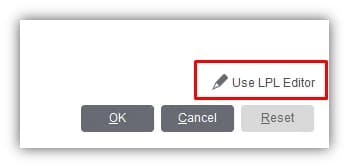
In most cases, the “pencil” button indicates editing the configuration LPL directly, and the “Configure” button is for editing the component using a graphical interface.
Menus
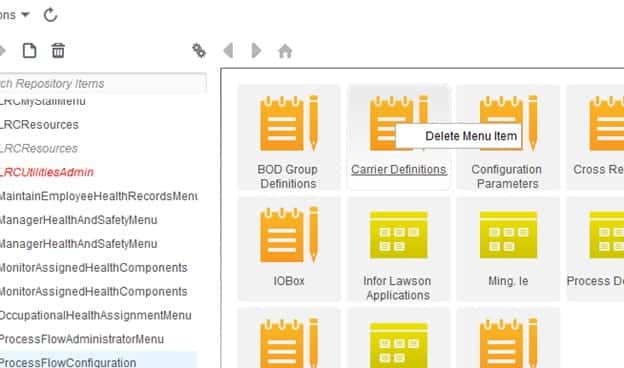
Configuring menus is pretty straightforward. Menu items can be deleted, and menus can be hidden from user view. Note that if a menu is hidden in Configuration Console, this setting takes precedence. So, if the menu is available via security, it still can’t be viewed.
Pages
There are a few options available in configuring pages. Mostly you can add different fields, including computed fields. This is one example where the pencil button does not indicate LPL configuration. On the main configuration screen for a page, the pencil button takes you into the page editor. At the bottom of that screen, you will have to option to edit the LPL code.
Web Applications
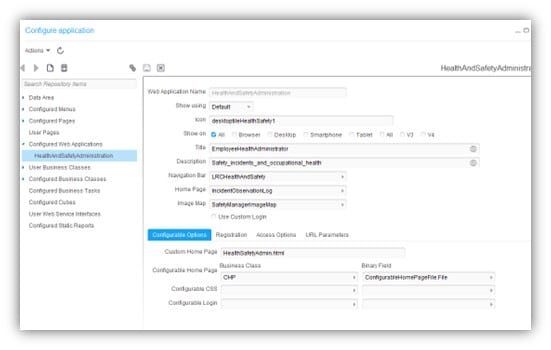
Web Applications have a few options for configuration. One thing that can be customized is the home landing page for the web application. Just make sure the page exists in the correct location on your server!
User Fields
User Fields are probably one of the most widely-used configurations available. The value in a User Field will be saved in the database, so that it can be accessed later in Landmark queries or Spreadsheet Designer. There are several types of fields available to allow you much flexibility in form customization.
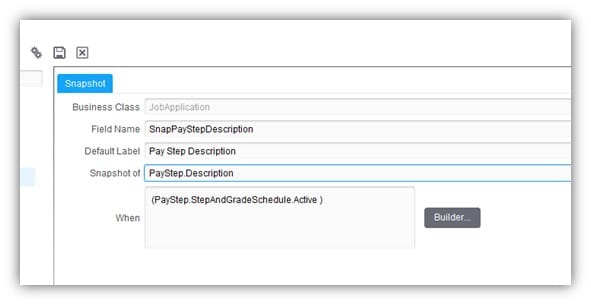
A snapshot is sort of what it sounds like. It is a copy or a “snapshot” of another field from a related business class.
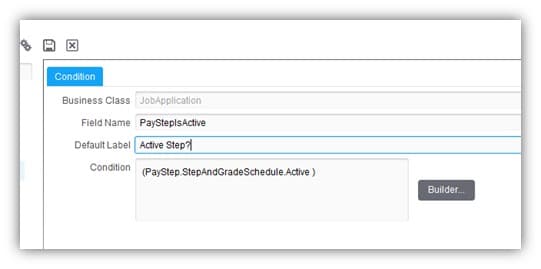
A condition field is a way to test a condition without having to rewrite code over & over. A condition field should always return true or false.
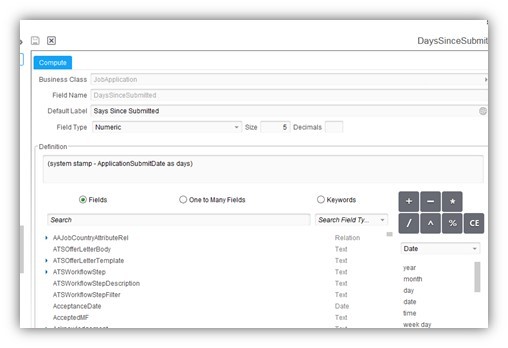
A compute fields allows you to do mathematical and date computations on one or more fields in the business class.
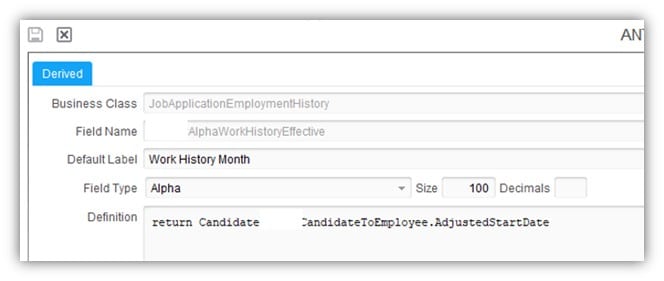
Derived fields are the most flexible option, and can be used in place of all of the above field types. They can be used to convert data types, take substrings, or write more complex bits of code to return the desired information.
Forms
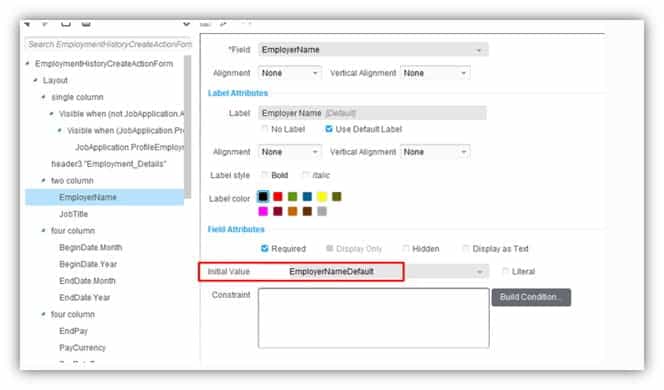
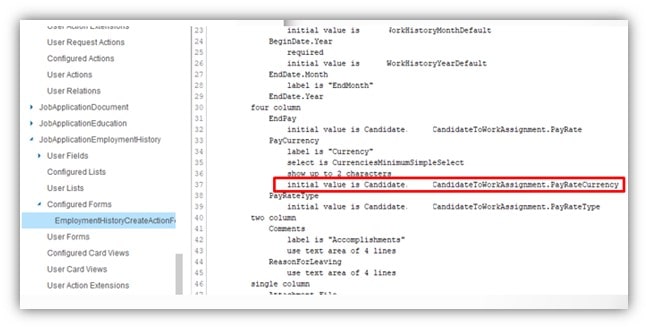
Forms are another highly configurable component. User Fields can be added to forms. Fields can be hidden, actions can be disabled, and basic checks can be done to customize the flow of a form. Here are some examples for setting default values on a Form.
Relations
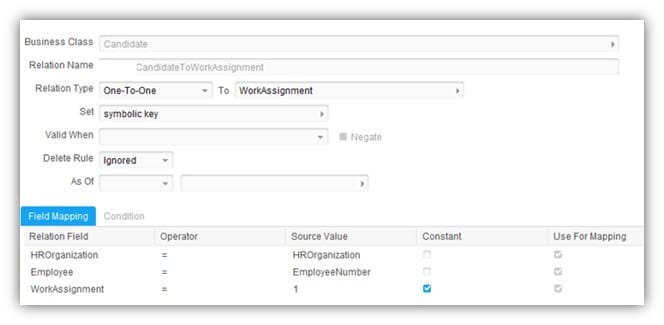
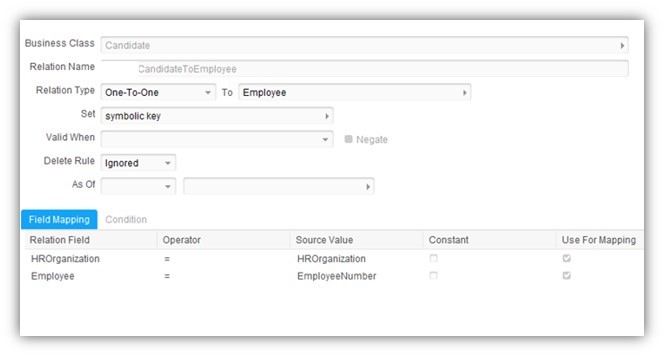
Relations are another very useful tool in the Configuration Console arsenal. They can really open up your forms and other components to allow you to get data from other areas in the application that isn’t readily available. Relations are a way of relating two business classes on key fields. A one-to-one relationship requires all of the key fields to be populated. A one-to-many relationship does not, but be aware that this could return a list of values instead of one value!
These are examples of relating the Candidate business class to the Employee an WorkAssignment business classes.
Actions
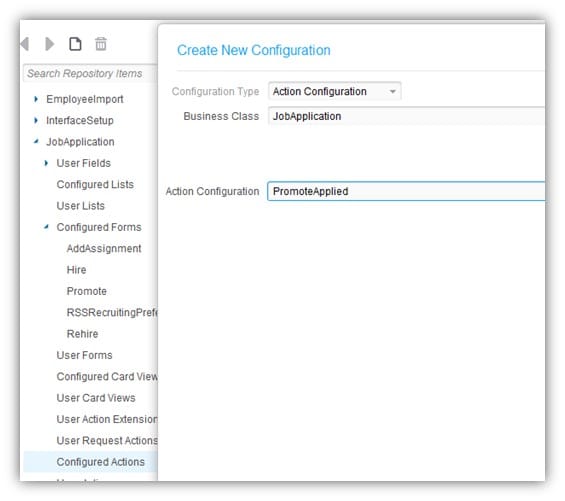
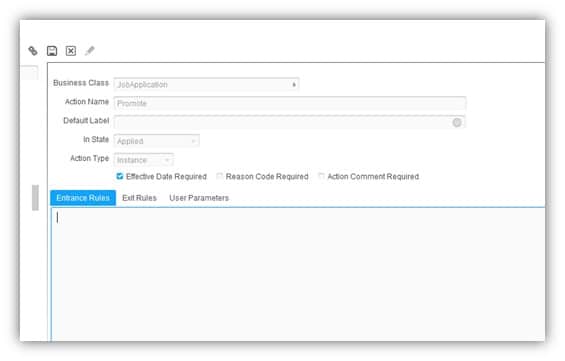
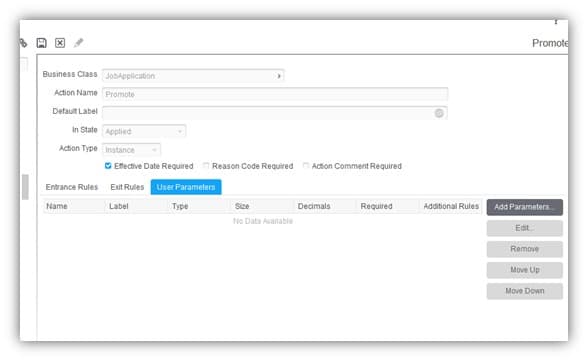
Actions can be configured with Entrance Rules (things that happen when the action loads), Exit Rules (things that happen when the action is released), and User Parameters. The User Parameters would follow the action into the next step, such as an IPA approval flow. Some of the fields on an action can be configured to be required, or not required.
History
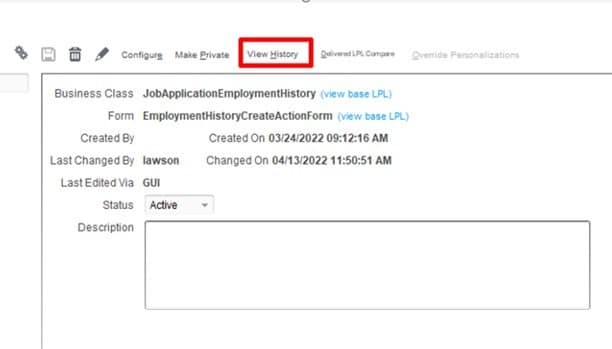
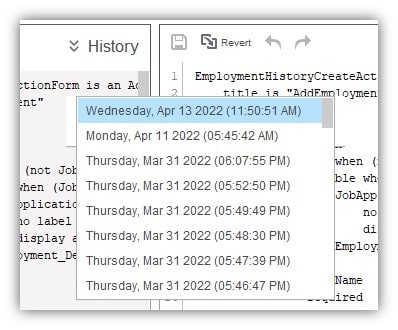
All configuration changes are version and stored each time the configuration is saved. This means that you can compare current state to any of the previous states to the beginning of the configuration, as well as the base LPL. This is highly useful, and a great feature! To get to the history, on the main page of any component, select “Vew History”. On the left side is the historical configuration. On the right side is present-day. You can click the dropdown to select the configuration you want to compare. If you are ready to go back to that configuration, click the “revert” button. If you are satisfied, don’t forget to save your changes!
Helpful Links
Infor’s documentation site is a great jumping-off point for learning about Configuration Console and LPL.
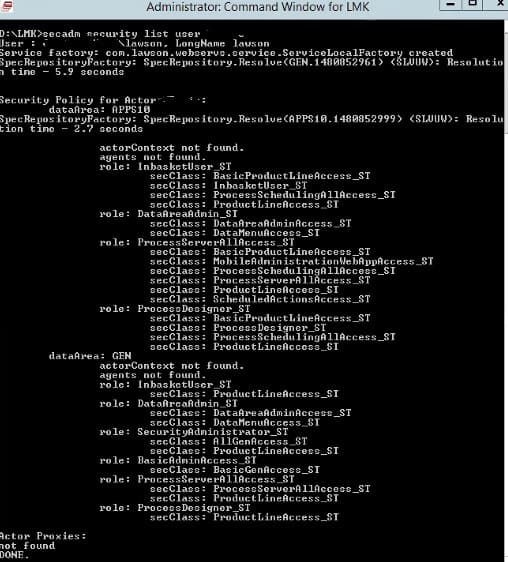
After updating a user’s security settings in Landmark such as adding roles, adding identities, and changing settings, there is usually a refresh period/waiting time. If you don’t want to wait or want to make sure the changes were applied, there is a simple way around this so you can immediately effect the changes rather than waiting for the refresh period.
To do this, log into the server as the installation user (lawson). Next, open a landmark command window as administrator.
Run the following command: secadm security list user <username>
That’s all there is to it! Now you don’t have to wait for the refresh period and you can see your changes immediately.
After configuring ADFS, if you attempt to launch LBI and receive the message “(security:3042) Unable to authenticate user”, go to the SystemOut.log to gather more information. If the error is displayed there without any reference to the user name, it is most likely that you need to update DSP on the LBI server. To do this, download the latest DSP from the product downloads under Lawson Security. Stop all the IBM services on the LBI server, then run the jar file and select the option to update your existing DSP. Once DSP is updated, restart the IBM services. You should be able to launch LBI now.
[12/18/21 14:16:53:783 PST] 000000ce LocalTranCoor E WLTC0017E: Resources rolled back due to setRollbackOnly() being called.
[12/18/21 14:16:53:784 PST] 000000ce webapp E com.ibm.ws.webcontainer.webapp.WebApp logServletError SRVE0293E: [Servlet Error]-[ServletNameNotFound]: com.lawson.efs.security.GeneralAuthenticationException: (security:3042) Unable to authenticate user.
at com.lawson.efs.security.authenticationprovider.AbstractSSOAuthenticationProvider.authenticate(AbstractSSOAuthenticationProvider.java:174)
…
Caused by: com.lawson.lawsec.authen.SecurityAuthenException: Failed to initialize authentication layer. Cause Connection error (inforapp.cosa.private, null). Cause: {2}.
… com.lawson.security.authen.AuthenMessages.Unable to create a connection
Stack Trace :
com.lawson.security.server.LawsonNetException: Unable to create a connection
https://www.nogalis.com/wp-content/uploads/2022/04/LBI-3042-error-after-configuring-ADFS.jpg470470Angeli Mentahttps://www.nogalis.com/wp-content/uploads/2013/04/logo-with-slogan-good.pngAngeli Menta2022-04-29 08:47:432022-04-26 09:50:28LBI 3042 error after configuring ADFS
Learn how to customize the user experience in all your Landmark applications with the Configuration Console. We’ll show you how to create user fields, how to bring data from a related business class into a form, and more!
https://www.nogalis.com/wp-content/uploads/2022/04/Tips-Tricks-in-Configuration-Console.jpg470470Angeli Mentahttps://www.nogalis.com/wp-content/uploads/2013/04/logo-with-slogan-good.pngAngeli Menta2022-04-29 08:41:032022-04-29 08:41:03Tips & Tricks in Configuration Console
Bulk Insert (delivered with SQL Server) is a great way to quickly import data into SQL Server tables. The input file format does not need to match the column definition on the table. You can use import file definitions for that.
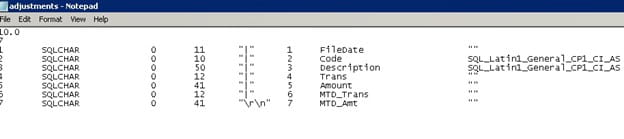
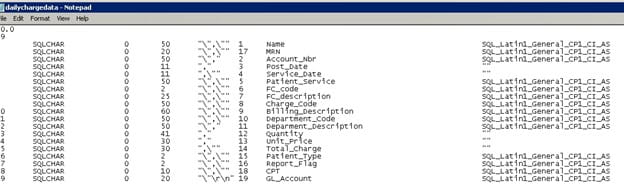
To create an import file definition, first go to the SQL server where the database table resides. Run the command bcp <database>.<owner>.<tablename> format nul -c -f <local path>\<filename>.fmt -t, -T
(For clarity, best practice is to name the file the same as the table name).
Edit the format file (if needed) in a text editor to accommodate for any differences between the input file and the database table. The first column is the order of fields in the input file. The 5th column provides the delimiter between fields. The 6th column maps to the appropriate field in the database table. The number at the top (below the version “10.0”) describes how many fields are in the input file. If you are not using all the fields from the input file, you must adjust this number accordingly. If you say it is looking for 20 fields, it will be looking for 20 fields and will error if 20 fields aren’t found.
CSV files are a little tricky, as you need to accommodate for double quotes.
Note that the files must be accessible by a local path on the SQL Server machine.
The Bulk Insert command is:
BULK INSERT <table name>
FROM ‘<full path to import file>
WITH (FORMATFILE = ‘<full path to format file>’, FIRSTROW = <first row of data in the import file>)
https://www.nogalis.com/wp-content/uploads/2022/04/Using-Bulk-Insert-for-interfaces.jpg470470Angeli Mentahttps://www.nogalis.com/wp-content/uploads/2013/04/logo-with-slogan-good.pngAngeli Menta2022-04-26 07:56:152022-04-22 09:27:29Using Bulk Insert for interfaces
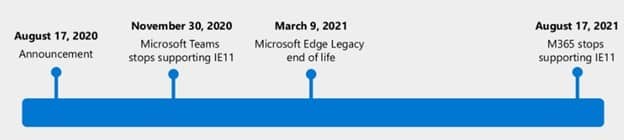
Internet Explorer 11 is losing Microsoft’s support on June 15, 2022.
What does this mean?
In a nutshell, IE11 will no longer be secure after June 2022. Vulnerabilities will not be fixed after this date. You’ll also experience more issues as other applications get updates while IE11 does not.
How will this affect Lawson users?
As Infor updates their Landmark, Mingle, Portal applications, (especially cloud-based apps), IE11 will run into more and more issues and most importantly will be vulnerable to security threats such as phishing and malware. This will be the same story with third-party applications that integrate into IE such as MHC’s Image Express.
What should my organization do?
First, use a modern browser like Chrome or Microsoft Edge and make sure you’re on a supported version of Windows.
Your organization should also look into getting on a supported version of Lawson if they are not already. Update third-party and customized Lawson applications to use modern browsers.
If your in-house Lawson team is not well-equipped to perform mass Lawson upgrades/migrations, it is best to hire a Lawson Managed service consultant team to assist in getting your organization up-to-date. They often are more agile with a wider range of resources and expertise. Additionally, if your company has migrated from Lawson but still have historical data taking up space in your servers, you should look at archiving solutions that can give you the freedom to completely eliminate all Lawson footprint from your organization.
https://www.nogalis.com/wp-content/uploads/2022/04/Internet-Explorer-11-end-of-life-and-what-it-means-for-Lawson-users.jpg470470Angeli Mentahttps://www.nogalis.com/wp-content/uploads/2013/04/logo-with-slogan-good.pngAngeli Menta2022-04-22 09:11:092022-04-22 09:12:32Internet Explorer 11 end of life and what it means for Lawson users