
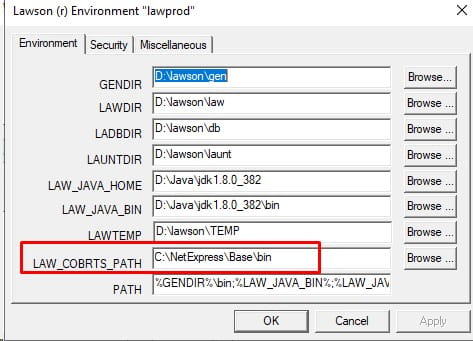
There can be many symptoms when Lawson can’t find lacobrts. For example, Batch jobs will run and die without failing. When this happens Ladb.log will show the error below (insufficient netexpress licenses). These all can be red herrings that point to an issue with the LAW_COBRTS_PATH setting in laconfig. This is either due to the permissions on the directory can be incorrect, or the path itself can be incorrect.
To check the path, open a command line window and set the environment variables. Then type command “laconfig”. Choose your environemtn. Make sure LAW_COBRTS_PATH points to the Micro Focus install directory, subdirectory bin64.

ISSUE:
When running the AP cycle, finding invoices are not getting picked up but are matched invoices and are sitting in a released status.
Resolution:
Check the following:

As of December 31, 2024, Infor is set to transition all versions of the products mentioned below to the next stage of support, following the Product Lifecycle Policy for Infor OS On-Premises (Infor OS OP) products.
The affected products moving from Supplementary Update Maintenance to Sustaining Maintenance are:
Reasons for the Change
This transition is prompted by the retirement of several underlying prerequisite components that Infor OS OP relies on, including Amazon Corretto® 8 (Java®), as well as versions of Microsoft Windows®, Microsoft SQL Server, Microsoft .NET, and other prerequisite technologies.
Impact on Users
Supplementary Update Maintenance for these products will continue until December 31, 2024. After this date, they will enter Sustaining Maintenance. During this phase, users will retain access to existing patches, documentation, and Knowledge Base articles. However, no new updates or fixes will be provided for these products.
It’s crucial to note that the third-party products required for Infor OS OP are also approaching the end of their support cycles. Infor strongly advises careful consideration of the use of these products, as continuing to use Infor OS OP beyond 2025 may expose your environment to security risks.
Available Alternatives
Infor is offering two alternatives for customers with any version of the affected Infor OS OP products:
Introduction to Infor LTR
Infor LTR will replicate the critical core services of the current Infor OS OP product, including Security, Ming.le, ION, Infor Document Management (IDM), and API Gateway. This will be achieved using new technical prerequisites committed to support until the end of the decade. The hybrid LTR option allows connection to MT Infor OS, extending the multi-tenant world to on-premises customers.
Installing LTR involves a straightforward technical upgrade, akin to applying the latest version of Infor OS OP. This means no major rip-and-replace—just a simple, in-place upgrade. The transition from old Infor OS OP to new LTR OP will be seamless for end-users and administrators, requiring no retraining.
While LTR OP will be updated to maintain compatibility and resolve defects, new innovations and updates will only occur in Infor OS MT.
Infor’s Commitment to Business Requirements
For customers seeking to exchange their current Infor OS OP for a new OP-only solution, Infor LTR provides the same core functionality with planned support until the end of the decade.
For those aiming to leverage the latest technologies for digital transformation alongside existing on-premises applications—a hybrid solution:
These options grant flexibility to run core technology services on-premises, in the multi-tenant cloud, or a mix of both, according to your requirements.
Next Steps
Infor strongly recommends initiating the transition planning process by reaching out to your Infor representative or submitting a support ticket. Regardless of the chosen path, Infor is committed to assisting you in developing the most effective strategy, ensuring you have the necessary products, capabilities, capacity, and licenses to meet your requirements.
In 2024, the release schedule for Infor Lawson V10 products deployed on-premises and on single-tenant cloud platforms will undergo a change. Instead of the March and September releases observed in 2023, these products will now follow a schedule with releases in April and October.
Additionally, Lawson Enterprise Applications Maintenance Service Packages (MSP) will be provided annually, synchronizing with the October release.
Critical bug fixes for products will still be promptly delivered as needed, encompassing security patches and updates addressing date-sensitive statutory and regulatory compliance requirements.
If you have any questions about the new update schedule, reach out to your managed service provider, or your Infor Account Team.
Great news! Nogalis provides Managed Services for all your Infor Lawson products. Find out more here!

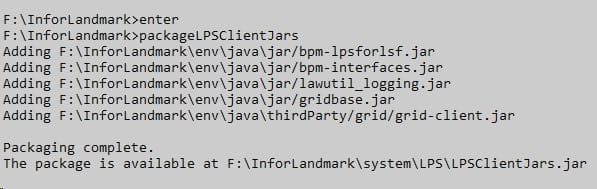
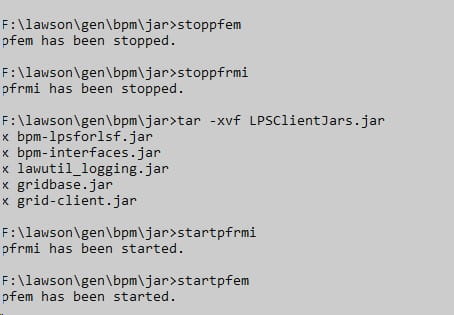
If you have services for approval or other types of flows in IPA, and they stop getting triggered after a Landmark update, it is possible that you need to repackage and redeploy the LPS jars. This is good practice after a Landmark CU anyway.
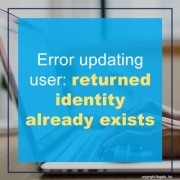
Are you getting this error when updating a user’s record in ISS stating
loadResource(): returned identity [User:] already exists?
If so, then this error is due to missing extended attributes in LDAP. The extended attributes are what allow ISS to know that the user exists in LMK and are created when a user is added via ISS or the user is included in a sync.
Simply run a full sync via the ISS webpage to create the extended attributes
To prevent this issue going forward you should add a list-based sync to the user add process. This should resolve the error completely.

Using Spreadsheet Designer
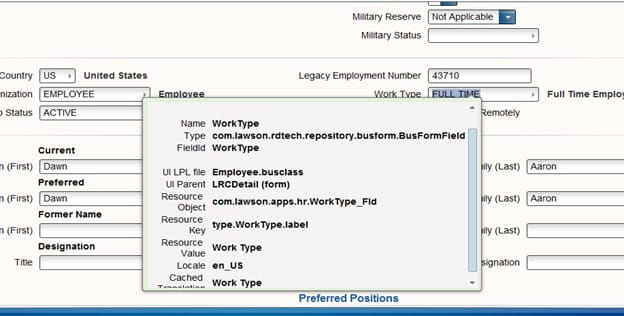
Go to the field and do a Ctrl + shift and left click on your mouse, this will give you the Business class that you will need to have and the name of the field. In this example we will be looking at the Employee business and the field Work Type
Let’s open up Excel and go to the Infor tab, and we will be doing a query. Go to the Insert Query and click on the drop down arrow
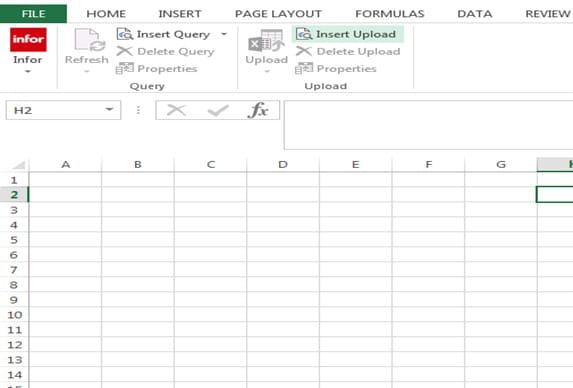
This box will appear, do a drop down and pick the environment name for your Data Area
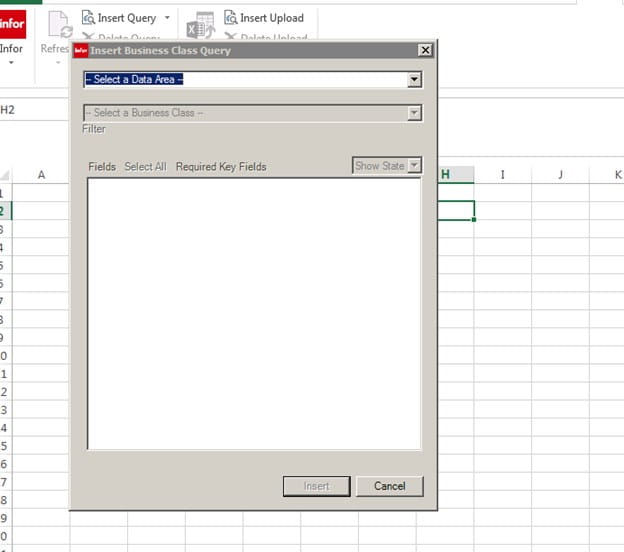
In the second box, we will be typing in the business class, in this example it will be Employee
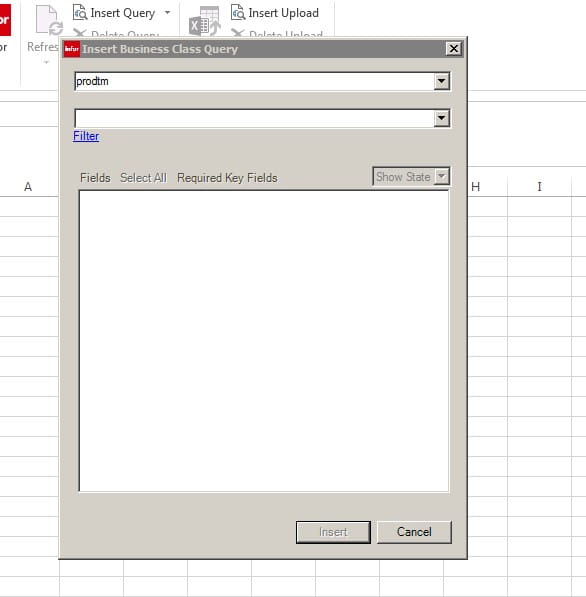
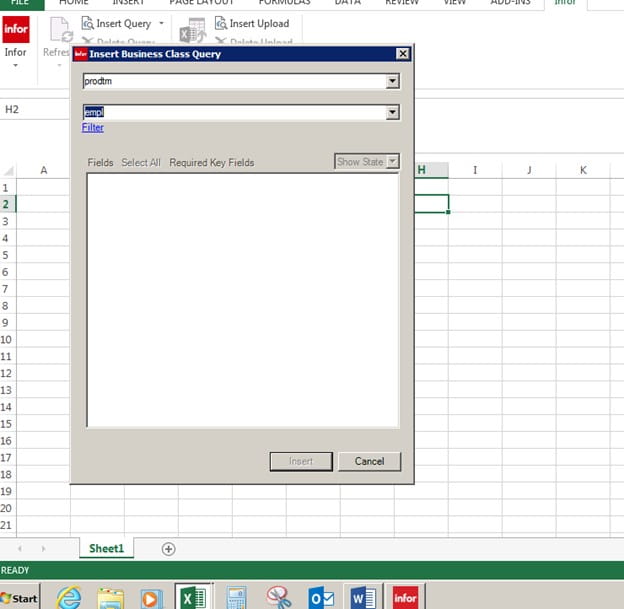
As you are typing in the second box the business class will appear
Now you see all the field that you can pick from under Employee Business Class. The ones that are Orange are required fields and need to be in your Query. The Employee is the Employee ID number
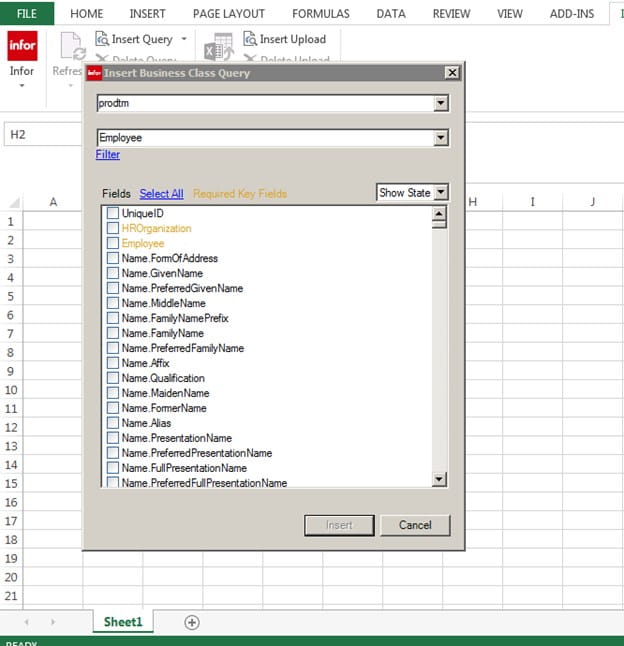
We will be using for this example the following fields,
HROrganization
Employee
Name.FullPresentationName
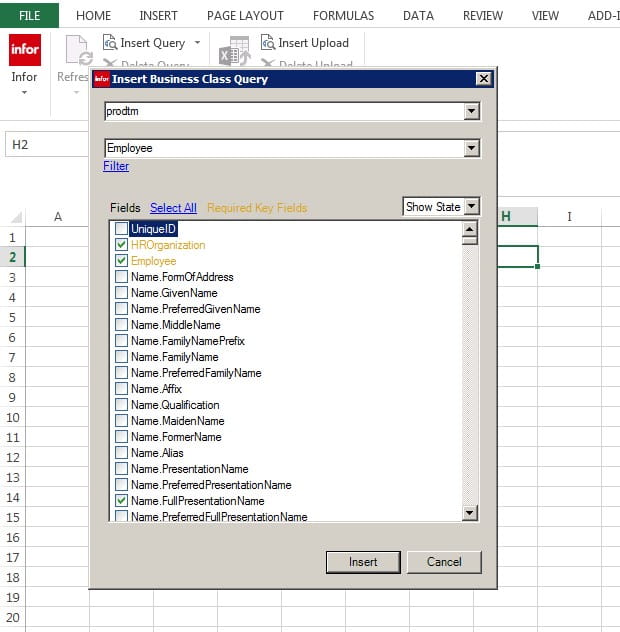
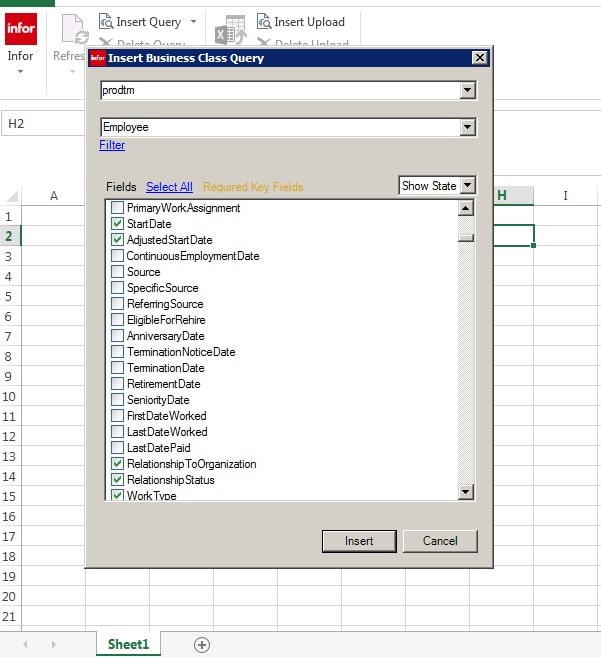
Scroll down and pick
StartDate
Adjusted Start Date
Relationship to Org
Relationship Status and click on Insert
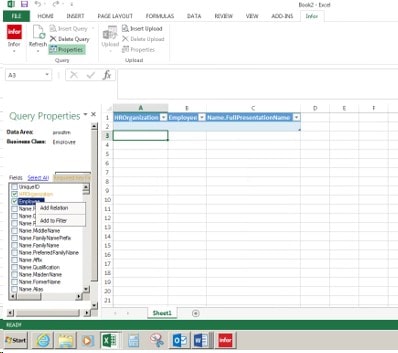
Go to the Employee and rich click on your mouse, pick Add to Filter
Go to the bottom of the Insert, and you will see Employee. Next to Employee, under Value enter your Employee ID number.
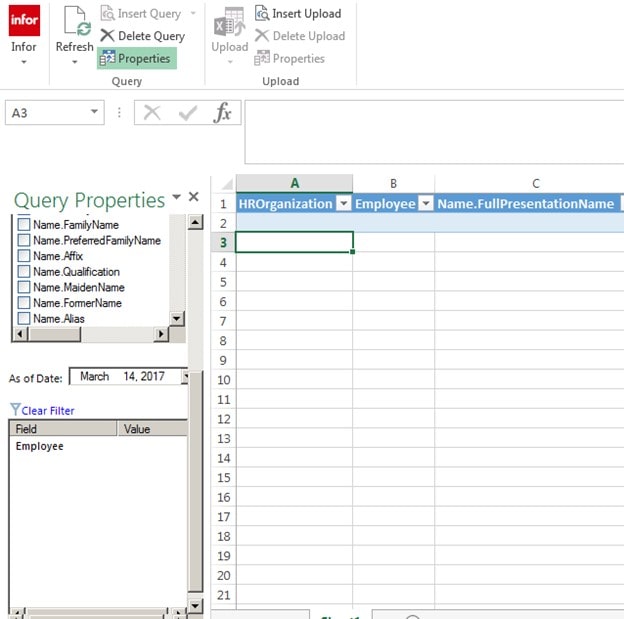
Like Below
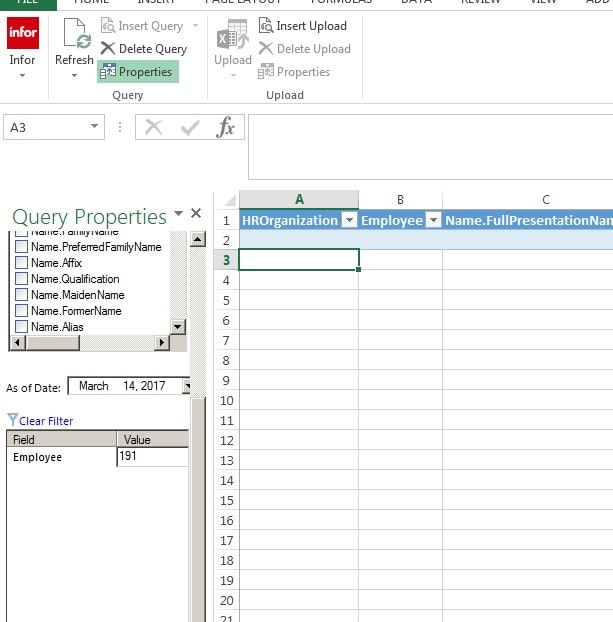
Now click off that field
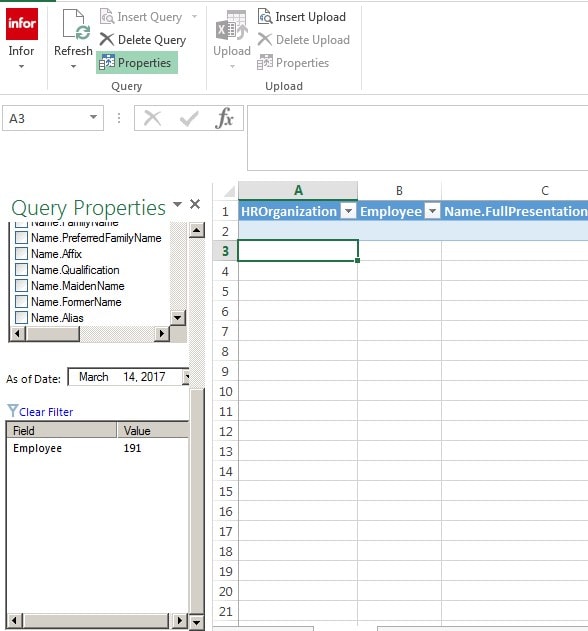
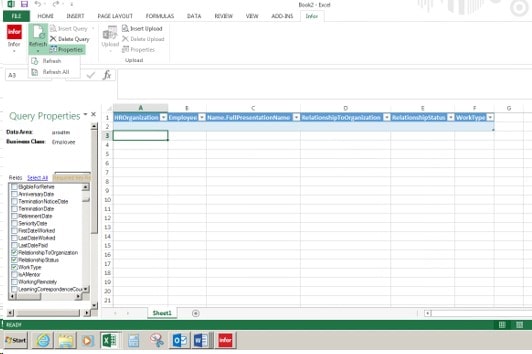
Go to Refresh at the top of the page by the Infor sign and do a drop down
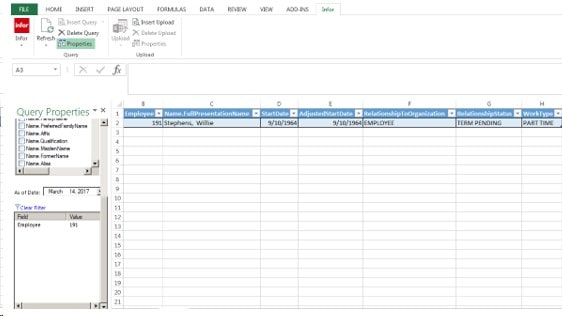
We will be clicking on Refresh
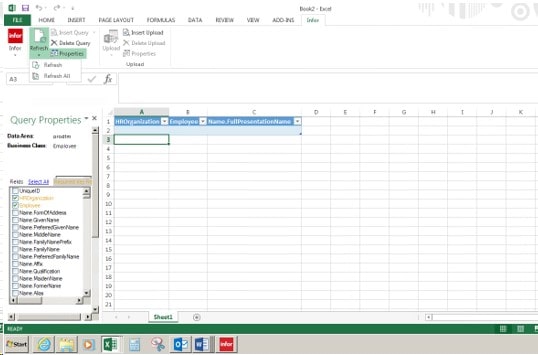
This box will appear
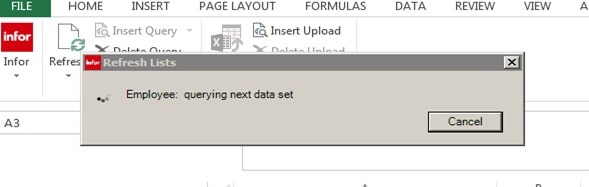
Your Information will appear,
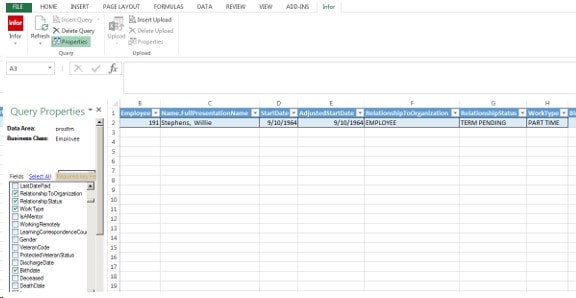
Now let add Work Type to our report, Find the Field Work Type and check the box,
Click on Refresh again and the Work Type Information will be part of your Report