
Your Legacy ERP Hosting Provider Gave You an Exit Date. Here’s Your Six-Month Plan.
It arrives as a polite letter: the managed hosting service for your legacy ERP is being wound down, and you have until a date — often less than a year out — to get off. The provider offers a migration path that turns out to be a copy of your tables to a data lake, and after that you’re on your own.
This has been happening to a lot of hosted Infor Lawson customers over the past year. Navisite hosted a large share of the Lawson installed base; since Accenture’s acquisition, customers have been told to exit the platform by early 2027, with the offered alternative being a port to a data lake with Athena — no application, no security model, no reports. If you’re one of them, or if you’re with any provider that’s decided legacy ERP hosting isn’t a business they want to be in, here’s how to use the time.
First, what are your actual options?
There are three.
Move the live system somewhere else. Re-host the ERP on your own infrastructure or another provider. This keeps everything working exactly as it does today, and it’s the most expensive option: you’re moving an old application stack (WebSphere, an old database, an unsupported OS) and committing to run it for years. It makes sense only if you still transact in the system.
Take the data lake export. Accept the provider’s copy of the tables. Cheapest up front, and then your data engineering team owns building security, reports, and a way for AP and HR to look things up. See data lake export vs. application archive for what’s missing from the export.
Archive the application. Copy the whole application — data, attachments, security, standard inquiries — into an archive in your own cloud account and decommission the hosted system. If you no longer transact in the ERP (and most hosted legacy customers don’t), this is almost always the right answer, and it’s the one that lets you actually meet the deadline.
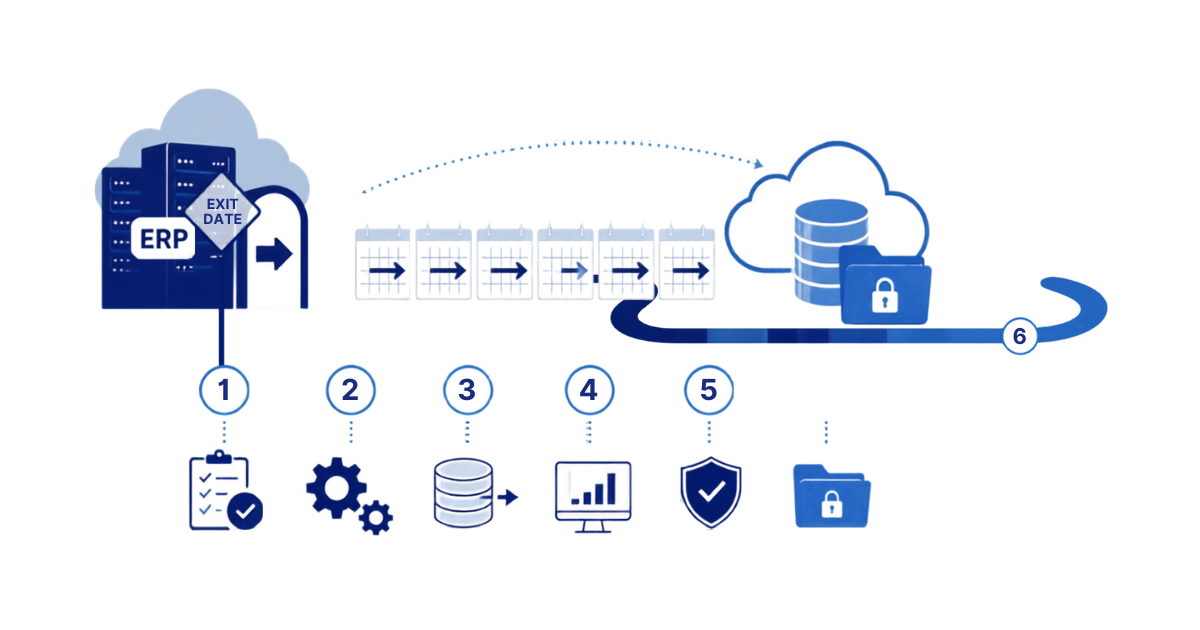
The six-month plan
Month 1 — Inventory and decide. List every user who still logs in and why. Confirm nothing still transacts (a surprising number of “read-only” Lawson systems still run a monthly job someone forgot about). Get the provider’s exit terms in writing: deadline, what they’ll hand over, in what format, and for how long they’ll keep a copy after you leave. Decide which of the three options you’re taking. If it’s archive, choose the vendor (our ten questions are a good filter).
Month 2 — Provision and connect. Stand up the target: for APIX, that’s an AWS account you own, connected to your identity provider. Give the archive vendor database access to the hosted environment. This is where hosted providers can be slow; start the access request the day you decide.
Months 2–3 — Load and validate. The full copy. For APIX this is the 30-day window: extract every table and attachment, load to S3 as Parquet, build the search index, apply the security model, capture row counts and checksums. Your validation: pick twenty records your users know — specific invoices, checks, employees — and confirm each one in the archive.
Month 4 — User acceptance. Put the archive in front of the AP, payroll, HR, and finance people who actually use history. Have them run their real lookups. Fix what’s missing. This month is the difference between a decommission that sticks and one where somebody quietly keeps the old system alive.
Month 5 — Parallel run and cutover. Both systems available; archive is primary. Turn off logins to the hosted system for everyone except the project team. Watch for anyone who notices.
Month 6 — Decommission. Confirm the archive is complete and accepted in writing. Instruct the provider to decommission and certify destruction. Update your records-retention and DR documentation to point at the archive.
That leaves buffer. Providers slip; access takes longer than promised; someone discovers a report nobody mentioned. Six months is comfortable. Three is doable. Less than that and you’re taking the data lake export and fixing it later.
What to watch for
- The export is not free of obligations. If you take the provider’s data lake copy, you still have to secure it (it’s payroll data in a bucket), validate it, and make it usable. Budget for that.
- Ask the provider specifically whether the Lawson attachment structures (L_H*/L_D*) are in the export. They frequently aren’t.
- Destruction certification. After you leave, get written confirmation that the provider’s copies are destroyed. Your auditors will ask for it.
APIX has taken hosted Lawson customers from first call to decommissioned source system in the window above; the 30-day load is the same whether the source is on-prem or hosted. If you’ve received an exit date and want a realistic plan against it, book a discovery session — bring the provider’s letter and we’ll work backward from the deadline.
Retiring Lawson, PeopleSoft, or Oracle? APIX archives the entire application — every table, every year, attachments and security included — into your own AWS account in about 30 days, so you can decommission the legacy system and keep full access to the history.

