
Data Lake Export vs. Application Archive: Why a Raw Dump of Your ERP Fails the People Who Need It
When a hosting provider or a migration partner offers to “archive” your legacy ERP, ask exactly one question: after the export, can the AP clerk look up a 2019 vendor payment without a SQL prompt and without seeing everyone’s payroll?
If the answer is no, what you’re being offered is a data lake export, not an archive. They’re very different things, and the difference shows up about six weeks after go-live when the first real request comes in.
What a data lake export is
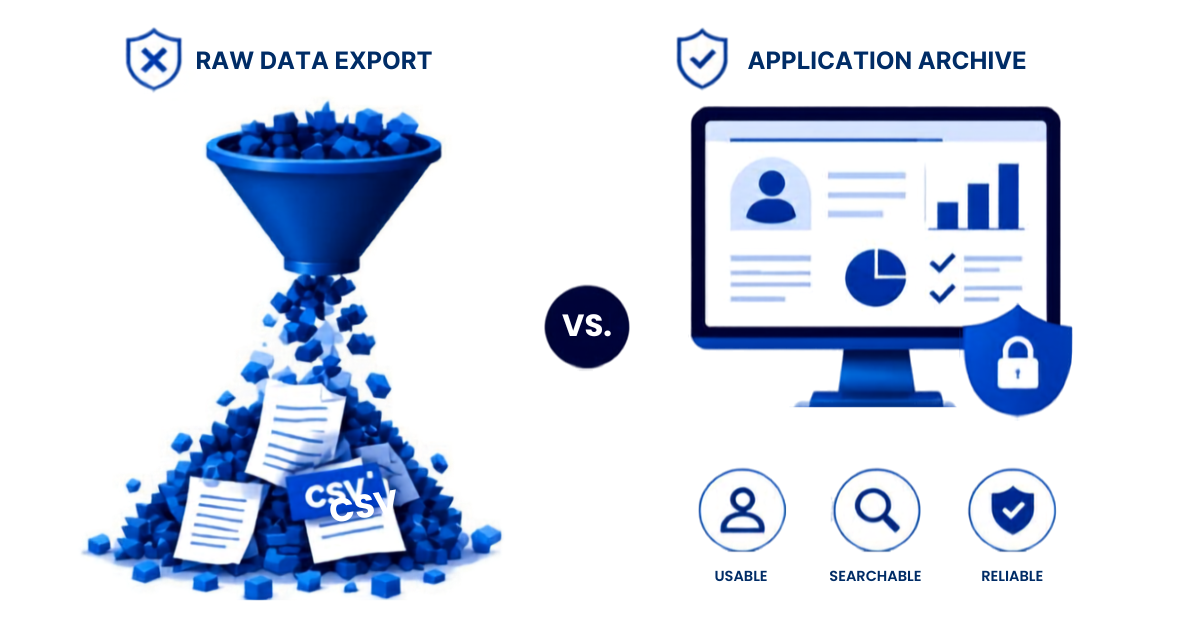
A copy of the database tables — often as Parquet or CSV in S3 or Azure storage — with a query engine like Athena or Synapse pointed at it. It’s a legitimate technical deliverable, it’s cheap to produce, and if you have a data engineering team it’s useful raw material.
We’ve seen this offered recently as the standard exit path for hosted Lawson customers whose provider is winding down the service: a port of the tables to a data lake plus Athena access, and the customer takes it from there.
What it leaves out
Security. Tables in a bucket have one permission level: you can read the bucket or you can’t. The ERP’s role model — process level, accounting unit, company, HR security classes — doesn’t come with the export. Whoever can query PAEMPLOYEE can query every employee.
A user interface. Athena is a SQL console. The people who need history are AP clerks, payroll specialists, HR generalists, and auditors. They will not write SELECT … FROM apix1_law_apinvoice WHERE vendor = lpad(‘1000’, 9) — and yes, that’s really what a Lawson vendor lookup looks like on raw tables, because vendor numbers are right-justified with leading spaces.
Reports. The “vendor payment history,” “employee pay history,” “GL account detail by period” inquiries that people ran a hundred times a month in the old system don’t exist. Someone has to rebuild each one as a query, and then maintain them.
Attachments. Scanned invoices, offer letters, PO documents stored in the ERP’s attachment structures are frequently skipped, or exported without the link back to their parent record.
Knowledge of the schema. A Lawson archive has 1,900 tables and 38,000 fields with COBOL-era names (PEM-BEN-DATE-1, APISET11_SS_SW). Without documentation and without someone who knows that OCCURS arrays became db_amount_01..13, the lake is a puzzle. (We publish the full Lawson data dictionary precisely because so few people have it.)
Validation. Was the copy complete? An export job that finished isn’t evidence. Row counts and checksums against the source are.
Sign-on. IAM users and access keys for Athena, managed by hand, are the opposite of the SAML-based access the rest of your organization uses.
What an application archive adds
An application archive starts from the same raw copy — in APIX’s case, Parquet on S3 in your own AWS account, queryable with Athena if your data team wants it — and then puts the application layer back:
- A web interface where users search by vendor, employee, account, PO, or check number and get the record the way they remember it.
- Role-based security that mirrors what the ERP enforced, tied to your SAML identity provider.
- The standard inquiries and reports, delivered, not left as an exercise.
- Attachments and comments linked to their records.
- Row counts and checksums captured at load, so the archive is defensible in an audit.
- Full-text search across the whole archive.
The raw data is still there underneath. You get both.
The decision
A data lake export makes sense if you have a data engineering team that will build and maintain the access layer, a security team comfortable with bucket-level permissions on payroll data, and users who will never need history without an engineer’s help. That describes very few organizations.
For everyone else, the question is whether the archive will be usable by the people who need it on the day the old system goes dark. That’s the whole job.
If you’ve been offered an export and want to understand what it would take to make it usable — or whether it’s simpler to start from an application archive — book a discovery session. We’ll be specific about what’s in the export and what isn’t.
Related: ERP Archiving: The Complete Guide to Archiving a Legacy ERP Application
Retiring Lawson, PeopleSoft, or Oracle? APIX archives the entire application — every table, every year, attachments and security included — into your own AWS account in about 30 days, so you can decommission the legacy system and keep full access to the history.

