
Troubleshooting IPA Schedules
Sometimes you may find that your scheduled flows have not run, seemingly with no explanation. When this happens, there is a good possibility that there was an error in the scheduler that needs to be resolved. To check the scheduler, log into Rich Client or your IPA Web Administrator as the user who owns the schedule. Search for “My Scheduled Actions”.
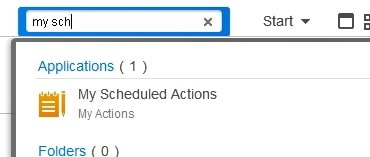
Find the schedule of the flow that didn’t run, and verify if there is an error. Double-click on the failed instance at the bottom of the screen to get more detail on the error.
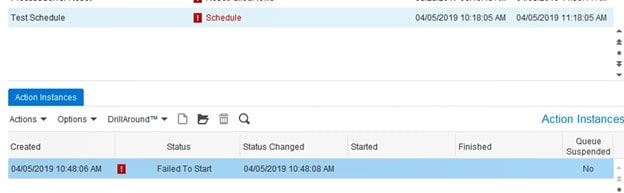
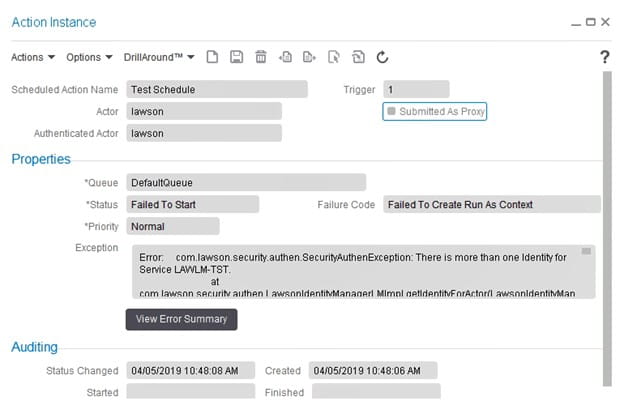
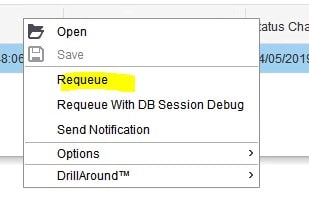
Once you have resolved the issue that caused the error, right-click on the instance and select “Requeue”. Note that this will cause your schedule to run immediately.
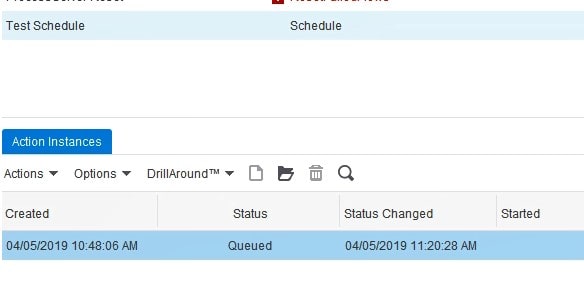
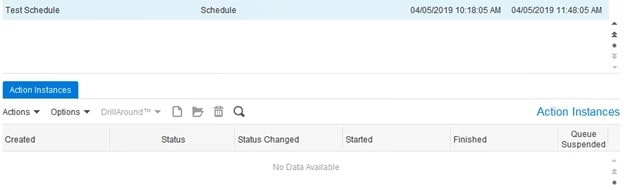
After the schedule has run successfully, there will not be any more items in the “Action Instances” tab.
If your schedule is still failing, open a chat session with Nogalis and we would be happy to help you with a bit of troubleshooting! And if IPA is a pain point for you, we have some great resources on hand who can provide managed services of your system, training, and project work. Check out our managed services program today!
Retiring Lawson, PeopleSoft, or Oracle? APIX archives the entire application — every table, every year, attachments and security included — into your own AWS account in about 30 days, so you can decommission the legacy system and keep full access to the history.


Leave a Reply
Want to join the discussion?Feel free to contribute!