
844-NOGALIS (844-664-2547)
Nogalis, Inc.
  • Link to Facebook
  • Link to X
  • Link to LinkedIn
  • Link to Mail
  • Company
    • News, Events and Articles
    • About Us
  • Products
    • Infor Lawson Data Archive
    • PeopleSoft Data Archive
    • Oracle Data Archive
  • Services
    • Infor Lawson Support
    • Infor Lawson / CloudSuite Consulting
  • Education & Training
  • Support
  • Contact Us
  • Click to open the search input field Click to open the search input field Search
  • Menu Menu

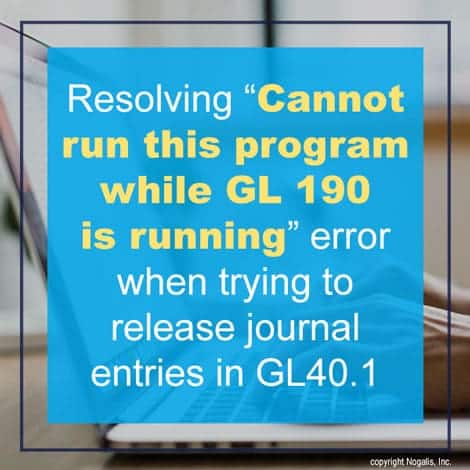
Resolving “Cannot run this program while GL190 is running” error when trying to release journal entries in GL40.1

Articles, Frontpage Article, News

You may run into this error at some point in GL40.1:

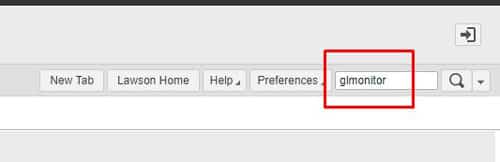
Fortunately, there’s an easy fix to this. First login to Lawson portal and search GLMONITOR:
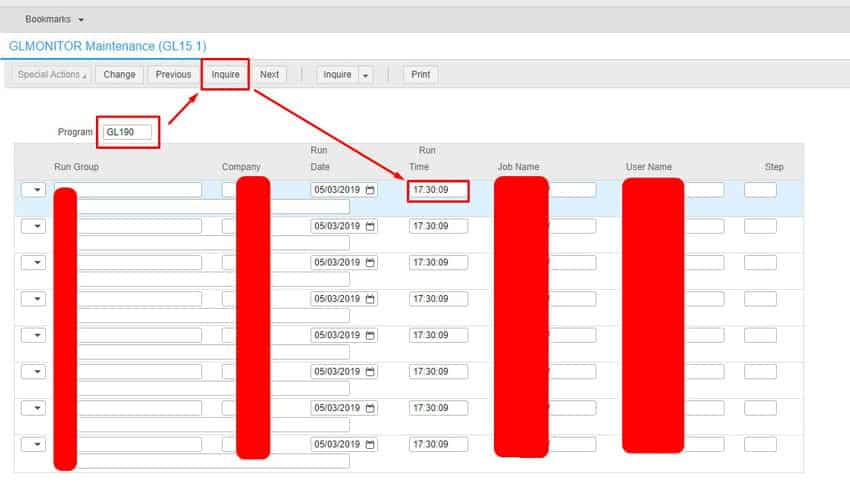
In GLMONITOR, type in GL190 and hit Inquire, if you get results and notice the run time, the process is in fact still running and causing the issue with GL40:
Go to job scheduler by opening LID and typing in jobschd >> F7 + A to select all users >> Then W to go to waiting screen.

Look for any GL190 jobs running and verify the User Name is the same one in GLMONITOR when inquiring on GL190 program. Check the error and if its safe to recover, recover it and let the job complete.


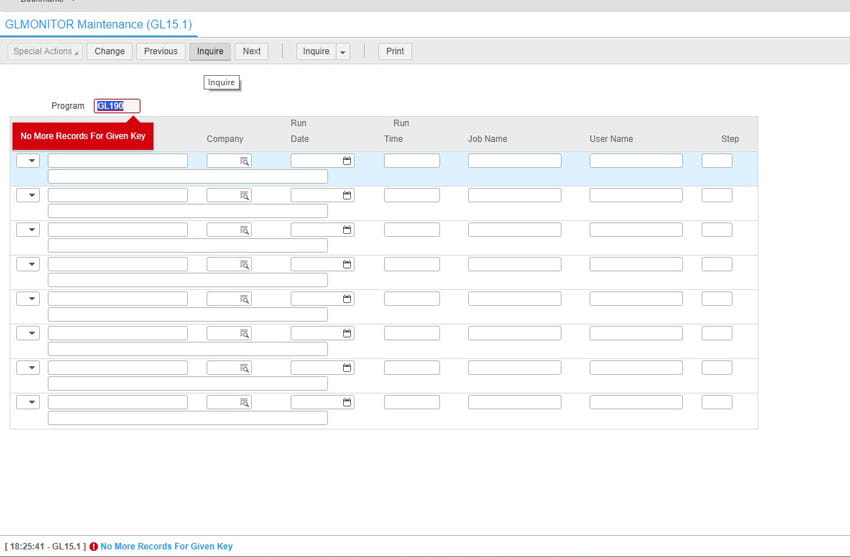
Go back to GLMonitor and inquire on GL190 to verify the job is no longer running:
 

Go to GL40.1 and release your Journal Entries.  Good luck!


This type of work is typically done by a Lawson functional resource. Organizations often hire a Lawson consultant team who offer managed services at a fixed monthly rate. These Lawson teams have a wider range of expertise and knowledge and are ideal for larger organizations but also are great for smaller ones that don’t need a dedicated Lawson employee on-site. Nogalis does offer this as a service so feel free to reach out to us via our contact page.


Retiring Lawson, PeopleSoft, or Oracle? APIX archives the entire application — every table, every year, attachments and security included — into your own AWS account in about 30 days, so you can decommission the legacy system and keep full access to the history.

See how the APIX ERP archive works →

03/03/2023
Share this entry
  • Share on Facebook
  • Share on X
  • Share on WhatsApp
  • Share on LinkedIn
  • Share on Reddit
  • Share by Mail
https://www.nogalis.com/wp-content/uploads/2023/02/Resolving-Cannot-run-this-program-while-GL-190-is-running-error-when-trying-to-release-journal-entries-in-GL40.1.jpg 470 470 Angeli Menta https://www.nogalis.com/wp-content/uploads/2013/04/logo-with-slogan-good.png Angeli Menta2023-03-03 08:32:012023-03-03 14:48:51Resolving “Cannot run this program while GL190 is running” error when trying to release journal entries in GL40.1

LEGACY ERP DATA ARCHIVE SOLUTION


Discover how our clients are leveraging AWS services to archive their Legacy ERP data and provide ubiquitous access to users via a light-weight, secure, and read-only web interface. Secure, Fast, Reliable, and Cost Effective. That is the promise of APIX. Follow the link below to find out more and book a discovery call with our data archive specialist.

BOOK DEMO

© Copyright - Nogalis, Inc. 2026
  • Legal
  • Privacy
  • Contact Us
Link to: 9 Ways in Which Innovation is Changing ERP Technology Link to: 9 Ways in Which Innovation is Changing ERP Technology 9 Ways in Which Innovation is Changing ERP Technology Link to: Weekly Patch Notification: March 4, 2023 Link to: Weekly Patch Notification: March 4, 2023 Weekly Patch Notification: March 4, 2023
Scroll to top Scroll to top Scroll to top