
Lawson Add-ins Error – ExcelDrill.xla could not be found
You’re updating Lawson add-ins and running into this error when accessing addins in excel.

To resolve this error follow these steps:
- Open Excel and go to File >> Options
- In Excel Options click on Add-ins Tab
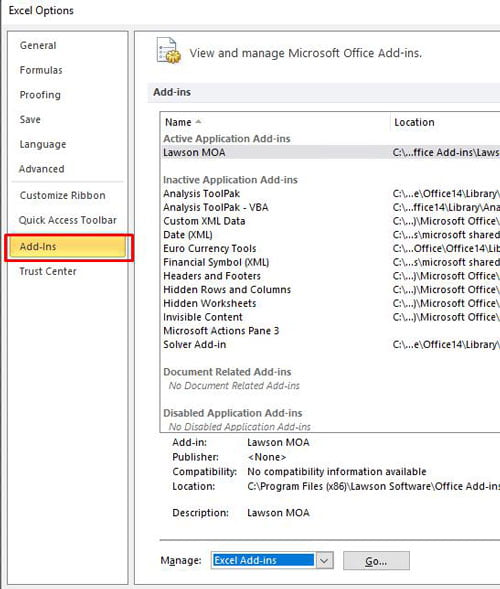
- Under Manage: Select Excel Add-ins and click Go…
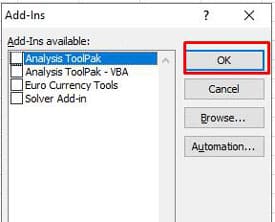
- Unselect any Lawson Add-ins “exceldrill.xla” files and then press Okay:
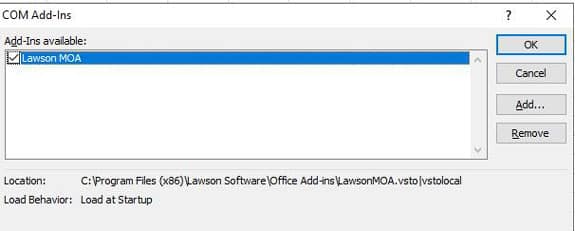
- Repeat steps 1 and 2, in Manage: select COM Add-ins >> Go… and unselect any Lawson Addins selections that path to *.xla files
- After doing this, restart excel and you should no longer receive the exceldrill.xla errors. A successful install should show the below under COM Add-ins.
Done!
Retiring Lawson, PeopleSoft, or Oracle? APIX archives the entire application — every table, every year, attachments and security included — into your own AWS account in about 30 days, so you can decommission the legacy system and keep full access to the history.

