
How to delete a recurring Journal Entry in Lawson
Though this is a fairly simple task, it typically requires higher access (sometimes temporary access as some organizations only want users deleting journal entries once or twice a month).
- Login to Lawson portal and go to GL70.1
- Enter the company and journal entry number, hit Inquire.
- Click the “New Entry” button
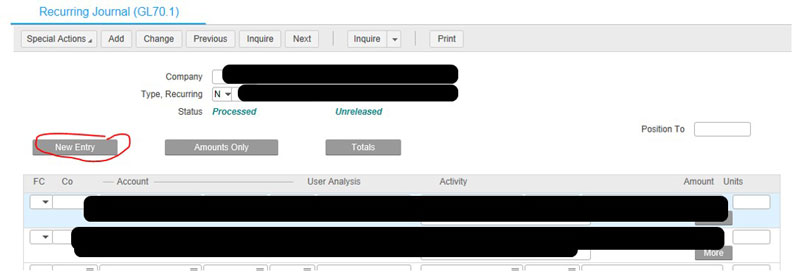
- This will take you to GL70.2 and contain the same company/entry number (if not, enter again and hit inquire).
- After inquiring again, hit Delete and confirm the journal entry has been deleted.

And you’re done!
Retiring Lawson, PeopleSoft, or Oracle? APIX archives the entire application — every table, every year, attachments and security included — into your own AWS account in about 30 days, so you can decommission the legacy system and keep full access to the history.

