
Resolving “Cannot run this program while GL 190 is running” error when trying to release journal entries in GL40.1
You may run into this error at some point in GL40.1:

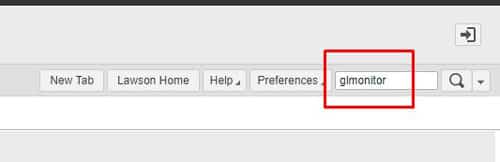
Fortunately, there’s an easy fix to this. First login to Lawson portal and search GLMONITOR:
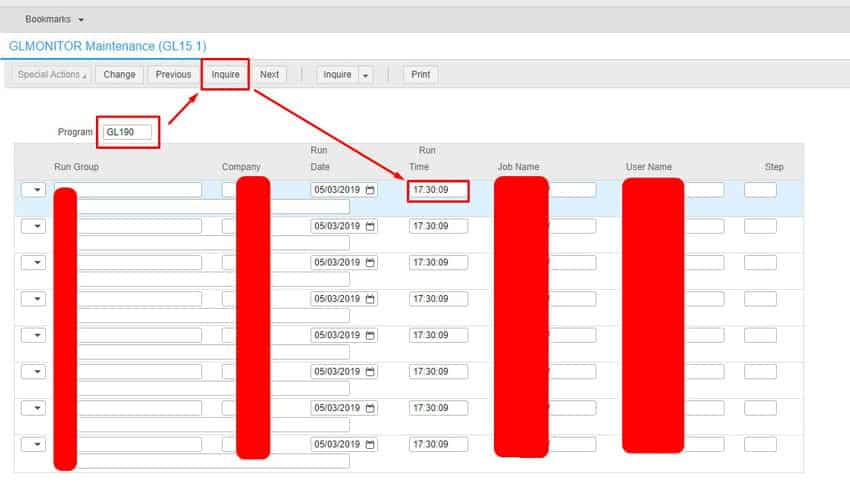
In GLMONITOR, type “GL190” and select Inquire. If you get results and notice the run time, the process is in fact still running and causing the issue with GL40:
Go to job scheduler by opening LID and typing in jobschd >> F7 + A to select all users >> Then W to go to waiting screen.
Look for any GL190 jobs running and verify the User Name is the same one in GLMONITOR when inquiring on GL190 program. Check the error and if its safe to recover, recover it and let the job complete.
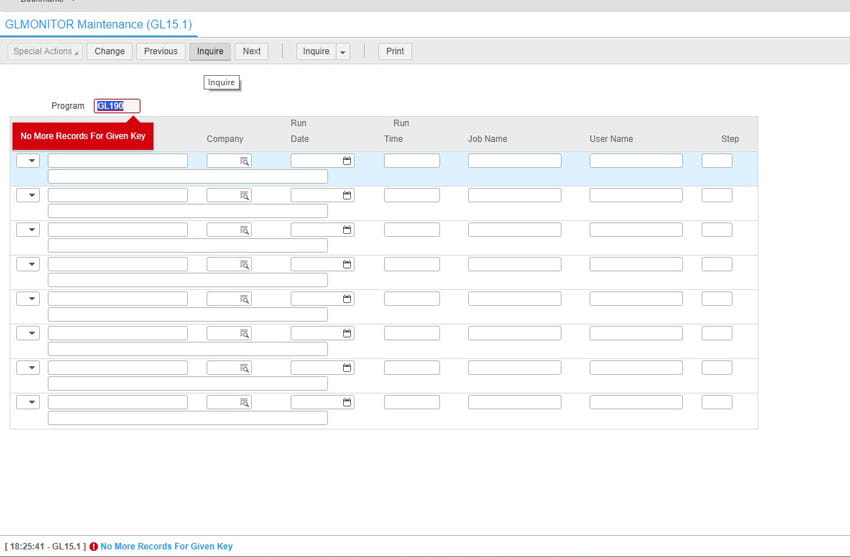
Go back to GLMonitor and inquire on GL190 to verify the job is no longer running:
Go to GL40.1 and release your Journal Entries. This should solve the error. Good luck!
Retiring Lawson, PeopleSoft, or Oracle? APIX archives the entire application — every table, every year, attachments and security included — into your own AWS account in about 30 days, so you can decommission the legacy system and keep full access to the history.

