844-NOGALIS (844-664-2547)
Nogalis, Inc.
  • Link to Facebook
  • Link to X
  • Link to LinkedIn
  • Link to Mail
  • Company
    • News, Events and Articles
    • About Us
  • Products
    • Infor Lawson Data Archive
    • PeopleSoft Data Archive
    • Oracle Data Archive
  • Services
    • Infor Lawson Support
    • Infor Lawson / CloudSuite Consulting
  • Education & Training
  • Support
  • Contact Us
  • Click to open the search input field Click to open the search input field Search
  • Menu Menu

Adding or Replacing Existing SSL CERTS Lawson (WINDOWS)

Articles, News

This is a PFX cert.

Start – This is being done on a Lawson LSF server.

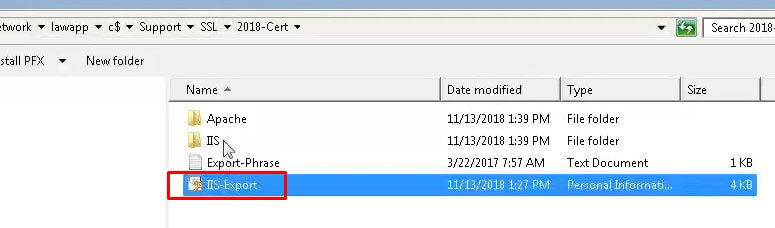
  1. Drag the folder with the Cert onto the server you want to apply it to.
    1. Once you do that, make sure you check whether or not the server is running IIS. Typically by searching for IIS Manager or checking services.
  2. Double click the cert file that you dragged onto the server.
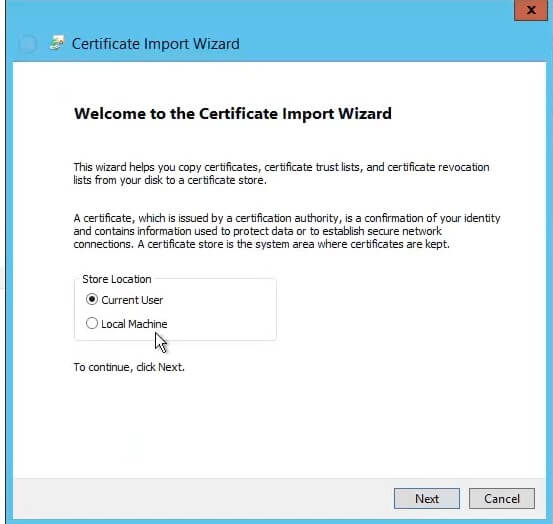
  3. Select Local machine:
  4. Specify the file you want to import (should default on the cert you just clicked to run) >> Next
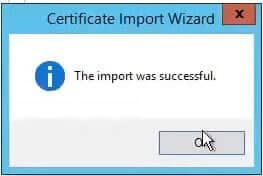
  5. Enter the password for the cert and click next.
  6. Open command prompt as admin and type: start certlm.msc
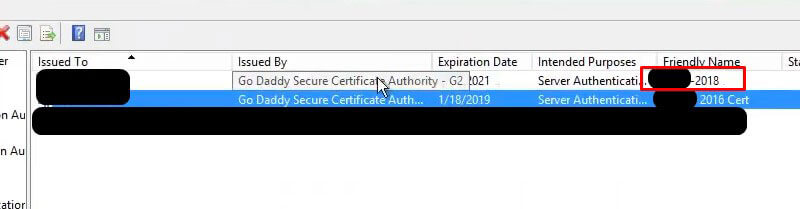
  7. Under Personal >> Certificates, you should see the new cert you imported: The old one is below the one highlighted in red.
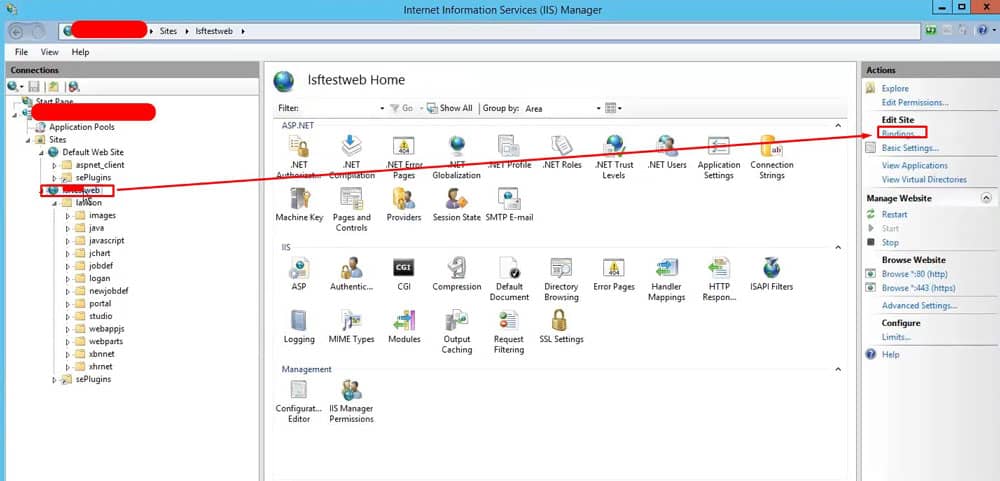
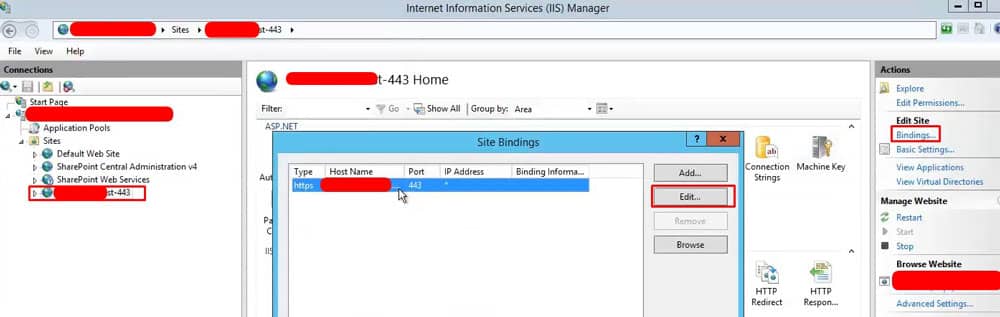
  8. Now go to IIS Manager, Sites >> select WebsiteName and then on right pane select bindings as shown below
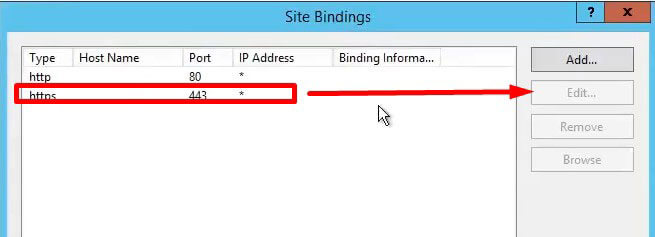
  9. Select https binding and edit
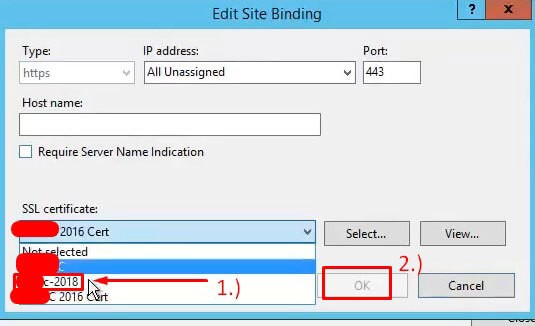
  10. Select new cert and click ok
  11. Back in command prompt type: iisreset /restart
  12. Test and you’re done

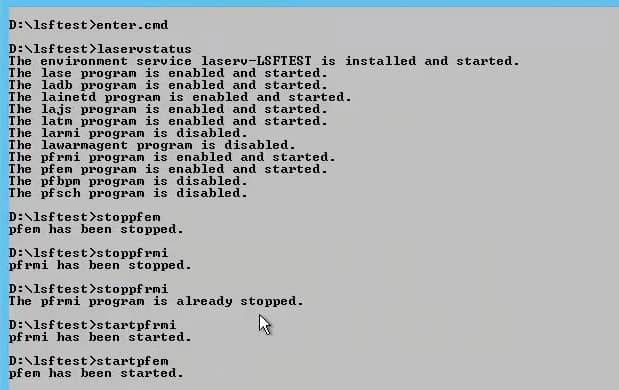
When applying to Landmark server, we need to run the following commands below (Important to stop and start exactly as shown):
For Mingle in ISS Manager, we need to select the Sharepoint secure site and select bindings.
Retiring Lawson, PeopleSoft, or Oracle? APIX archives the entire application — every table, every year, attachments and security included — into your own AWS account in about 30 days, so you can decommission the legacy system and keep full access to the history.

See how the APIX ERP archive works →

01/30/2019
Share this entry
  • Share on Facebook
  • Share on X
  • Share on WhatsApp
  • Share on LinkedIn
  • Share on Reddit
  • Share by Mail
https://www.nogalis.com/wp-content/uploads/2019/01/Adding-or-Replacing-Existing-SSL-CERTS-Lawson-WINDOWS.jpg 545 595 Angeli Menta https://www.nogalis.com/wp-content/uploads/2013/04/logo-with-slogan-good.png Angeli Menta2019-01-30 08:04:382019-02-23 11:02:32Adding or Replacing Existing SSL CERTS Lawson (WINDOWS)

LEGACY ERP DATA ARCHIVE SOLUTION


Discover how our clients are leveraging AWS services to archive their Legacy ERP data and provide ubiquitous access to users via a light-weight, secure, and read-only web interface. Secure, Fast, Reliable, and Cost Effective. That is the promise of APIX. Follow the link below to find out more and book a discovery call with our data archive specialist.

BOOK DEMO

© Copyright - Nogalis, Inc. 2026
  • Legal
  • Privacy
  • Contact Us
Link to: 7 Golden Rules for ERP Implementations Link to: 7 Golden Rules for ERP Implementations 7 Golden Rules for ERP Implementations Link to: Infor Announces latest Infor CloudSuite ERP release (Infor LN) for manufacturing industries Link to: Infor Announces latest Infor CloudSuite ERP release (Infor LN) for manufacturing industries Infor Announces latest Infor CloudSuite ERP release (Infor LN) for manufacturing...
Scroll to top Scroll to top Scroll to top