844-NOGALIS (844-664-2547)
Nogalis, Inc.
  • Link to Facebook
  • Link to X
  • Link to LinkedIn
  • Link to Mail
  • Company
    • News, Events and Articles
    • About Us
  • Products
    • Infor Lawson Data Archive
    • PeopleSoft Data Archive
    • Oracle Data Archive
  • Services
    • Infor Lawson Support
    • Infor Lawson / CloudSuite Consulting
  • Education & Training
  • Support
  • Contact Us
  • Click to open the search input field Click to open the search input field Search
  • Menu Menu

How to perform a cyclic update for BSI TaxFactory 10

Articles, News
  1. Download the client package for Windows. 
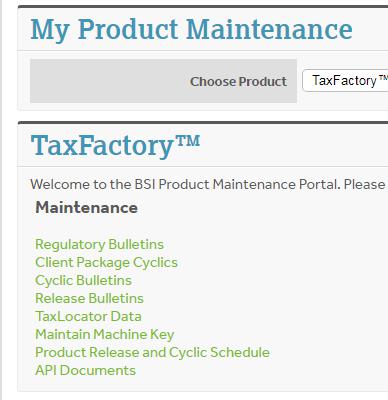
    1. Log into your MyBSI account
    2. Navigate to Product Maintenance
    3. Select your product
    4. Cyclic Bulletins
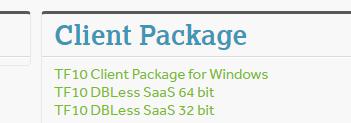
    5. Select your bulletin
    6. Click on your TF10 Client Package

  1. Download the Server Package. 
    1. From the Cyclic bulletins screen, select the appropriate server download for your server configuration
  1. Download the Cyclic Data File. 
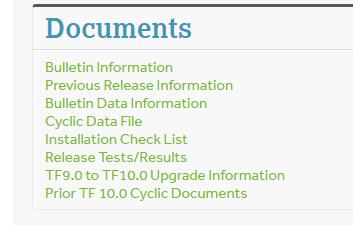
    1. From the Cyclic bulletins screen, click Cyclic Data File
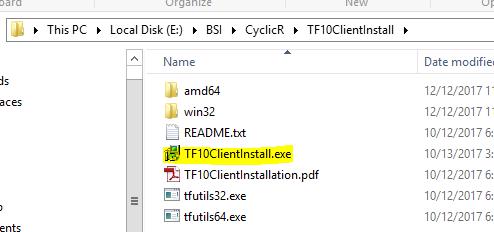
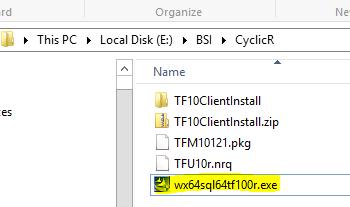
  1. Uncompress/Unzip the client software. 
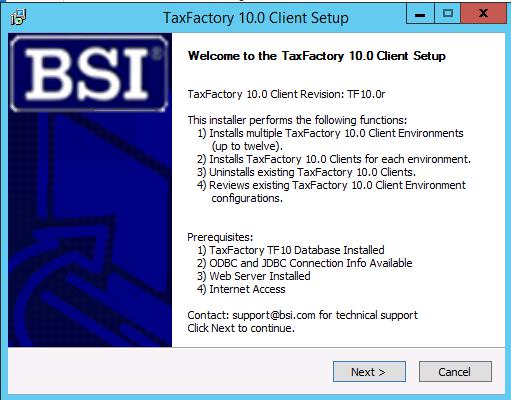
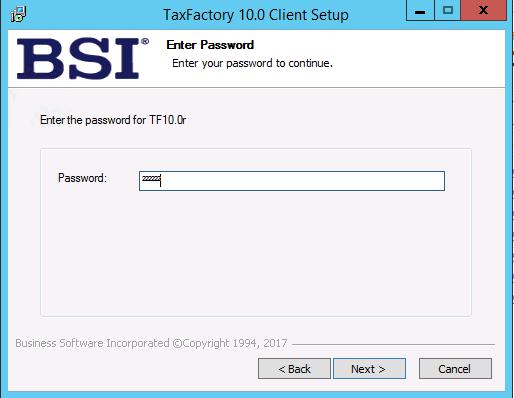
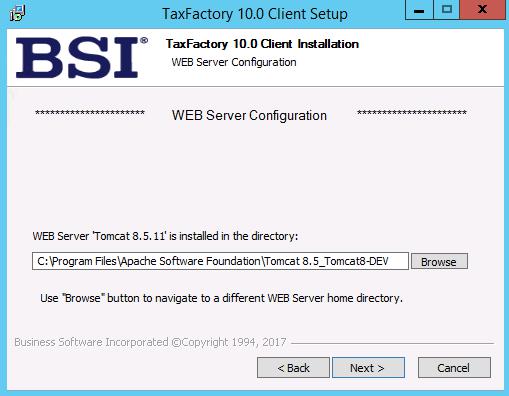
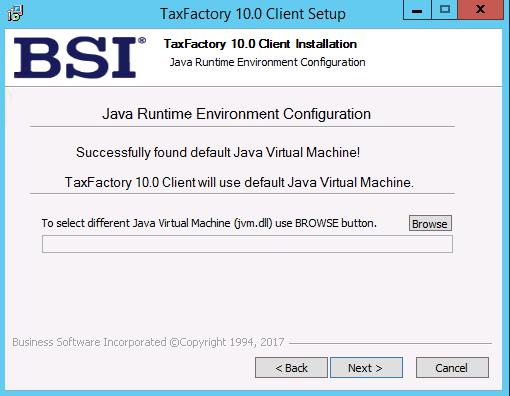
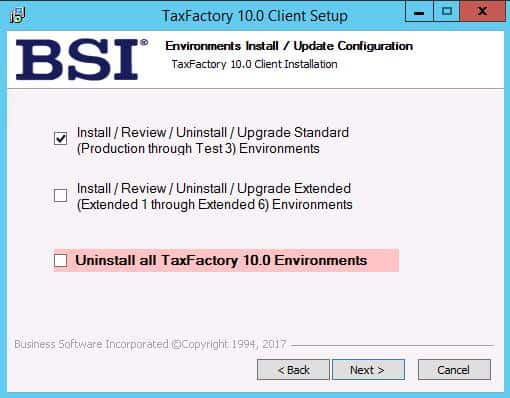
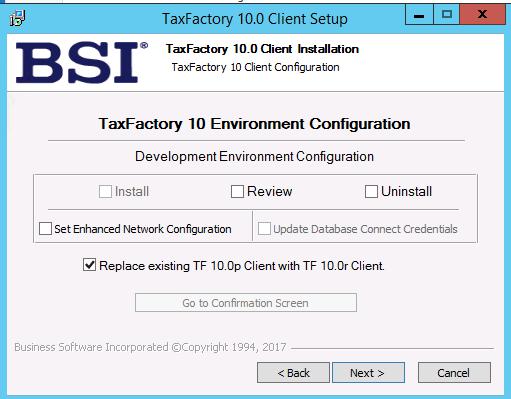
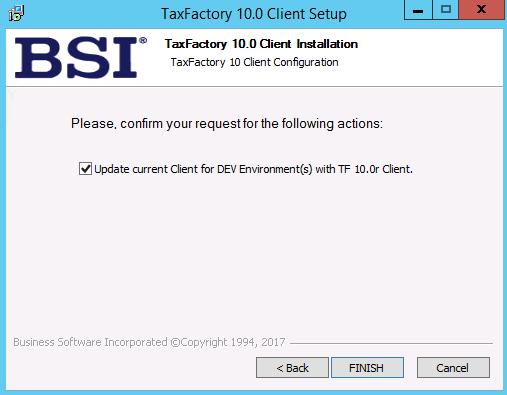
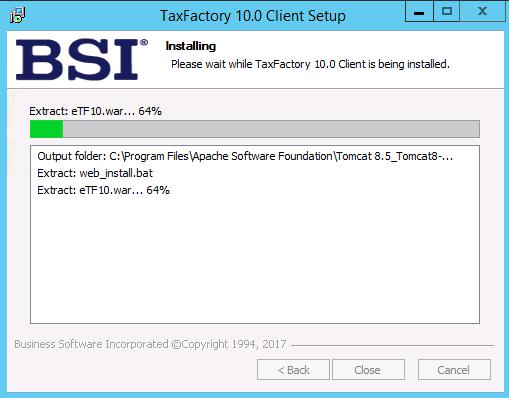
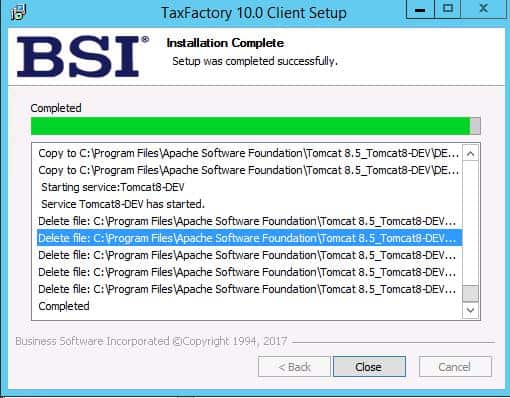
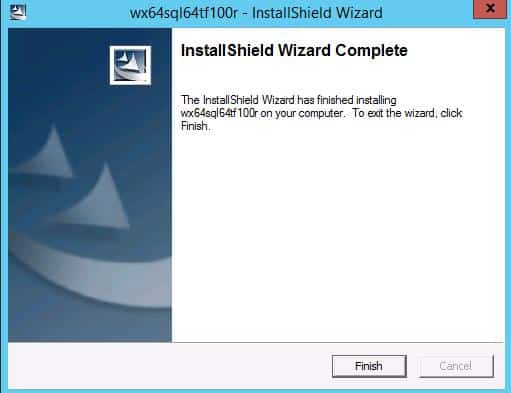
  2. Install the client software.


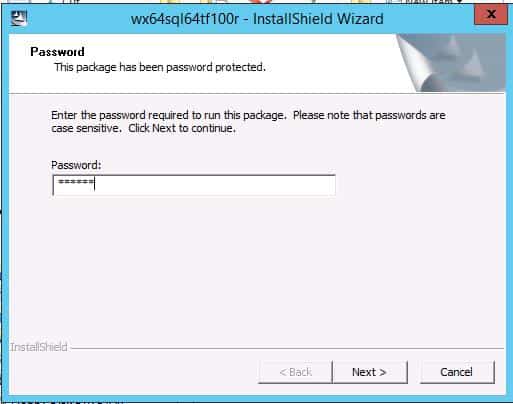
Password can be fund under the Bulletin Information link
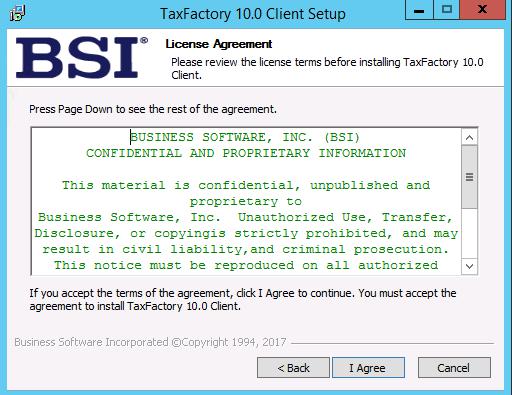
Skip any environments that are not installed

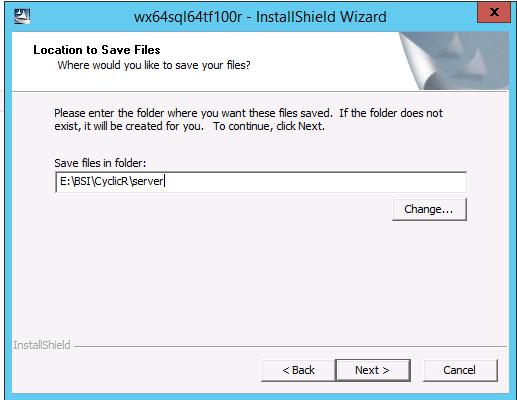
  1. Uncompress/Unzip the server software.


Password can be fund under the Bulletin Information link
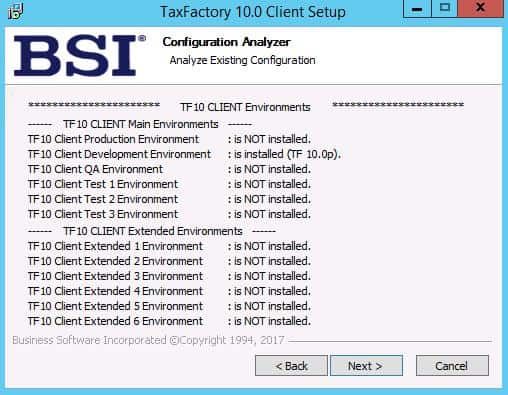
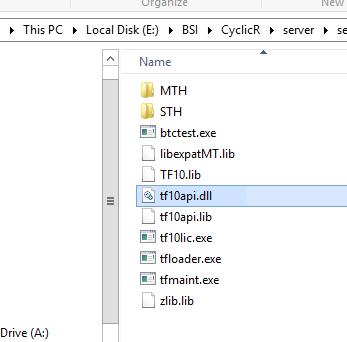
  1. Transfer/move/copy the server software to your payroll system location.  (on Windows this location is C:/Windows/System32)
  2. Apply the Cyclic Data. 
    1. Log into the new cyclic URL (eTF10x, where x is the new bulletin letter)
    2. Select your dataset
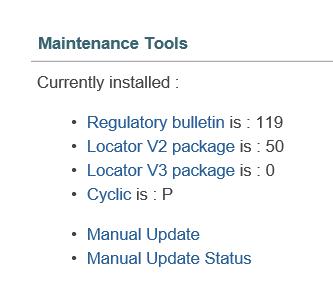
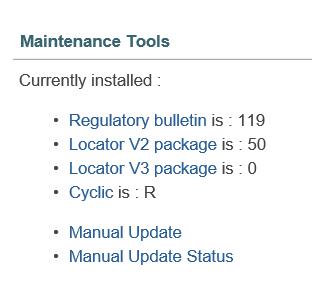
    3. Go to System Tools
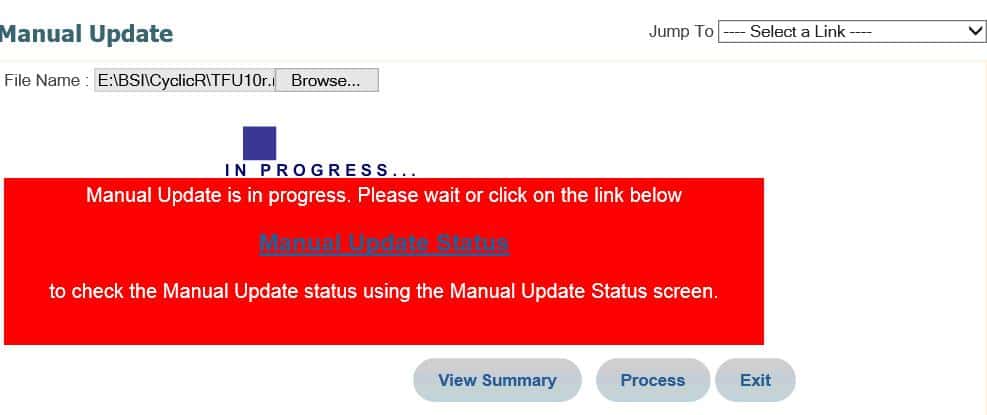
    4. Under Maintenance Tools, select Manual Update
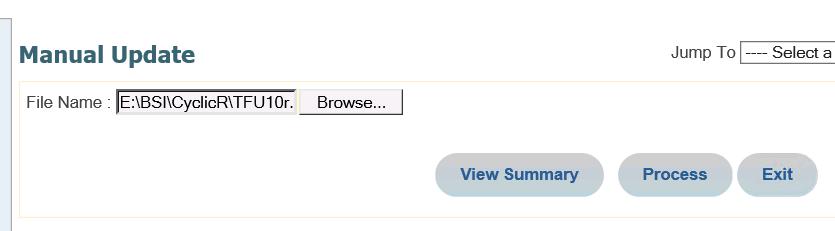
    1. Browse for the data package you downloaded earlier
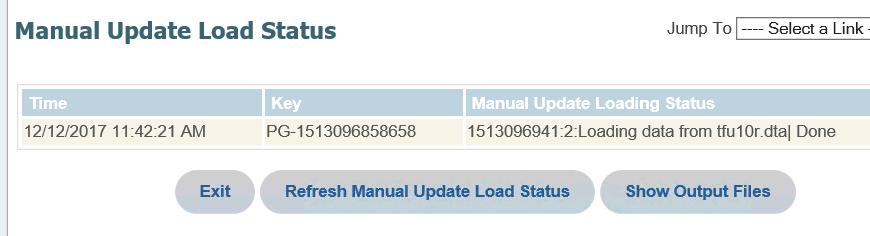
    2. Click Process


Cyclic bulletin is updated

  1. Verify BSI in Lawson
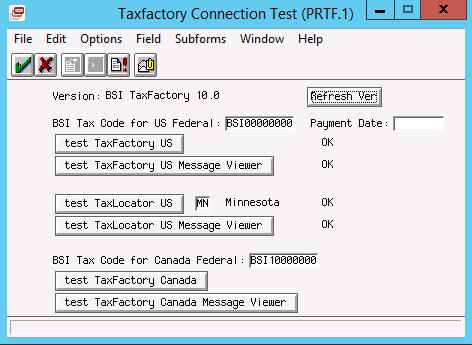
    1. Log into LID
    2. Navigate to lapm <pdl> prtf
    3. Click Refresh Ver
    4. Click the appropriate test buttons

Retiring Lawson, PeopleSoft, or Oracle? APIX archives the entire application — every table, every year, attachments and security included — into your own AWS account in about 30 days, so you can decommission the legacy system and keep full access to the history.

See how the APIX ERP archive works →

01/02/2018
Share this entry
  • Share on Facebook
  • Share on X
  • Share on WhatsApp
  • Share on LinkedIn
  • Share on Reddit
  • Share by Mail
https://www.nogalis.com/wp-content/uploads/2018/01/How-to-perform-a-cyclic-update-for-BSI-TaxFactory-10.jpg 665 732 Angeli Menta https://www.nogalis.com/wp-content/uploads/2013/04/logo-with-slogan-good.png Angeli Menta2018-01-02 08:44:382019-05-20 13:22:38How to perform a cyclic update for BSI TaxFactory 10

LEGACY ERP DATA ARCHIVE SOLUTION


Discover how our clients are leveraging AWS services to archive their Legacy ERP data and provide ubiquitous access to users via a light-weight, secure, and read-only web interface. Secure, Fast, Reliable, and Cost Effective. That is the promise of APIX. Follow the link below to find out more and book a discovery call with our data archive specialist.

BOOK DEMO

© Copyright - Nogalis, Inc. 2026
  • Legal
  • Privacy
  • Contact Us
Link to: Batch Error Link to: Batch Error Batch Error Link to: 5 Ways Integrating CRM with Marketing Automation Will Help You Boost Sales and Grow Your Business Link to: 5 Ways Integrating CRM with Marketing Automation Will Help You Boost Sales and Grow Your Business 5 Ways Integrating CRM with Marketing Automation Will Help You Boost Sales and...
Scroll to top Scroll to top Scroll to top