
How to correct a name change for Inbasket
Each Process Automation user has an Inbasket that is accessible through Infor Smart Office. Your Inbasket contains tasks that have been assigned to you, as well as the user’s information.
Problem:
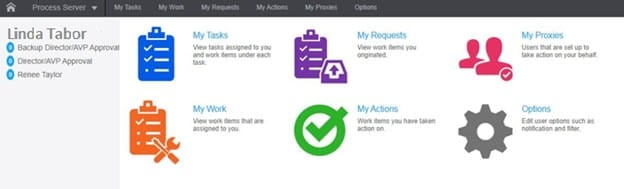
Users’ name changed but is not reflected in Inbasket. (See screen shot below for example)
Resolution:
In Infor Security Services (ISS), the Preferred Given Name is listed as “Linda”. The value can be updated in this section if the person has changed their name (or if for some reason the name is wrong or misspelled).
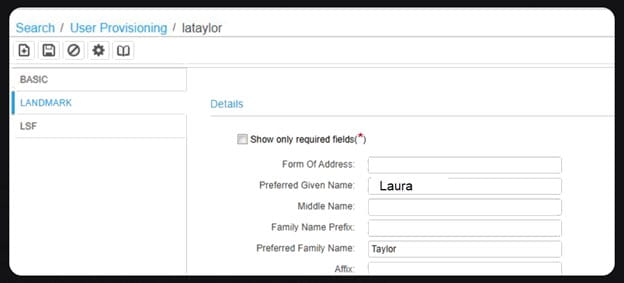
Once you edit the “Given Name” field, save your changes. The name displayed should now be the correct one.
Retiring Lawson, PeopleSoft, or Oracle? APIX archives the entire application — every table, every year, attachments and security included — into your own AWS account in about 30 days, so you can decommission the legacy system and keep full access to the history.

