

File Not Found error in LID when adding a job
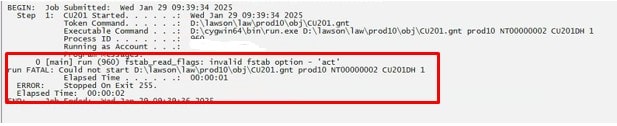
After a fresh install of Lawson, you may receive a “file not found” error in LID when adding a batch job. Or, inquiring on certain forms might time out. The batch job itself may show an error message alluding to the LUU utilities (such as invalid fstab option). The issue is potentially an incorrect LAW_COBRTS_PATH.

To resolve, open a command line utility with the Lawson environment variables set. Type command “laconfig”. The configuration window pops open.
Select your environment.
On the environment tab, check the LAW_COBRTS_PATH. If it is incorrect, fix it.
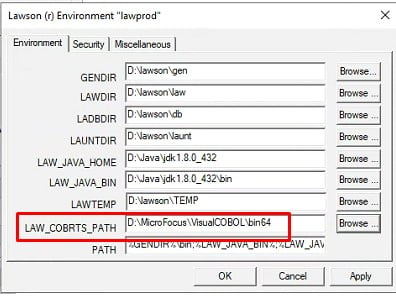
Reboot the server, or restart the services, and try your batch job again.
Retiring Lawson, PeopleSoft, or Oracle? APIX archives the entire application — every table, every year, attachments and security included — into your own AWS account in about 30 days, so you can decommission the legacy system and keep full access to the history.

