
How to find users that report directly under a manager in XM
Follow the steps below to learn how to find users that report directly under a manager in XM
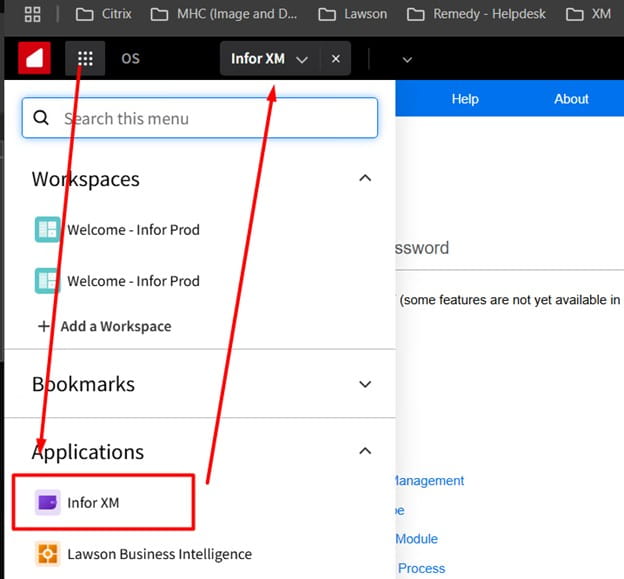
First, in Mingle, go to Infor XM
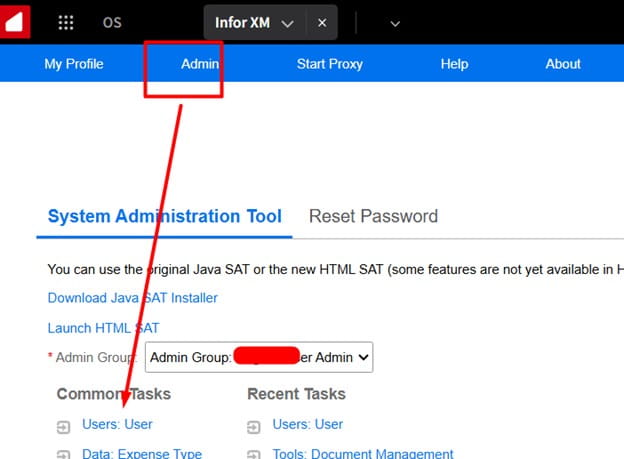
Next, select Admin >> Users
Then locate the manager you want to search for users under:
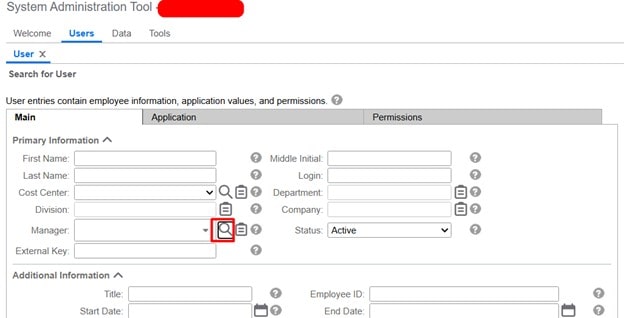
Search fore your manager by name, then pick a result:
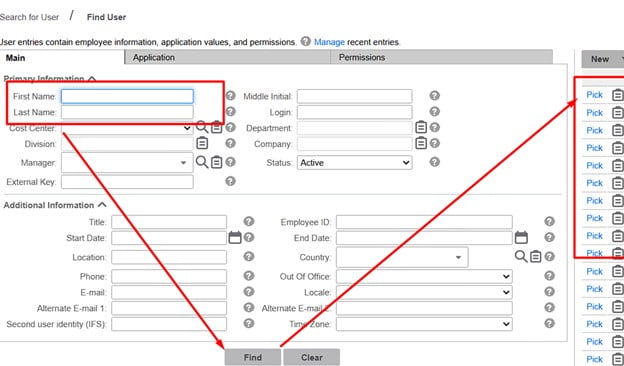
Now that we have the manager we want, click Find at the bottom and on the right hand side you’ll see all the users that are under this manager.
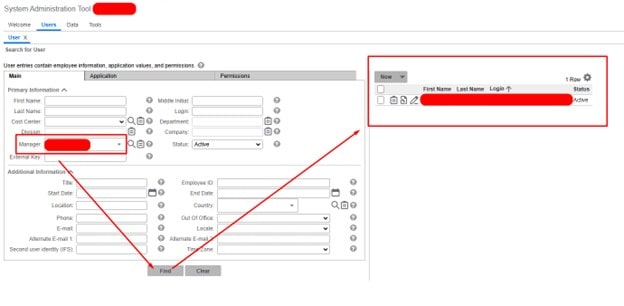
And that’s all there is to it! Just repeat the steps to view all users under different managers.
Retiring Lawson, PeopleSoft, or Oracle? APIX archives the entire application — every table, every year, attachments and security included — into your own AWS account in about 30 days, so you can decommission the legacy system and keep full access to the history.

