

How to Hardcode Fields in Lawson Design Studio
Follow these steps to hardcode fields in Lawson Design Studio.
Changing a changeable, drillable field
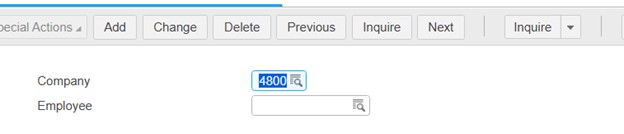
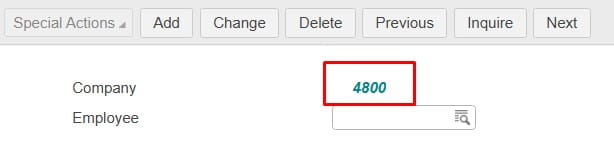
To a hardcoded field
In your organization’s Design Studio: https://lawson.yourDomain.net/lawson/studio/
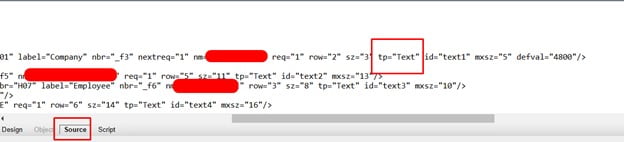
Go to Source and find the field line you want to change and change the following below:
Change tp=”Text” to tp=”Out”

Remember that whenever you customize a Lawson form like HR11, you’re taking a snapshot of that form and potentially making it incompatible with future official Infor patches. In addition to this, you also risk Infor not supporting issues with that form assuming you don’t have a dedicated Lawson team such as Nogalis to support you.

