
Updating Lawson Database Tables to match Custom Form field changes
If you need to update Lawson database tables to match custom form field changes, follow these steps:
First update your .scr forms, kndef, skndef fields if creating new columns. Updated your .sr file to include any additional fields if needed.


Then in dbdef <productline>
F6 (Define) >> Files and update the database table names
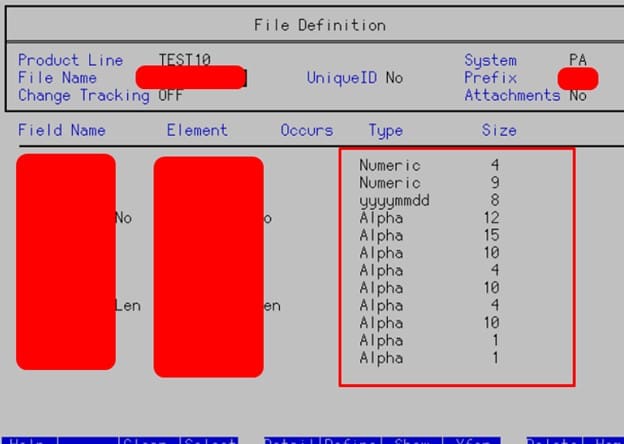
Once done, follow these procedures:
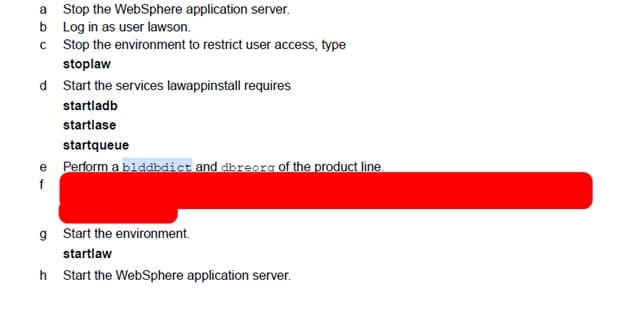
You can run a bldddbdict <productline>
Then dbreorg -l <productline> to see affected tables.
Then dbreorg <productline> to complete the dbreorg.
NOTE: If DBReorg fails, make sure websphere apps are down and java processes are not running, try and restart server then perform dbreorg again if needed.
Qcompile your file and clear cache/ios cache, then test changes.

