
How to Access and Modify existing Scheduled IPA Process Definitions in Process Server Administrator
Intuitively you may assume that you can access scheduled processes in the Lawson Process Server Administrator main toolbar:
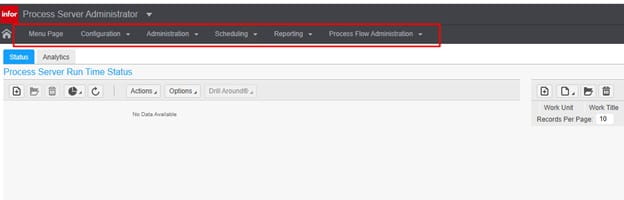
This becomes more frustrating because you would assume it would be under “Scheduling”. After all, this is supposed to be Infor’s convenient move away from the clunky Rich Client app.
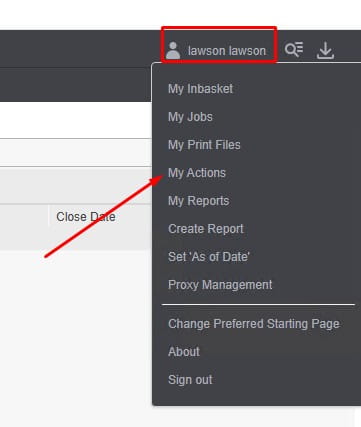
To access your existing scheduled processes, you need to go to the top right where your user is and click there and select “My Actions”, NOTE: you’ll need to be logged in as the system user
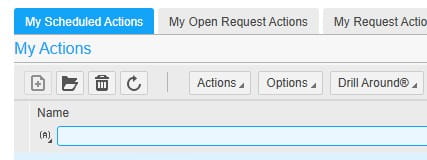
This will take you to your Scheduled Actions as show below. Double click the Name to modify the schedule and you’re set after saving!
Retiring Lawson, PeopleSoft, or Oracle? APIX archives the entire application — every table, every year, attachments and security included — into your own AWS account in about 30 days, so you can decommission the legacy system and keep full access to the history.

