

Error – NO_ACCESS_ALLOWED for Lawson Enterprise Financial Management Application
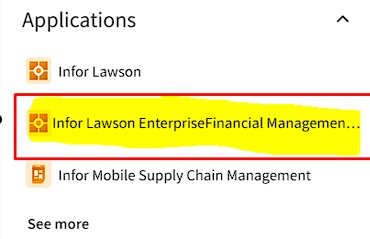
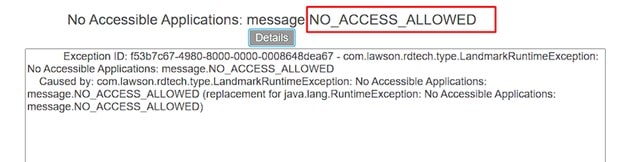
Issue: You may come across an issue where a user is getting a NO_ACCESS_ALLOWED error when trying to access Infor Lawson Enterprise Financial Management (See Screenshots Below)
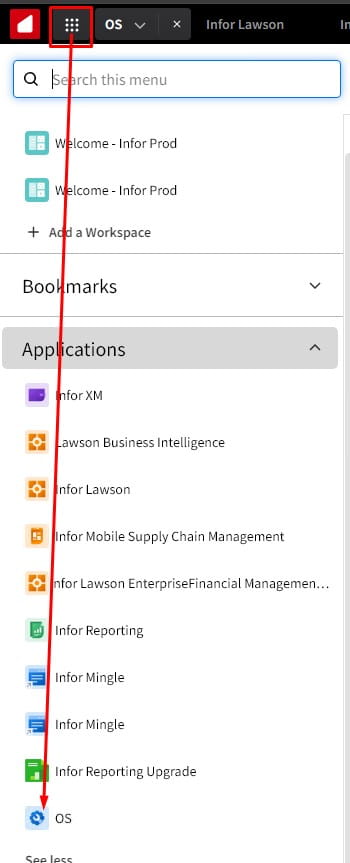
Solution: To resolve this issue, in Mingle, go to OS >> Security. Please note that admin rights are needed to access and make changes to the security screen for your user(s).
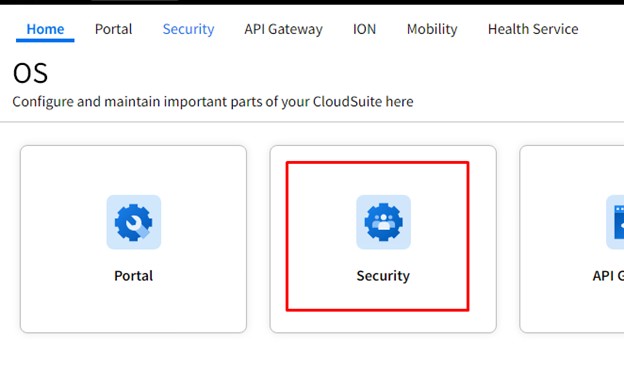
Next, search for the user and select their profile:

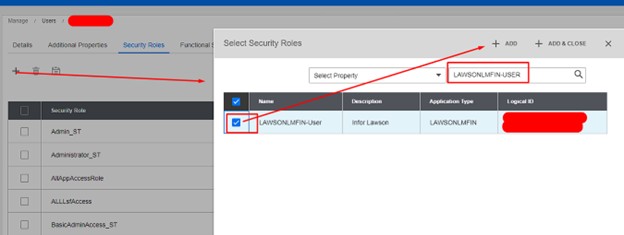
Under “Security Roles”, click the plus sign to add, then search LAWSONLMFIN-USER. Make sure it’s added to their security settings.
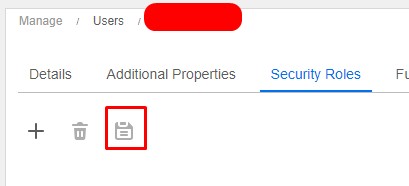
Finally, click “Save” to keep the changes made. The user should now have access!
Retiring Lawson, PeopleSoft, or Oracle? APIX archives the entire application — every table, every year, attachments and security included — into your own AWS account in about 30 days, so you can decommission the legacy system and keep full access to the history.

