
How to get BSI Display Logs
BSI Support has asked for a BSI Display Log. Use this method to configure your system to create the logs.
Open msgmnt and enter your Product Line and enter Category ‘PRTFX’.
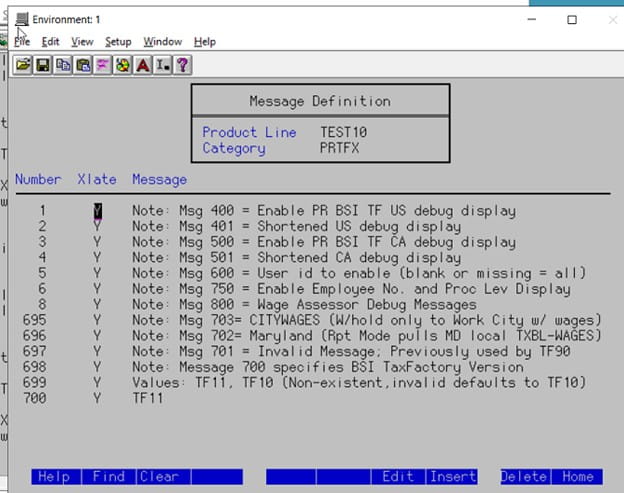
Look in the Number column to see if the Number 400 appears. If there is not a message 400, you will need to add it.
You can either Tab or Down Arrow to get to a position to enter the 400 line.
Use the F8 key to Insert a line.
Type 400 in the Number column.
Type Y in the Xlate column.
Within the Message portion, type in the fix for the message
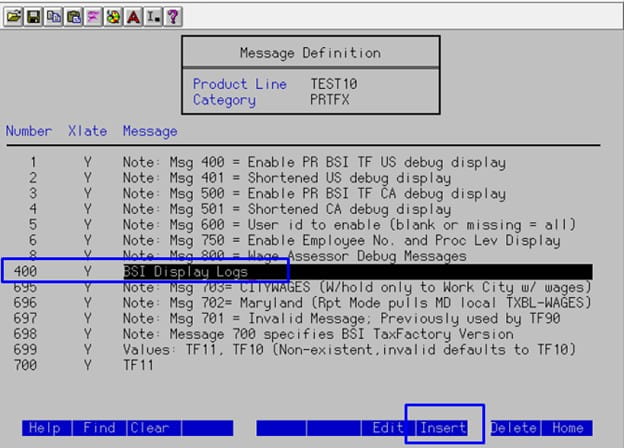
After pressing Enter twice, the 400 message will appear in the appropriate order and has been added to the listing.
Now go to PR80, create a payment and Calculate
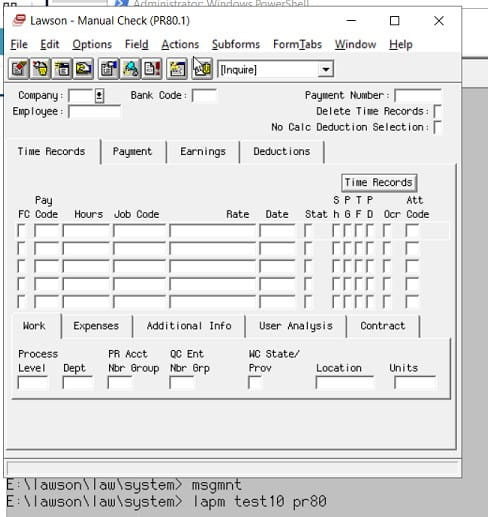
After the PR80 has been successfully calculated, click on Options > Display Log File
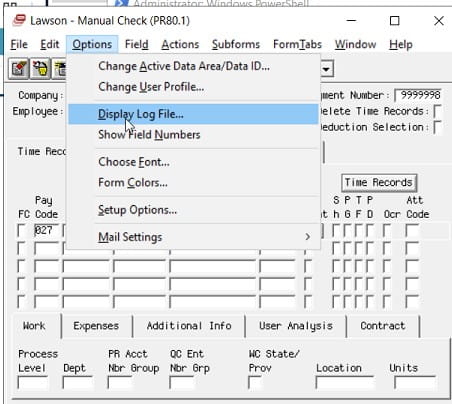
The Display Log will appears in a new text editor. Save the file as ‘BSIDisplayLog’ and send the file to BSI.
Retiring Lawson, PeopleSoft, or Oracle? APIX archives the entire application — every table, every year, attachments and security included — into your own AWS account in about 30 days, so you can decommission the legacy system and keep full access to the history.


Leave a Reply
Want to join the discussion?Feel free to contribute!