

How to Update Design Studio Forms
Problem
We need to make a change in TEST to AP10 custom form.
Next steps:
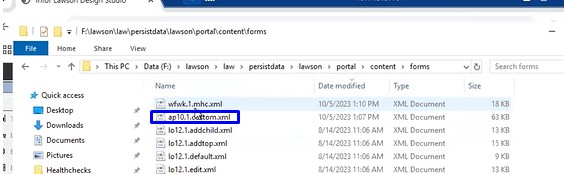
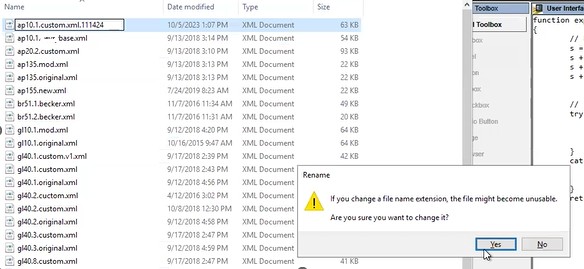
Backup the existing AP10 custom file and copy the new version, ap10.1.custom.xml file to Prod F:\lawson\law\persistdata\lawson\portal\content\forms
There is no impact to users and no outage required.
After the change is in place, AP10 users will need to clear their browser cache and cookies and an IOSCacheRefresh will need to be run to clear the DS from Portal.
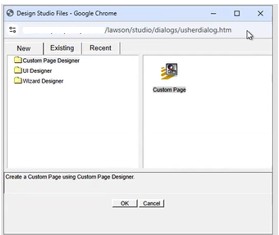
- Open DS and Go to the existing tab

- Go to UI Designer,

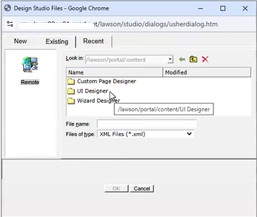
- click on Find, The top one which is custom is the one we want to view. Select and Open

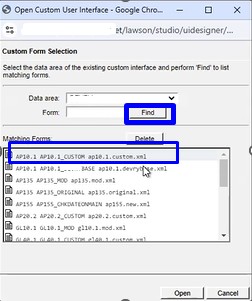
- Now go to browser tab and duplicate the tab to open a new window
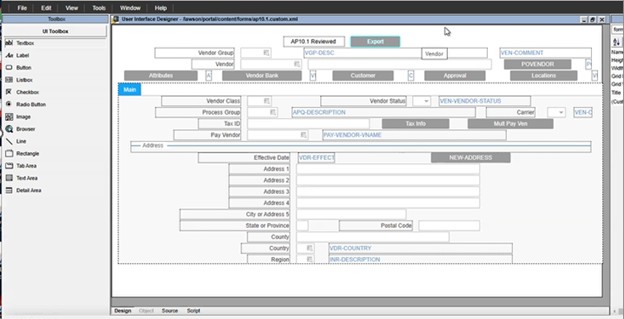
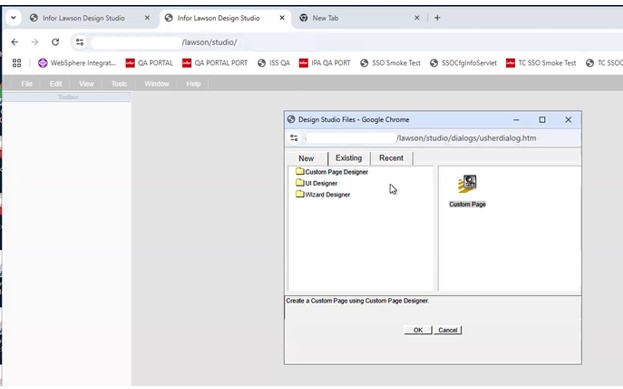
- Create a new UI Designer. Select and hit ok

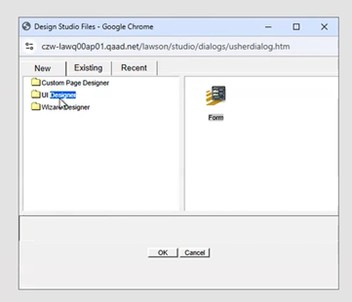
- Go to Next

- Create a new form in the Productline in AP System
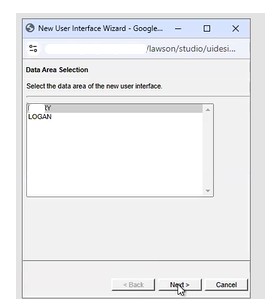
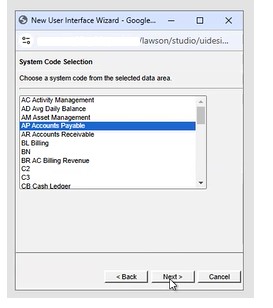
- Click next and give it a second to load. Find AP10 and NEXT
- And Finish
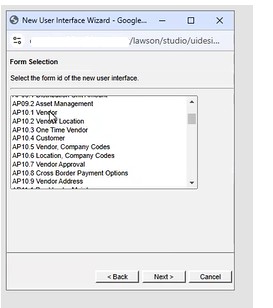
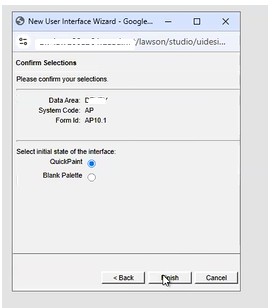
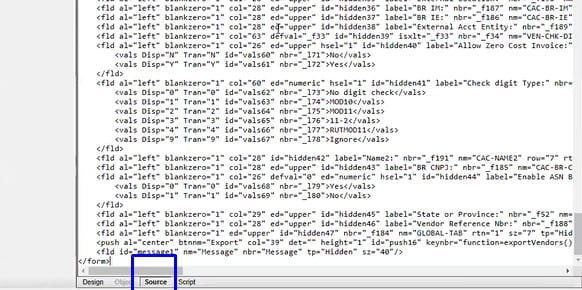
- Go to source at the bottom

- Scroll all the way to the top to see if it is different
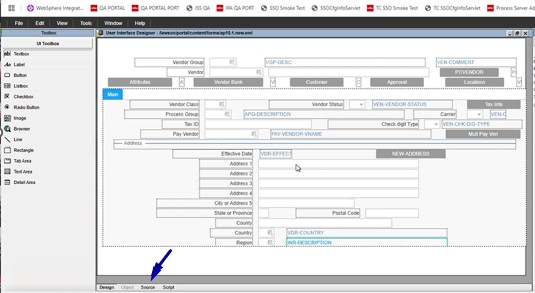

- Shows it is a different version
- Go back to design tab

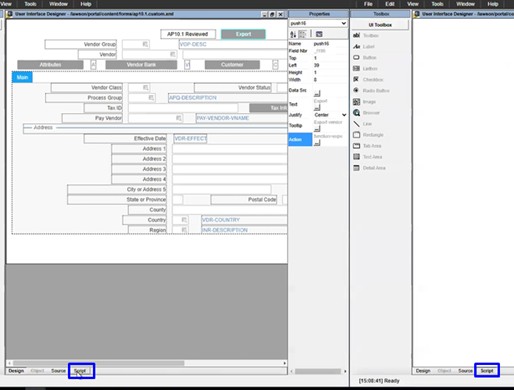
- Place browser side by side to work with both

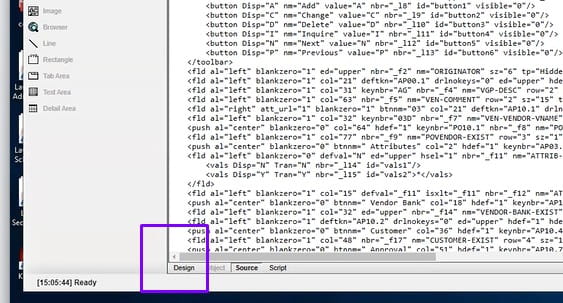
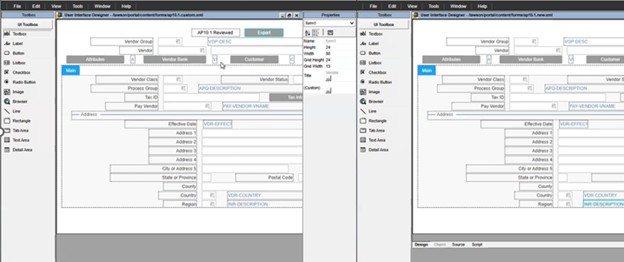
The ap10.1 reviewed is the customization
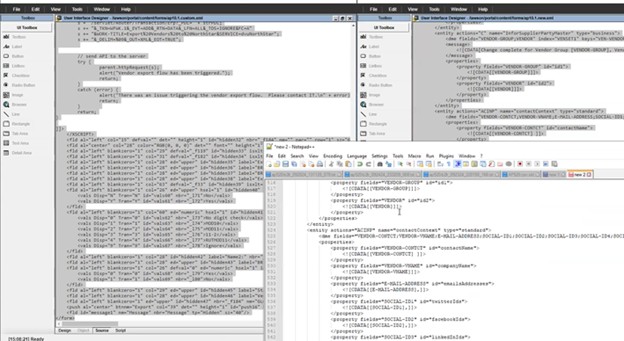
- Go to source on bottom tab and copy that into notepad++ and do the same thing with the other one.


- Go to plugins

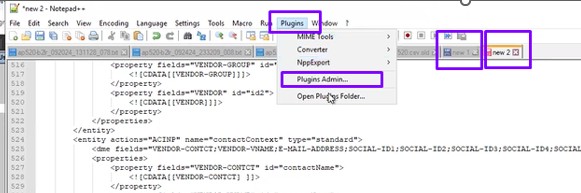
Look for compare and check it and click install
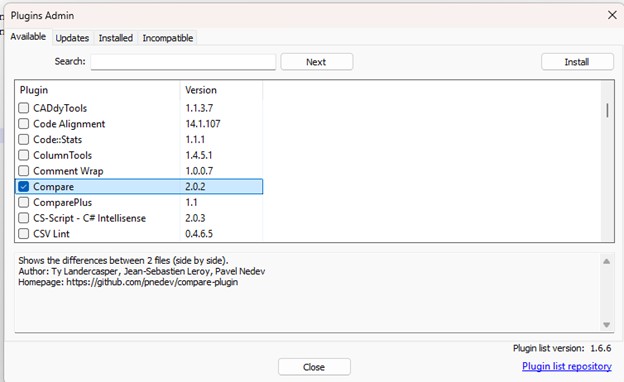
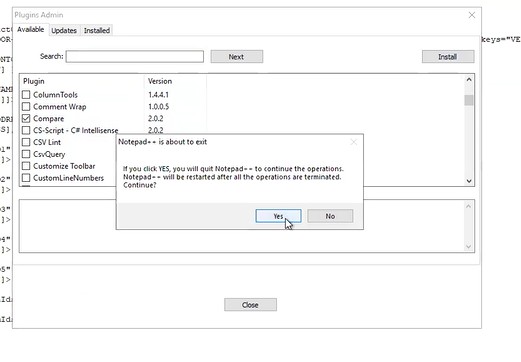
Then go back to plugins admin/compare and
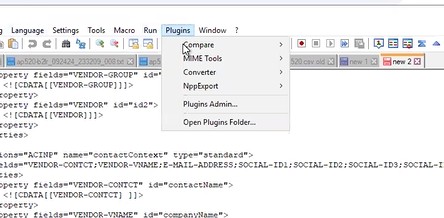
Compare/compare
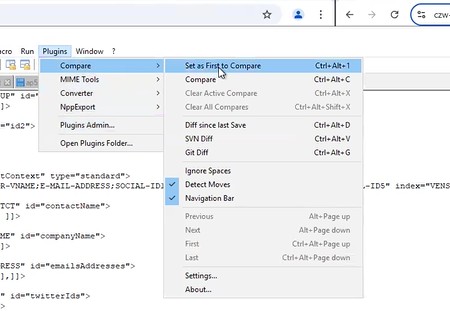
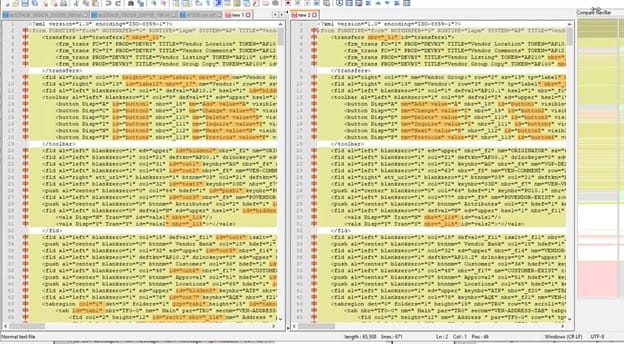
- If that is not helpful, they may have had something in there that they have since commented out.
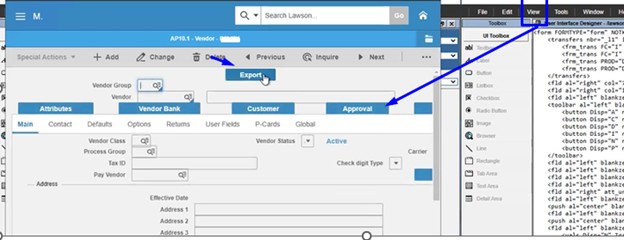
Just add the export button to a fresh form and overwrite the old one.
- Go to the script on the right had window
- Double click on the button label and drag it to position.


- Click on Text button

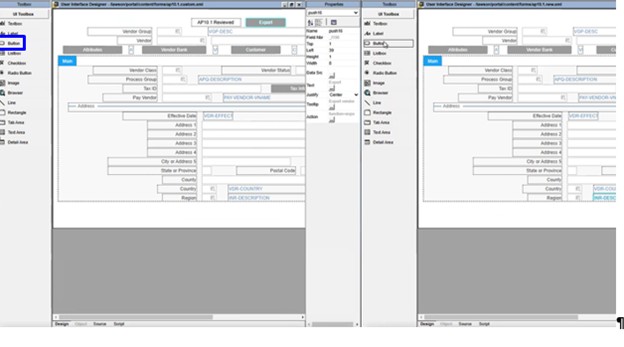
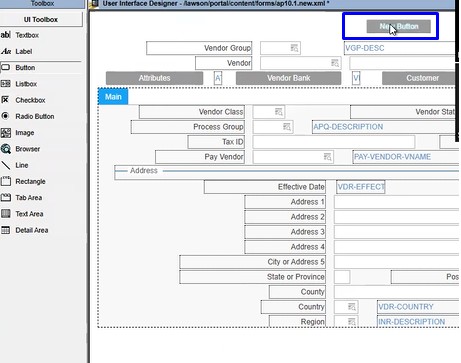
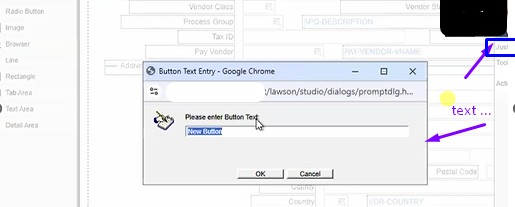
Type export 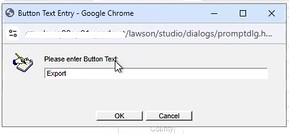
- Click on Action

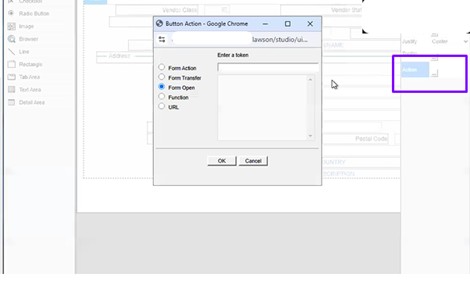
This tells you want you want it to do, so go to the other screen and copy what that one has
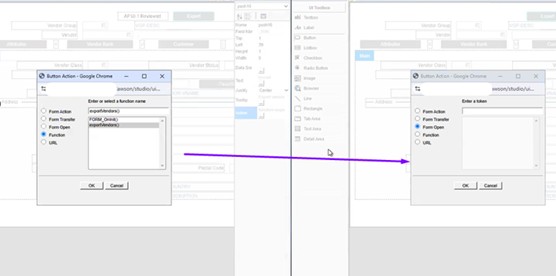
- Just add export vendors

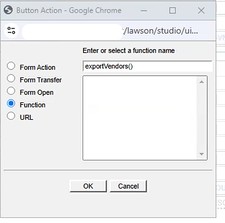
Since they have old code, we don’t need the other one
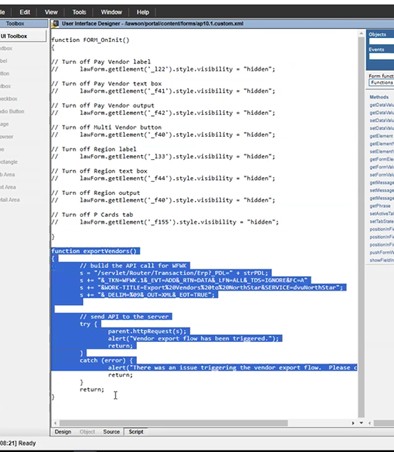
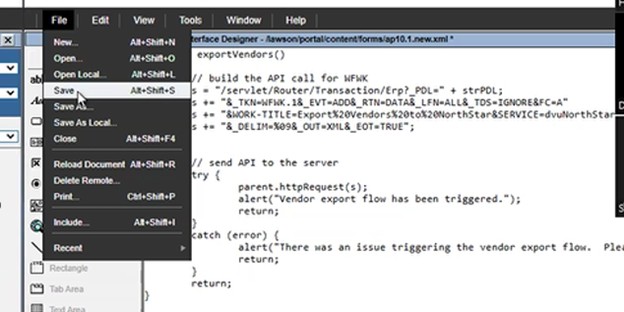
- Now go to script to add lines to make it work

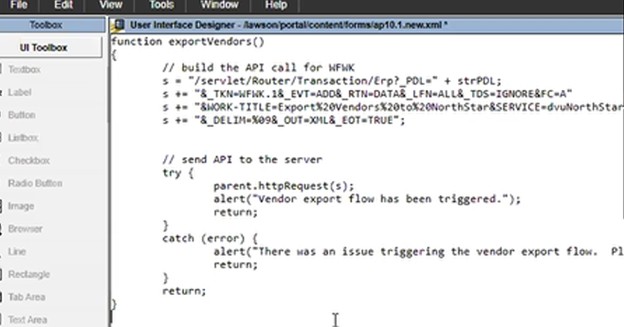
- Copy the function that is needed

- Paste it in the new screen

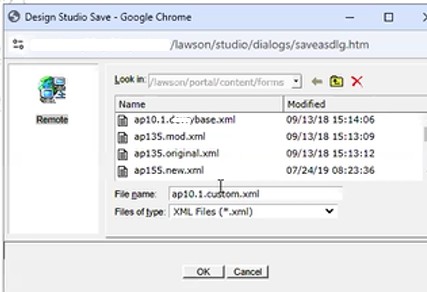
- backup original file in the LAWDIR/persisdata/lawson/portal/content/forms folder


- Save the script that was modified


- Go to view and preview on tool bar

- Validate if it now works.
- Migrate to PROD by copying the xml file to PROD.
- Clear browser data and Refresh cache so users can now see the updated version.
Retiring Lawson, PeopleSoft, or Oracle? APIX archives the entire application — every table, every year, attachments and security included — into your own AWS account in about 30 days, so you can decommission the legacy system and keep full access to the history.


Leave a Reply
Want to join the discussion?Feel free to contribute!