
IPD Debugger Feature
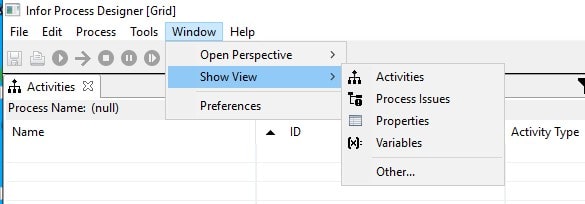
IPD enables you to debug your processes. To activate the Debug view, go to the Infor Process Designer menu bar and select Window > Show View > Other
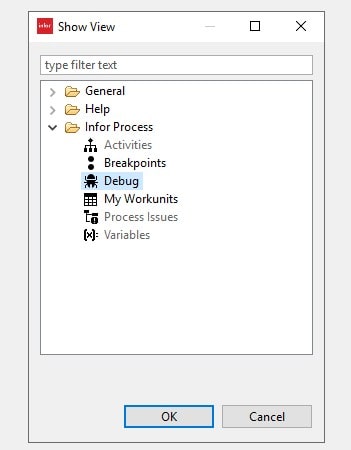
From there select Infor Process > Debug and click on OK.
The Debugger feature set includes:
- Breakpoint management- can be enabled for any activity node within a process, and causes a running process to pause at the point before the specified activity node. When the process pauses, process variables can be examined and/or modified. Process execution can be resumed at the breakpoint, or at any other activity node if desired.
To set this up, right mouse click on the node to debug and select Debug
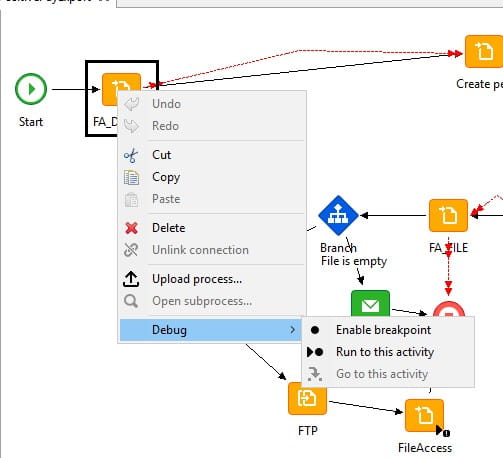
The Run to this activity breakpoint is temporary and only valid for the current execution of the process. A “run to” breakpoint can be useful when you want to pause at a specific activity node during the current execution, but you do not want it to stay in effect for any subsequent executions. All temporary breakpoints are cleared before a process starts execution.
This feature is available only when running the process locally.
- Process execution controls
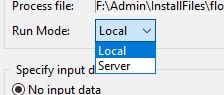
The run process control starts the execution of a process and is available if the process is currently not running or paused. The Run Mode option gives you the option to run the process either locally or on the server. The flow can be run on the server from the designer and provide you with the status and log information.
Specify Input data can be used to pass data to a process. The data will be added to the workunit once the workunit has been created. You can select from these options when specifying the input data:
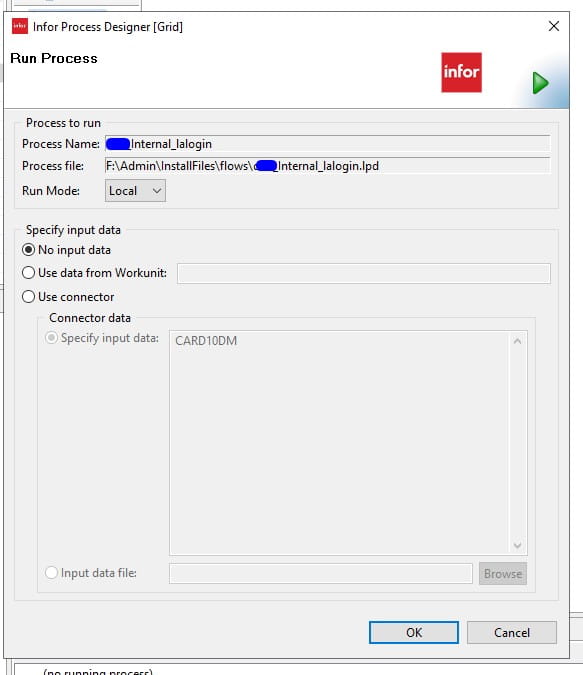
- No input data: Select this option if you do not want to pass any specific data to the process.
- Use data from Workunit: You must specify the workunit number. The process will fetch the input data from that workunit and use the same data in the current process. If the workunit or input data does not exist, then the input data will be null.
- Use connector: You can select between two options. The first one is Specify input data where you can specify the data that you want to pass to the process. The second is Input data file where the data will be read from the given file and be used in the process.
- Runtime variable examination and modification
This feature is available only when running the process locally (that is, Run Mode is set to Local).
Once a running process is paused at an activity node, the current value of variables in the process can be examined and modified if needed.
The Debug view shows a list of currently running processes. The variables accessible to the activity node at the pause point is shown, organized by variable category and activity node. Selecting a variable shows its current value, and a new value can be specified.
Retiring Lawson, PeopleSoft, or Oracle? APIX archives the entire application — every table, every year, attachments and security included — into your own AWS account in about 30 days, so you can decommission the legacy system and keep full access to the history.


Leave a Reply
Want to join the discussion?Feel free to contribute!