
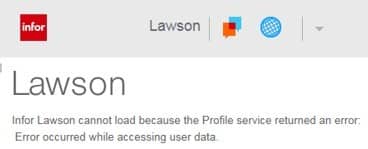
Infor Lawson cannot load because the Profile service returned an error: Error occurred while accessing user data
If one of your users in Lawson Portal or Mingle is receiving this error (or similar), a Lawson Security administrator will have to follow the steps below.
- Login to Lawson Administrator Tool
- Go to Use Management > User Maintenance
- Query the user who is having the issue.
- Right-click on their record and choose ‘Edit Lawson Environment Information’.
- Make sure the user has a data area set. Edit >> Change after changing.
- Alternatively, if the data area is already set, select Edit >> Change. Reminder, if you are using ISS, hit the save icon. (You do not need to actually add or change anything on this form/screen.) This creates the R_USER record in the GEN database.
- In Lawson portal (or mingle, selecting the globe icon), if you’re a portal admin, you should see an option to Clear IOS Cache.
- Have the user that was encountering the error close all of their web browsers Internet Explorer (IE), Chrome, Edge, etc and then open a new web browser session and log in again.
Note: LSF 9 ONLY – LAUA users: If the user has the attribute CheckLS=No, the user may also need an LAUA Security Class assigned to their Operating System account via LAUA.
Organizations often choose to leverage Lawson consultant teams to oversee their Lawson Security. These expert teams provide managed services at a predictable monthly rate, offering extensive knowledge and specialized expertise. This solution is ideal for larger organizations, while smaller entities seeking efficient management without the need for full-time on-site staff can also benefit. Nogalis delivers these services, and additional details can be obtained by contacting us through our dedicated contact page.
Retiring Lawson, PeopleSoft, or Oracle? APIX archives the entire application — every table, every year, attachments and security included — into your own AWS account in about 30 days, so you can decommission the legacy system and keep full access to the history.

