
IPA Assigning a task to a user
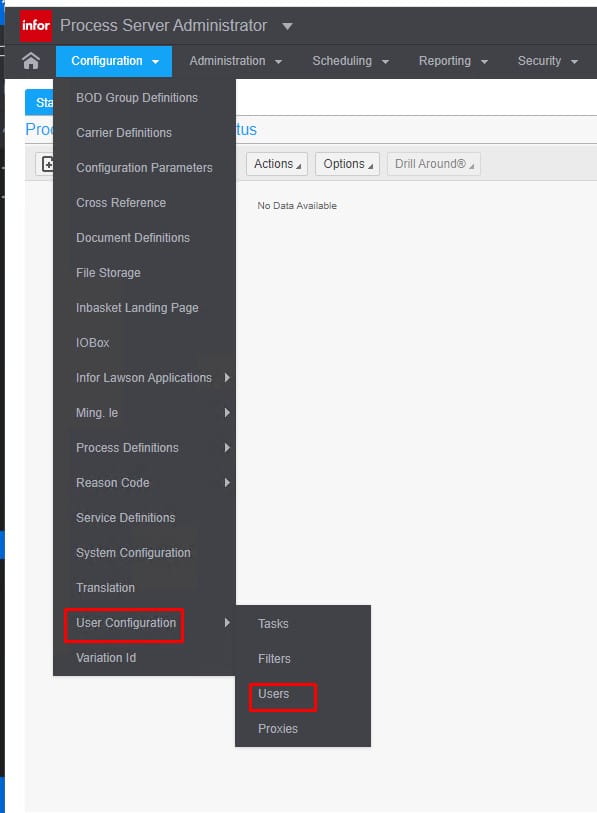
- Select User Configuration> Users.
- \

- Highlight a user. In User Tasks, click New.
- Select a task.
- If the assignment is temporary, specify the Startand Stop Dates.
If the assignment is not temporary but will begin on a future date, specify a Start Date only.
If the assignment is immediate and permanent, leave the date fields blank.
- Click Save.
Alternatively, you can use this procedure:
- Select User Configuration> Task.
- Select a task.
- In User Tasks, select Actions> Create.
- Select a user from the User list.
- If the assignment is temporary, specify Startand Stop Dates.
- Click Save.
Retiring Lawson, PeopleSoft, or Oracle? APIX archives the entire application — every table, every year, attachments and security included — into your own AWS account in about 30 days, so you can decommission the legacy system and keep full access to the history.


Leave a Reply
Want to join the discussion?Feel free to contribute!