
Lawson Requisition Center Unable to select company
In lawson requisition center, you may encounter this issue where you’re not able to change the company when create a new requisition.
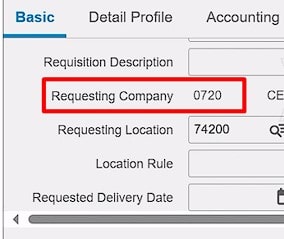
In order to fix this, go into your %LAWDIR%\system directory and find the rqc_config.xml
Find this setting and set it to true:
<setting id=”allow_company_select” value=”true”/>

Save your rqc_config.xml file
Login to Lawson portal and go to Bookmarks >> Requisition Center >> Select Utilities
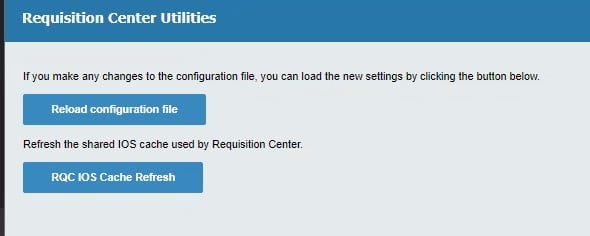
Click the Reload Configuration file
Click the RQC IOS Cache Refresh
Logout, clear your browser and depending on your server, the cache may take up to 15 minutes to clear.
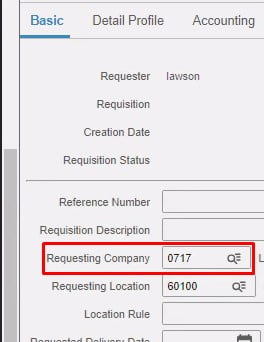
Now you should see a drillable company box:
Retiring Lawson, PeopleSoft, or Oracle? APIX archives the entire application — every table, every year, attachments and security included — into your own AWS account in about 30 days, so you can decommission the legacy system and keep full access to the history.


Leave a Reply
Want to join the discussion?Feel free to contribute!