
Lawson LSFIQ Security Reporting Tool Overview
Welcome to Nogalis’s LSFIQ security reporting tool overview.
What is LSFIQ?
- LSFIQ is a cloud-based Lawson security reporting tool
- Designed with a user-friendly interface for non-technical and technical users
- Faster and more accessible reporting without the need of VPNs or Lawson server access
- Provides enhanced Lawson security reports that are not included in the traditional tool
The Dashboard is a quick overview of batch information personal to your LSFIQ account
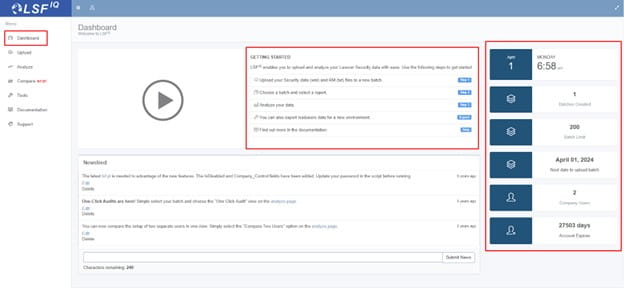
- A batch is generated on the Lawson LSF server via Lawson Interface Desktop tool
- This batch is then uploaded to LSFIQ and ready for reporting
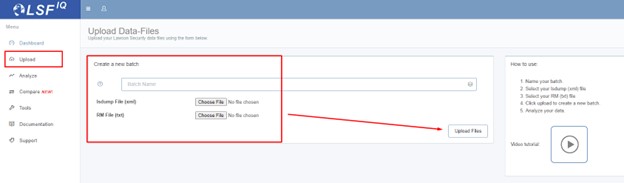
The Upload tool is where you name and select the batch files to be uploaded:
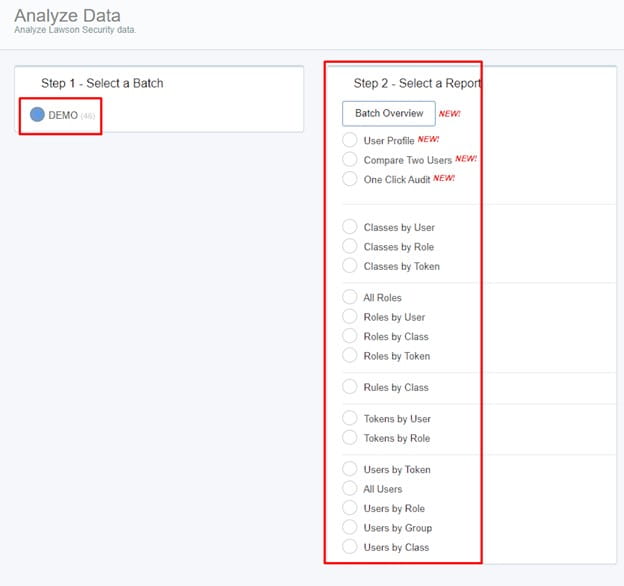
The Analyze tool is where all the reporting happens:
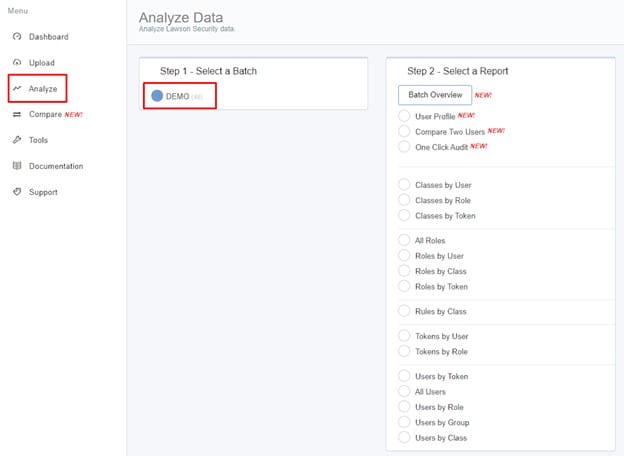
First you select your batch (DEMO is this example), then you can select a wide array of reports:
The Batch Overview feature is a great first step to analyze your current Lawson Security:
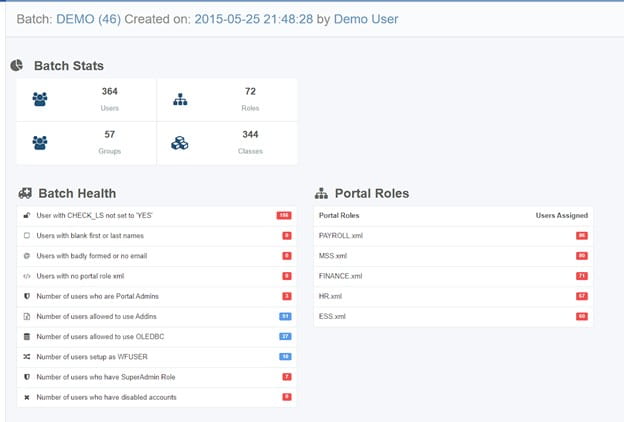
- Batch Stats shows important information about your system like number of roles and groups
- Batch Health represents potential issues with your system, including checking if the CHECK_LS flag is not set to YES (this means security is off for this user depending on the version of Lawson your organization is on).
- All of the Batch health rows are clickable and will generate a report in a new tab.
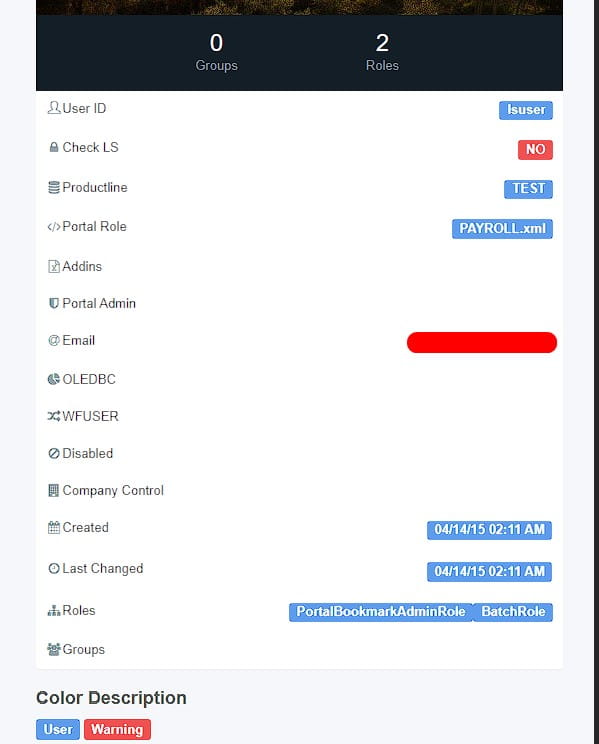
The User Profile is also a nice feature that shows RMID info from Lawson Security:

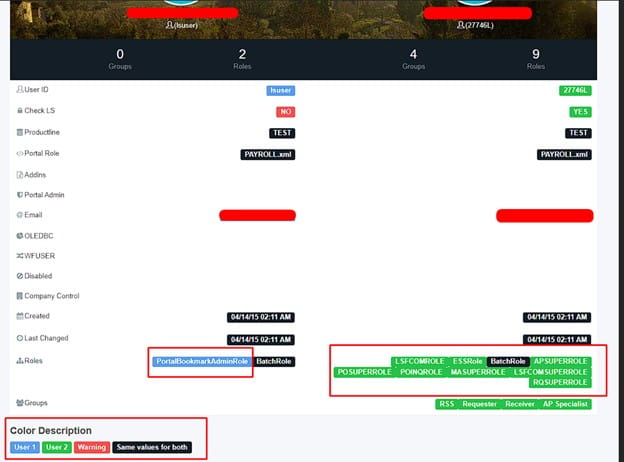
You can also compare two user profiles with the compare tool:
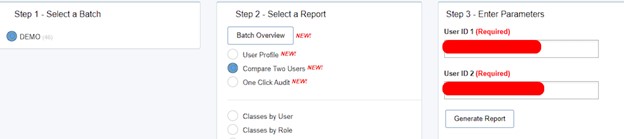
This shows the different roles and other info each user contains that the other does not:
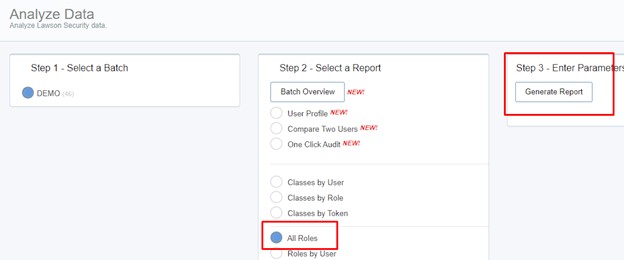
The All Roles query shows all your roles as you’d expect:
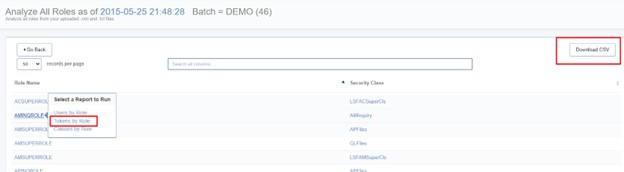
However, you can also click each one quickly to query down on them or simply download them all:
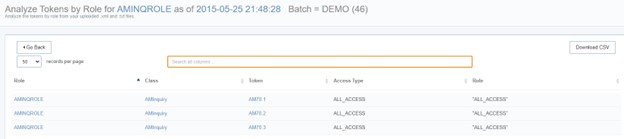
Tokens by Role AMINQROLE generated from above:
One of our most used reports is the All Users report:
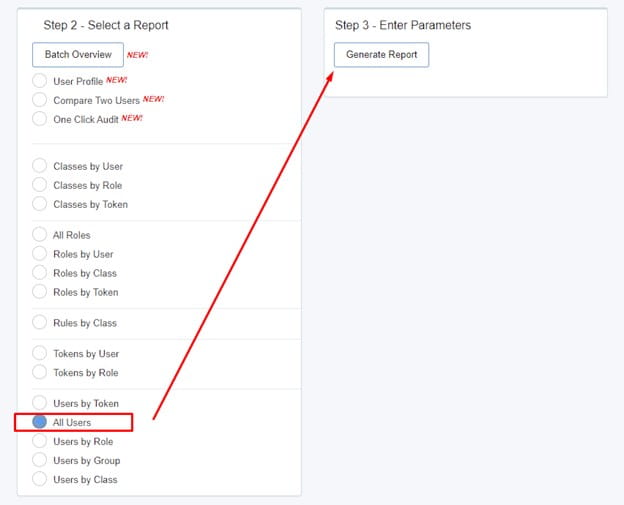
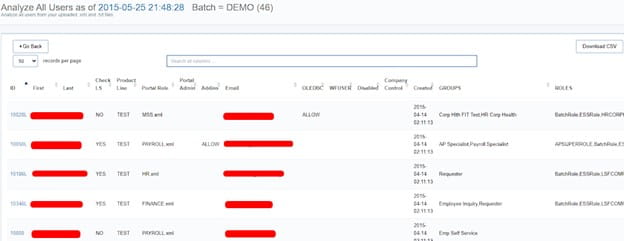
All other reports show in a similar fashion and provide a wide array of versatility when reviewing user security.
If you have a user that changed security recently, but wanted to compare to an old batch, you can do that with the Compare Tool:
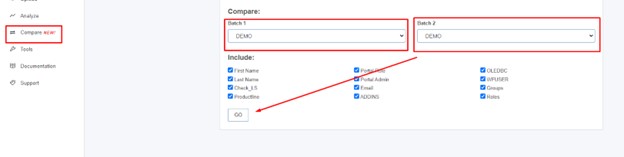
Since this example account only has one batch called DEMO, it can’t compare.
You can also Purge batches if needed under Manage Batches:
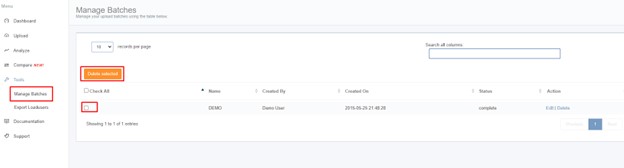
Need to mass change users in Security? That’s what the Export Loaduser tool is for:
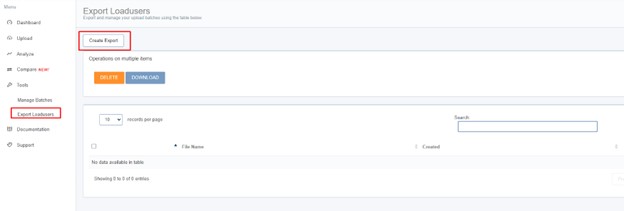
This builds out XML files for the native Lawson loaduser command.
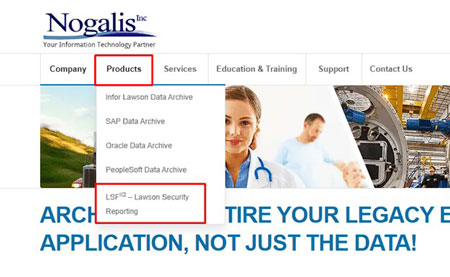
LSFIQ is ready to go in literally 5 minutes! Contact us today, go to our website at nogalis.com under products >> LSFIQ – Lawson Security Reporting
Linked is a recent webinar we did demoing this tool live. Thanks for visiting!
FAQ:
Q: Does LSFIQ include disabled users in it’s All User report?
A: Yes!
Q: Can you download reports and send to other users?
A: Yes, they download in CSV format and can easily be re-saved as excel format if needed.
Retiring Lawson, PeopleSoft, or Oracle? APIX archives the entire application — every table, every year, attachments and security included — into your own AWS account in about 30 days, so you can decommission the legacy system and keep full access to the history.


Leave a Reply
Want to join the discussion?Feel free to contribute!