
Dock Logging screen button changed on handheld
Issue: Using RAD > Dock Logging on the handheld, users noticed that in the upper right corner, the selection changed from ‘Print’ to ‘Send’
Resolution:
To change the value on the Dock Logging screen from ‘Print’ to ‘Send’ follow these steps:
In MSCM portal, go to Receiving and Delivery > Receiving > Configuration > on Misc Receipts tab
Scroll to the bottom and there is value for Dock Logging Configuration
If the Auto Print is on, the device will say ‘Print’ in the upper corner.
If the Auto Print is off, then it will just say ‘Send’
Turning off the printing is a Global setting and affects all users who use Dock Logging.
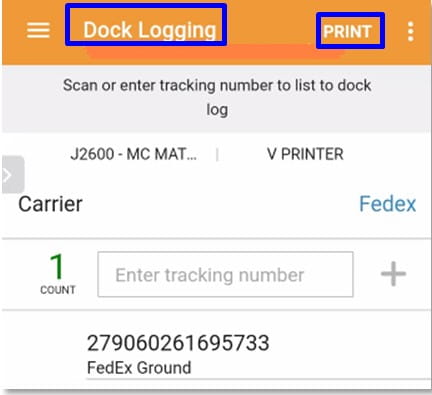
Turning the Auto Print on will show the ‘Print’ selection on the device.
Retiring Lawson, PeopleSoft, or Oracle? APIX archives the entire application — every table, every year, attachments and security included — into your own AWS account in about 30 days, so you can decommission the legacy system and keep full access to the history.


Leave a Reply
Want to join the discussion?Feel free to contribute!