
MHC An error occurred while viewing – Printer Issue
You may come across this error at some point – “MHC An error occurred while viewing – Printer Issue” (see screenshot)
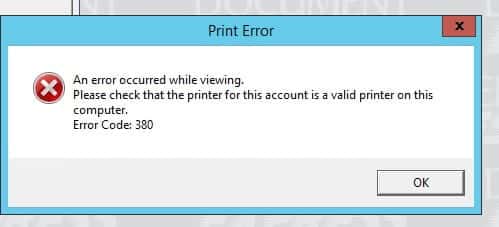
This means that the printer below for this account is no longer valid.
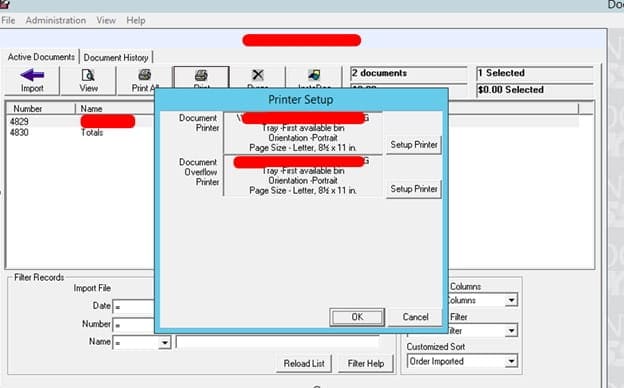
See Print routine data here:
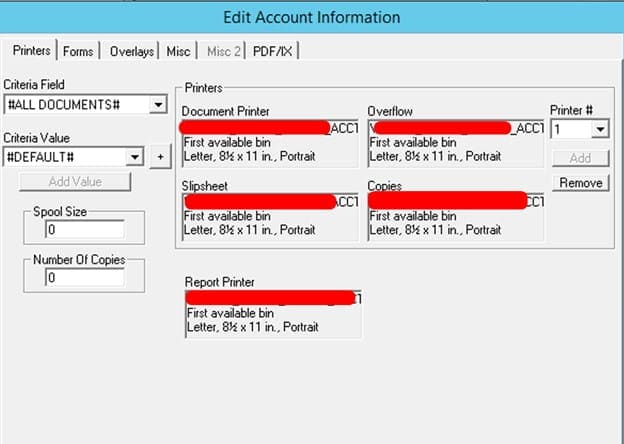
To update this, first add the network printer to server where Document Express is installed via windows Add New Device.
Once located, then double click within the box where the existing printer is and select the new one:
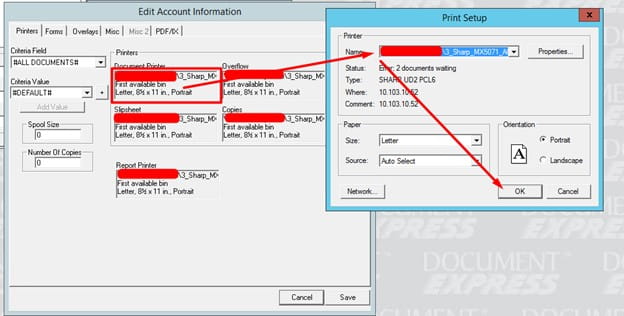
Save the changes and click view to see if the document shows up. You should now be able to print in Document Express and the error will disappear.
Retiring Lawson, PeopleSoft, or Oracle? APIX archives the entire application — every table, every year, attachments and security included — into your own AWS account in about 30 days, so you can decommission the legacy system and keep full access to the history.

