
Lawson RQC Requisition user not able to see Service Tab
The “Lawson RQC Requisition user not able to see Service Tab” issue can crop up from time to time for select users, but it is a simple fix (see below).
After verifying the user has adequate access for requisitions and the RQ04 record is created.
Have the user clear browser cache go to Requisition Center >> Shopping >> and Press NEW.
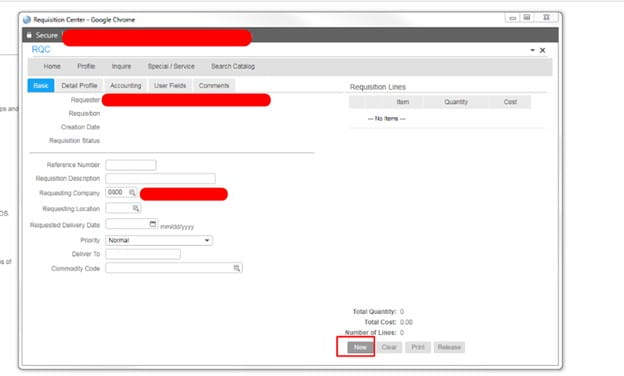
Have the user logout and back in, check to see if the Service Tab is now there.
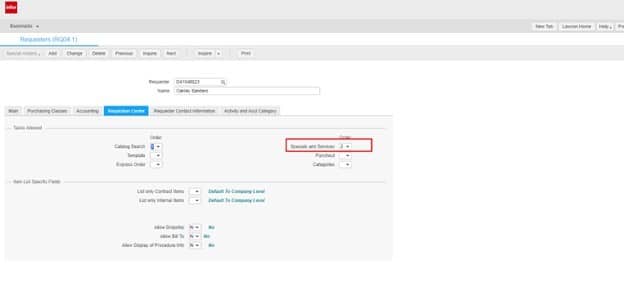
Also, in RQ04, you can set a value for Special/Service Items in one of the tab options to see if that resolves the issue as well.
Good luck!
Retiring Lawson, PeopleSoft, or Oracle? APIX archives the entire application — every table, every year, attachments and security included — into your own AWS account in about 30 days, so you can decommission the legacy system and keep full access to the history.

