
How to Reset a Lawson Portal users password via Infor Cloudsuite
With Infor Cloudsuite’s password reset service, it’s easier than ever for a Lawson Security Admin to reset a user’s password.
- Login to Infor Cloudsuite and go to the Service Request tab, then click Create a Service Request

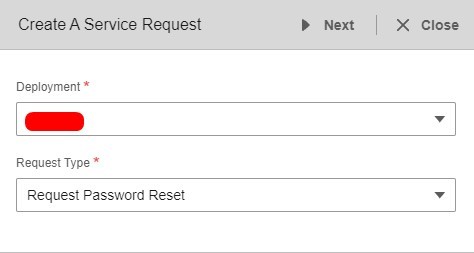
- Select Deployment and Request Type: Request Password Reset >> Next

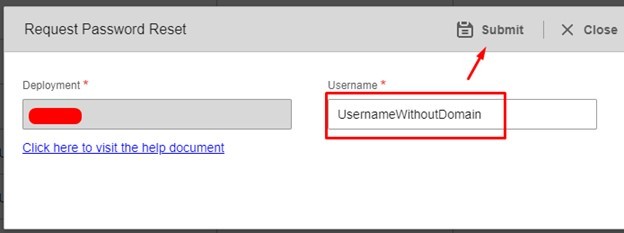
- Type in the user ID (without the domain) and click Submit


That’s it! The user should get an email with instruction on how to reset their password. Good luck!

