
How to Delete Federation Cert after Sync Error
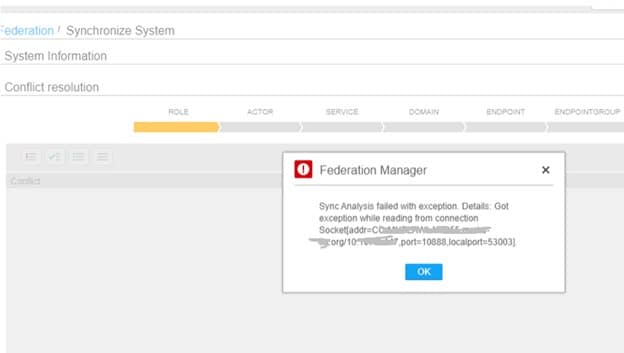
If you encounter a sync error during the federation process, you may not be able to restart the sync until the federation certificate is deleted. The error message on the front-end is very generic, but if you get the below message, delete the federation cert, restart, and try again.
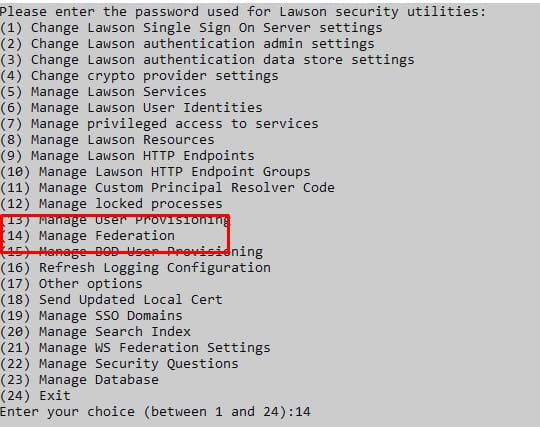
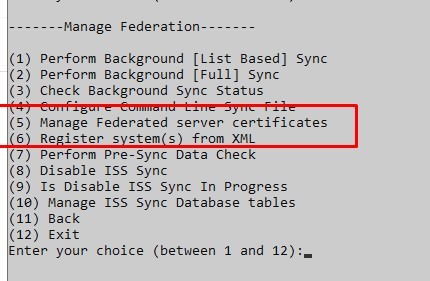
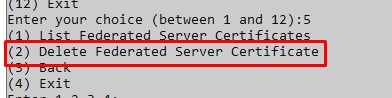
To delete the federation cert, log into ssoconfig. Select “Manage Federation” > “Manage Federated Server Certificates” > “Delete Federated Server Certificate”. After a successful confirmation, restart the servers and try again.

Retiring Lawson, PeopleSoft, or Oracle? APIX archives the entire application — every table, every year, attachments and security included — into your own AWS account in about 30 days, so you can decommission the legacy system and keep full access to the history.

