

How to Find Your .NET Framework Version
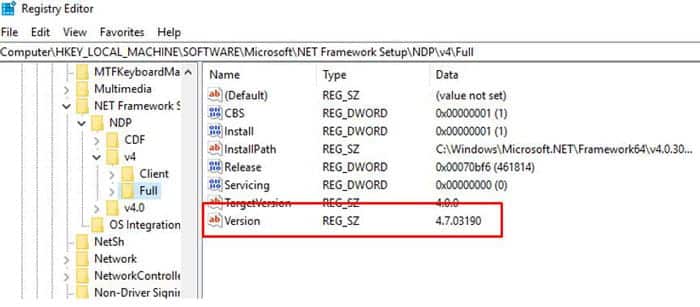
Many Infor installs require a specific version for .NET Framework. The framework version is no longer displayed in the Installed Programs list. The easiest way to find the exact version is to open the registry editor (press Start and search for “regedit”). Navigate to HKEY_LOCAL_MACHINE > SOFTWARE > Microsoft > NET Framework Setup > NDP > v4 > Full
The installed version is listed under the “Version” string value
Retiring Lawson, PeopleSoft, or Oracle? APIX archives the entire application — every table, every year, attachments and security included — into your own AWS account in about 30 days, so you can decommission the legacy system and keep full access to the history.

