
PKIX Security Error After Configuring LDAPS
After making updates to your LDAPS-enabled Lawson environment, you may encounter errors when trying to start the Lawson service. Check the lase server logs for a message similar to this:
20-12-03 14:07:57:455 1 default.SEVERE api.LawsonSecurity.initialize(): Failed to initialize Ldap
20-12-03 14:07:57:467 1 default.SEVERE api.LawsonSecurity.getConfig(): com.lawson.lawsec.authen.LSFSecurityAuthenException:Failed to initialize LDAP. Detailed Message is javax.naming.CommunicationException: simple bind failed: 111.111.111.111:636 [Root exception is javax.net.ssl.SSLHandshakeException: sun.security.validator.ValidatorException: PKIX path building failed: sun.security.provider.certpath.SunCertPathBuilderException: unable to find valid certification path to requested target]
Stack Trace : javax.naming.CommunicationException: simple bind failed: 111.111.111.111:636 [Root exception is javax.net.ssl.SSLHandshakeException: sun.security.validator.ValidatorException: PKIX path building failed: sun.security.provider.certpath.SunCertPathBuilderException: unable to find valid certification path to requested target]
at com.sun.jndi.ldap.LdapClient.authenticate(LdapClient.java:219)
at com.sun.jndi.ldap.LdapCtx.connect(LdapCtx.java:2895)
This message means that you need to add/update the ADLDS certificate for your OS Java. Follow these steps to update the certs:
- Set environment variables (<APPINSTALLDIR>\enter)
- Run command “where java” to determine where LAW_JAVA_HOME is located
- NOTE: You may have multiple instances of Java, and you need to make sure you apply the cert to all of them!
- Back up file LAW_JAVA_HOME\jre\lib\security\cacerts
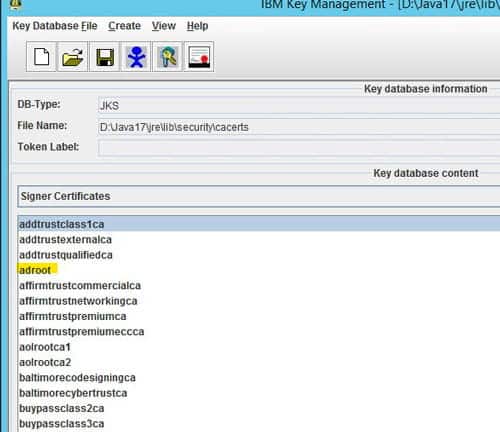
- Run the ikeyman utility at WAS_HOME/bin
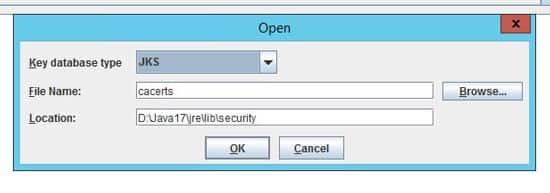
- Open the LAW_JAVA_HOME/jre/lib/cacerts file and select the Key database type of JKS

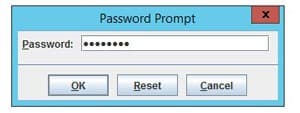
- Type password “changeit”
- This is the default password for the Java certs files

- This is the default password for the Java certs files
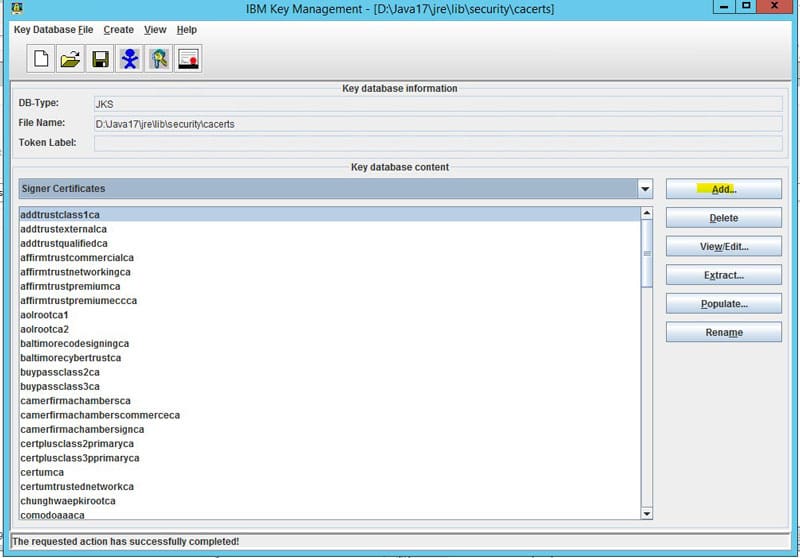
- Select “Signer Certificates” in the dropdown
- Click “add” and navigate to the ldap certificate exported earlier

- Give it a meaningful name

Retiring Lawson, PeopleSoft, or Oracle? APIX archives the entire application — every table, every year, attachments and security included — into your own AWS account in about 30 days, so you can decommission the legacy system and keep full access to the history.

