
Validating the IdP certificate in Lawson and Landmark
If you are using AD FS to authenticate against Lawson, and having trouble connecting to either Lawson or Landmark, one thing you need to verify is the IdP certificate. This certificate should be the Token Signing Certificate that is exported from the AD FS manager.
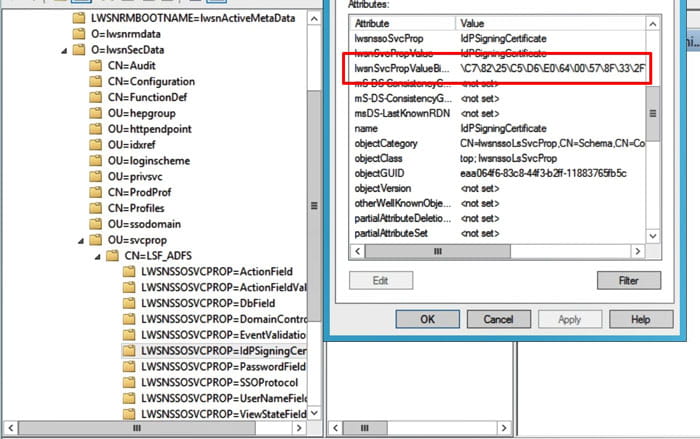
To make sure the certificate is valid in Lawson, use an LDAP browser to connect to your Lawson AD LDS instance. Navigate to lwsnSecData > svcprop > [your ADFS service name]. Open the properties of the IdPSigningCertificate and validate the lwsnSvcPropValueBinary value. If it is blank, you need to delete and reinstall the IdPSigningCertificate. If it is not blank, but you are still having trouble with connecting to Lawson, and you’ve tried everything else, it doesn’t hurt to delete and recreate the certificate.
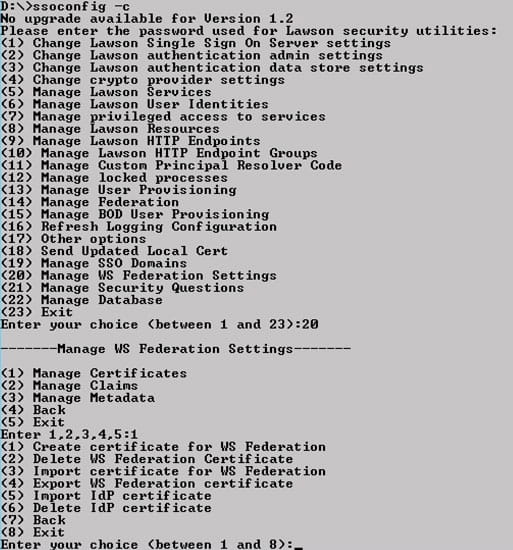
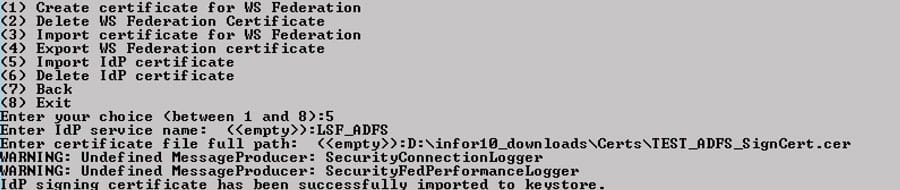
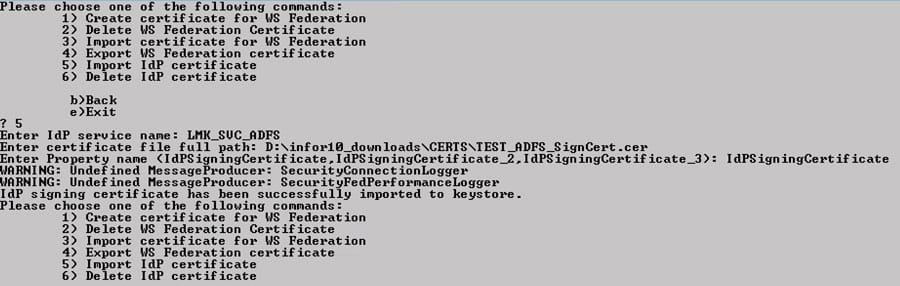
To delete and reimport the certificate in Lawson, log into ssoconfig. Select Manage WS Federation Settings > Manage Certificates. Select “Delete IdP Certificate” and type in the service name for which you are deleting the cert. Then select “Import IdP Certificate”. Provide the service name and full file path.
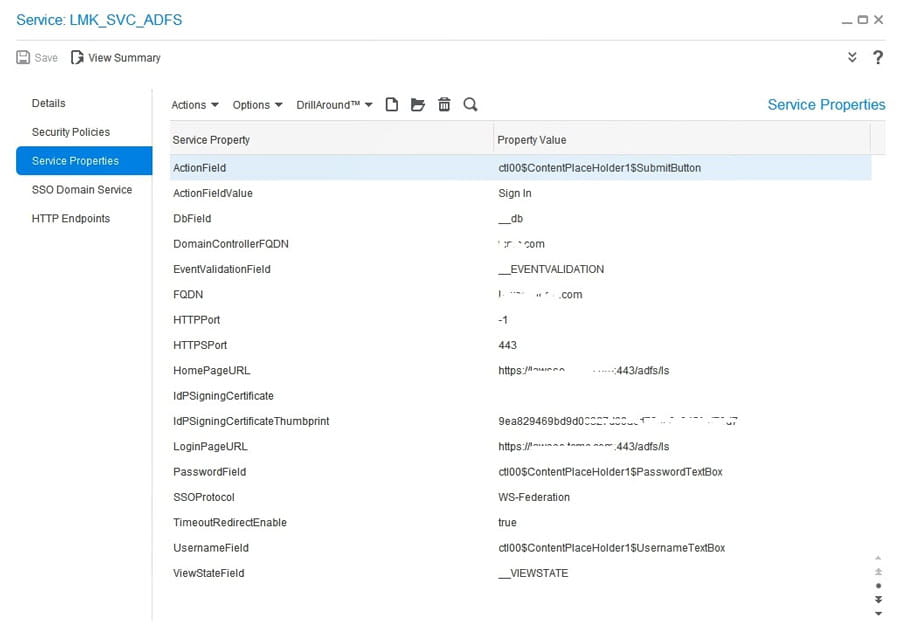
To validate the Landmark certificate, in Rich Client GEN navigate to Service > [the service that is used with AD FS]. In Service Properties, check the IdPSigningCertificateThumbrint. Make sure it matches the thumbprint on your Token Signing certificate that was exported from AD FS. If it doesn’t match, then follow the steps to delete and reimport the certificate.
To delete the certificate, in a Landmark command window, type the command secadm -m. Choose option 30 (Manage WS Federation Settings). Choose option 1 (Manage WS Federation Certificate). Select 6 to delete the certificate (provide the service name). Then, select 5 to import the certificate (provide the service name and file path).
Retiring Lawson, PeopleSoft, or Oracle? APIX archives the entire application — every table, every year, attachments and security included — into your own AWS account in about 30 days, so you can decommission the legacy system and keep full access to the history.

