
Infor Cloudsuite How to Change Password
Follow these 6 simple steps to change your password on Infor Cloudsuite.
- Login to your Cloudsuite url: https://selfservice.cloudsuite.infor.com/CloudSuitePortal/login.html
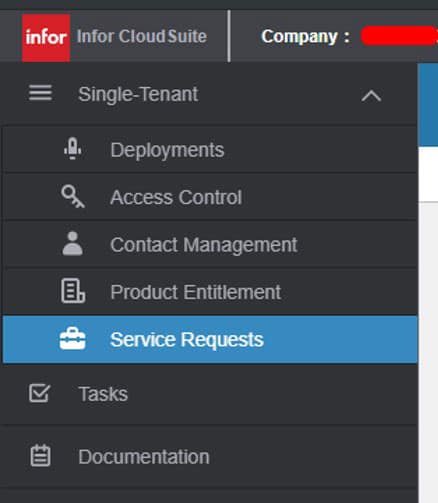
- Go to Service Requests:
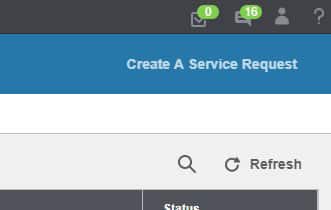
- On the top-right select Create a Service Request:

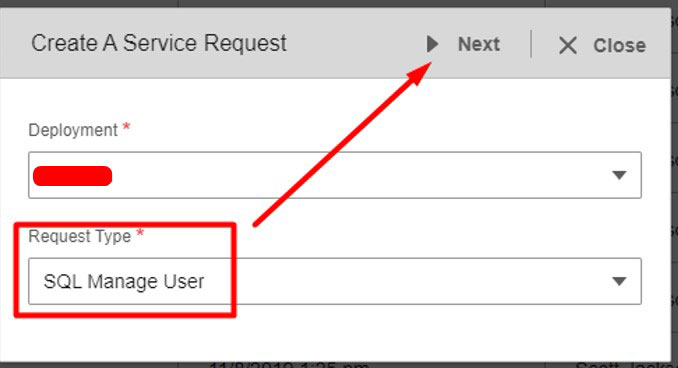
- Request type is SQL Manage User and click Next:

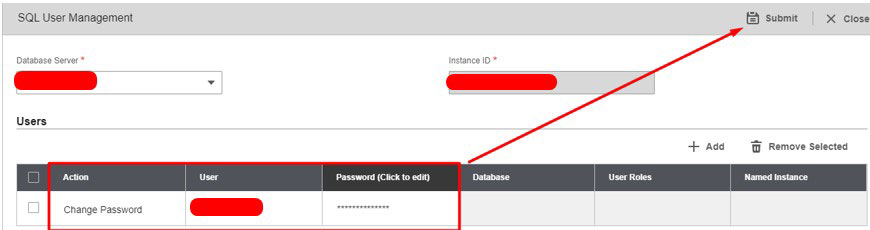
- Fill in Action: Change Password | User: userID | Password: New_Password

- Request takes up to a minute to process.
Retiring Lawson, PeopleSoft, or Oracle? APIX archives the entire application — every table, every year, attachments and security included — into your own AWS account in about 30 days, so you can decommission the legacy system and keep full access to the history.

