
How to Resolve “An error has occurred in the script on this page” for expression builder in Lawson Security Administrator
Here is a simple was to Resolve the notification: “An error has occurred in the script on this page” for expression builder in Lawson Security Administrator (LSA).
In LSA when trying to build a custom rule for a program you may get this error:
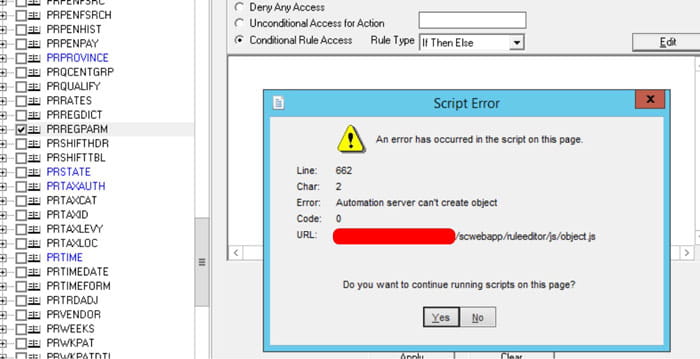
Trying to get passed it, it comes up again and doesn’t allow the user build rules for a file or token:
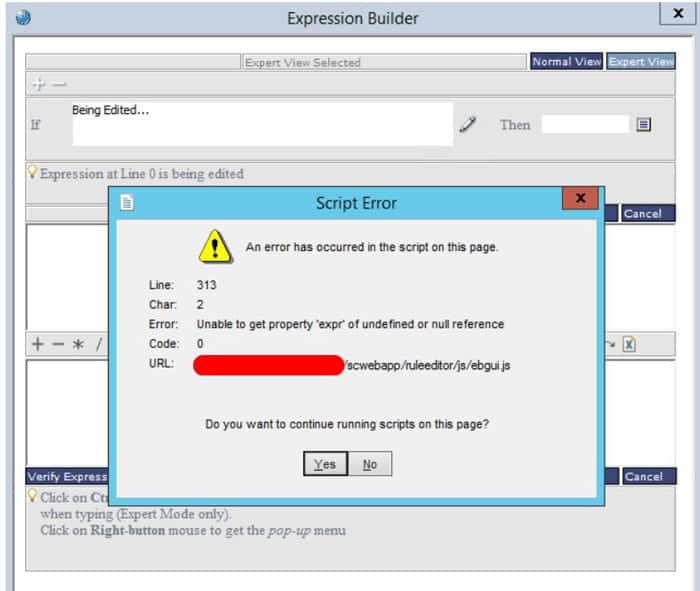
The resolution is pretty simple, go to your C:\Windows\SysWOW64 directory and run the following command:
regsvr32 msxml14.dll

You should get a pop-up confirming this. Login to LSA again and you should be good to go!
Retiring Lawson, PeopleSoft, or Oracle? APIX archives the entire application — every table, every year, attachments and security included — into your own AWS account in about 30 days, so you can decommission the legacy system and keep full access to the history.

