
Updating Landmark Main Configuration Set After AD FS Implementation
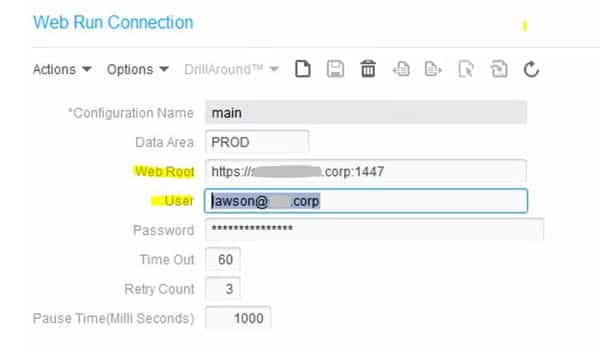
After AD FS is implemented for your Landmark and LSF environments, Landmark will need to connect to the LSF server using the thick client URL and the user principal name of your admin account. This means that all of your LSF connections will need to be updated in Rich Client, including the Infor Lawson Connection, File Activity Connection, System Command Connection, and Web Run Connection. You will need to update the Web Root in each of these connections to the Thick Client URL, which is most likely your LSF server URL with port 1447 (i.e. https://lsf.company.com:1447). Check with your installer to verify the port. The User will need to be updated to the UPN value, for instance lawson@company.com.
Retiring Lawson, PeopleSoft, or Oracle? APIX archives the entire application — every table, every year, attachments and security included — into your own AWS account in about 30 days, so you can decommission the legacy system and keep full access to the history.

