
Lawson Portal – Getting Started as a New User
When first using Lawson portal, it can be a bit overwhelming with all the buttons and unfamiliar UI. The first change I always make is changing the buttons to display text instead of icons.
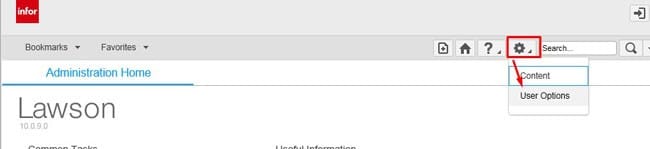
First go to Preferences >> User Options
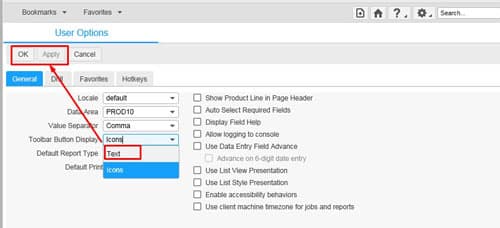
Under “Toolbar Button Display” select Text >> Apply and OK
Once you’ve applied the changes, your icons will change from this:

To this:
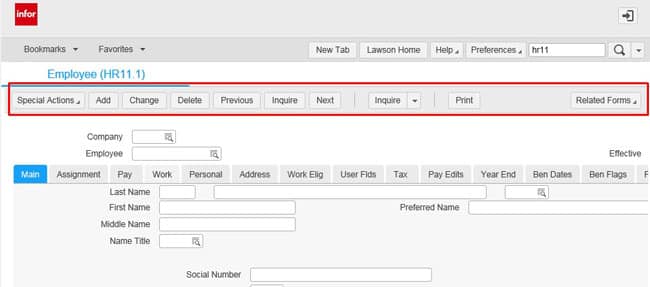
This is especially helpful for users with higher tier access as you don’t want to accidentally click delete or change a form when you didn’t mean to!
Hope this simple tip was helpful!
Retiring Lawson, PeopleSoft, or Oracle? APIX archives the entire application — every table, every year, attachments and security included — into your own AWS account in about 30 days, so you can decommission the legacy system and keep full access to the history.

