
How to setup Lawson email notifications when a file channel errors out
Follow the steps and visual guide below to learn how to setup Lawson email notifications when a file channel errors out.
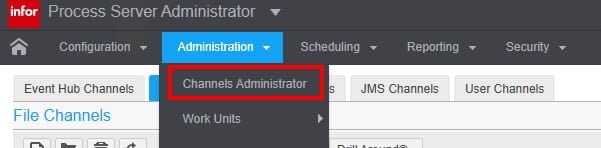
In Infor Process Server Administrator, under the administration tab, select Channels Administrator.
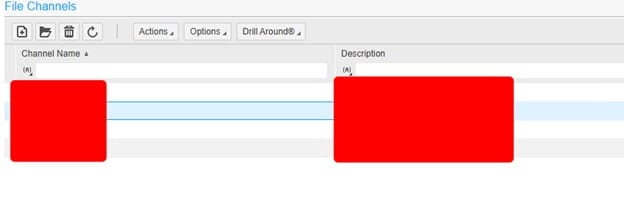
Next, select and open your file channel.
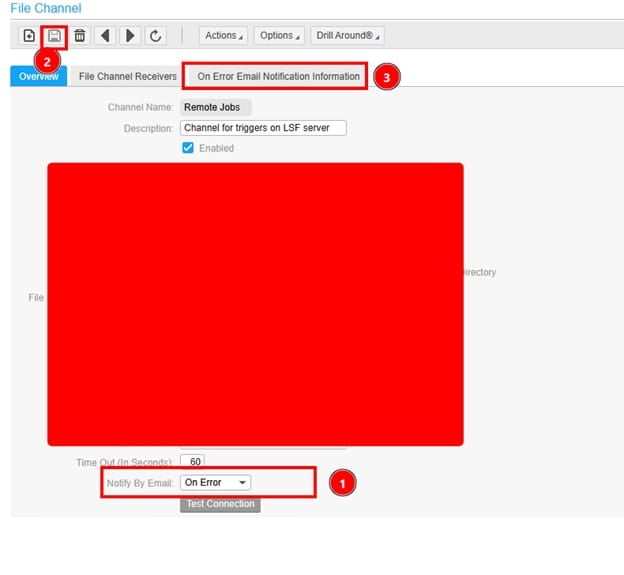
In the file channel at bottom of the page, select Notify by Email “On Error”. Then save your changes and go to Email notification tab.
Setup from email (this is usually the same one in an email node used in IPA). To Email are user emails separated by comma.

Finally, validated main has an email config setup:
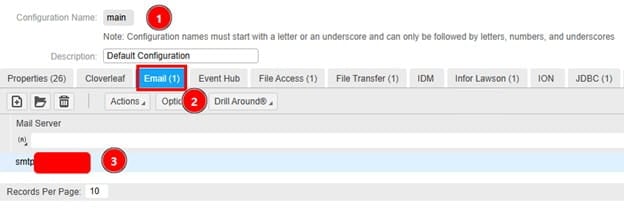
That’s it!
Retiring Lawson, PeopleSoft, or Oracle? APIX archives the entire application — every table, every year, attachments and security included — into your own AWS account in about 30 days, so you can decommission the legacy system and keep full access to the history.

