

How to add a user into Lawson Business Intelligence
Lawson makes it incredibly simple to add users to its reporting wing LBI.
First what you want to do is add the LBIUser GROUP to the user in LSA:
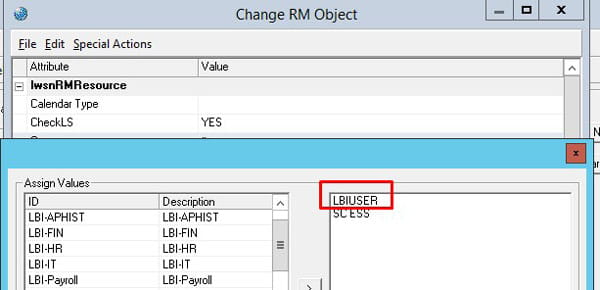
This group may be spelled differently but typically it’s called LBIUSER and is defined when Lawson is first setup for your organization.
Once you add this group to the Lawson user. Make sure you save and clear your server cache.
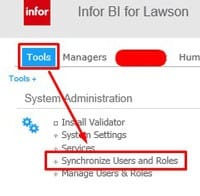
Log in to LBI, go to Tools, and under System Administration click “Synchronize Users and Roles”
LBI typically auto-synchronizes once a day but you can manually do it now and you’ll notice the users and roles will be the same after your sync them.
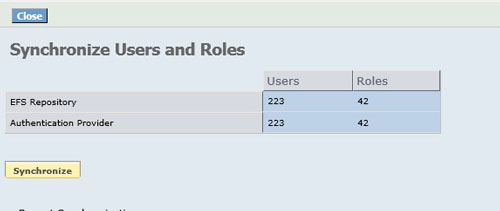
That’s really it, the user should be able to log in to LBI, though they may not see much if reports, dashboards, and links are tied to additional Lawson groups (or “roles” in LBI). If setting up access, roles, or bursting rights starts to feel like a headache, our team at Nogalis can step in. We handle the technical side of Lawson so your team doesn’t have to wrestle with it. Whether it’s user management, reporting, or troubleshooting, we keep things running in the background so you can stay focused on your day-to-day priorities.

