

Setting up Drill options
You can specify the number of records to display at one time.
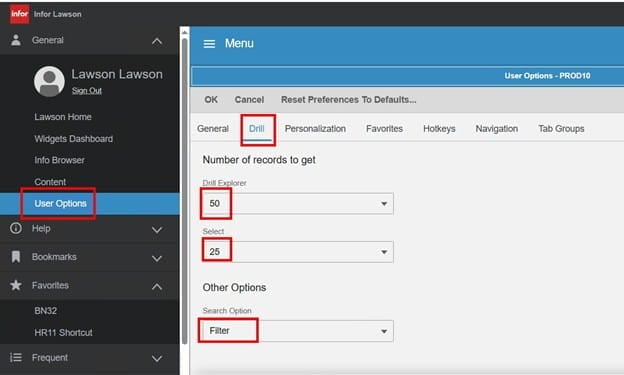
- From the Navigation menu, select General > User Options.
- Click the Drill tab and select values for these fields:

-
Option Description Number of records to get Specify the number of records to display at one time. You can specify the number of records to display for Drill Explorer,
Select, and List.
Other Options Select between Find and Filter search options. - Click OK. And you’re done. Now you can view the filtered options you set.
That’s all there is to it.
Retiring Lawson, PeopleSoft, or Oracle? APIX archives the entire application — every table, every year, attachments and security included — into your own AWS account in about 30 days, so you can decommission the legacy system and keep full access to the history.

