
Lawson GL40.1 Error when trying to release journal entry – Workflow is not enabled
Problem:
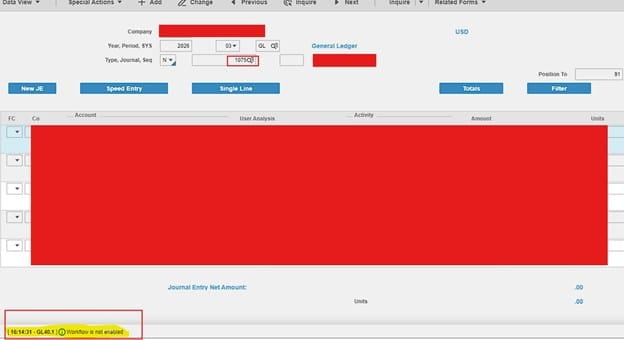
You’re trying to release a Journal Entry on GL40.1 but getting a “Workflow is not enabled” error (see example screenshot below):
Solution:
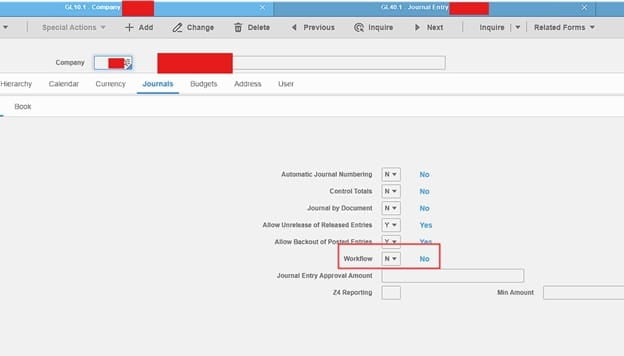
This is a simple resolve. First, on GL10.1, inquire on the company and under the Journals tab, set workflow to No >> Click Change
Go back to GL40.1 and release journal entry. This should remove the error and fix things. You’re done!
NOTE: This issue may happen when your GL10.1 form is a custom form and has customizations for the Workflow field.
