
How do Lawson File Channels work?
Lawson File Channels can be useful when importing files from a defined local Landmark directory or a remote one via FTP, SFTP etc. They are especially useful when a file from an outside organization is delayed. Unlike a IPA scheduler that only runs on a set schedule, a file channel will pick up a file that has been delayed for reasons outside of your organizations control.
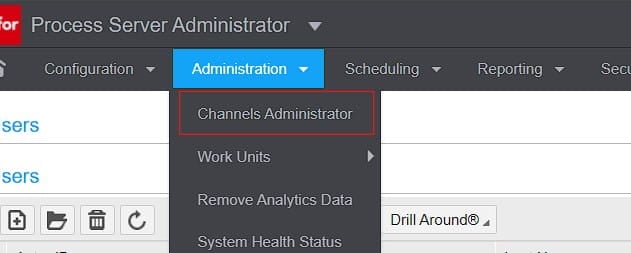
First in Process Server Administrator, you need to go to Administrator >> Channels Administrator (assuming you have permissions)
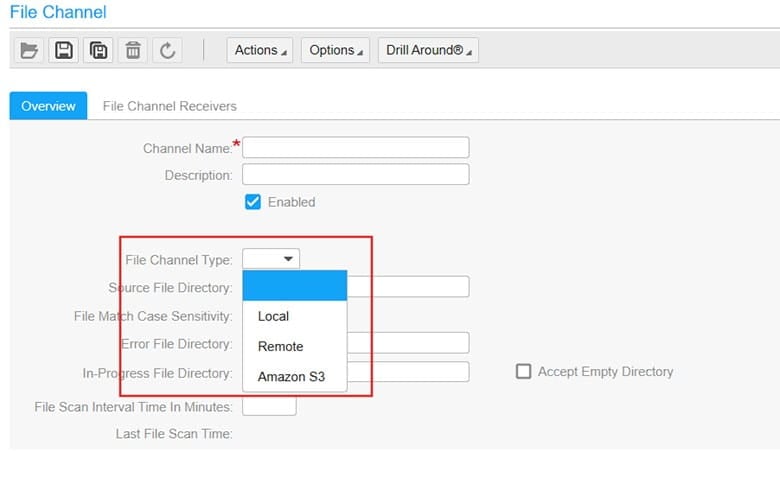
Then create a new File Channel:
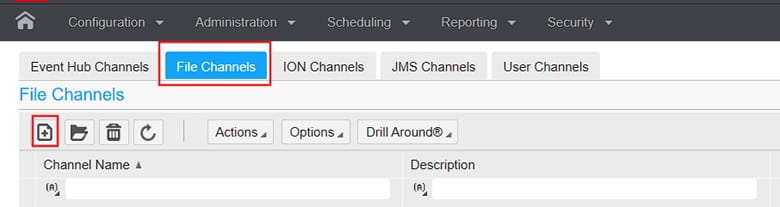
Now that you know how to create one, File Channels essentially act as a source directory path that is scanned every X minutes to then search for a file specified by a File Channel Receiver.
Below is an example of a File Channel searching a remote server via FTP:
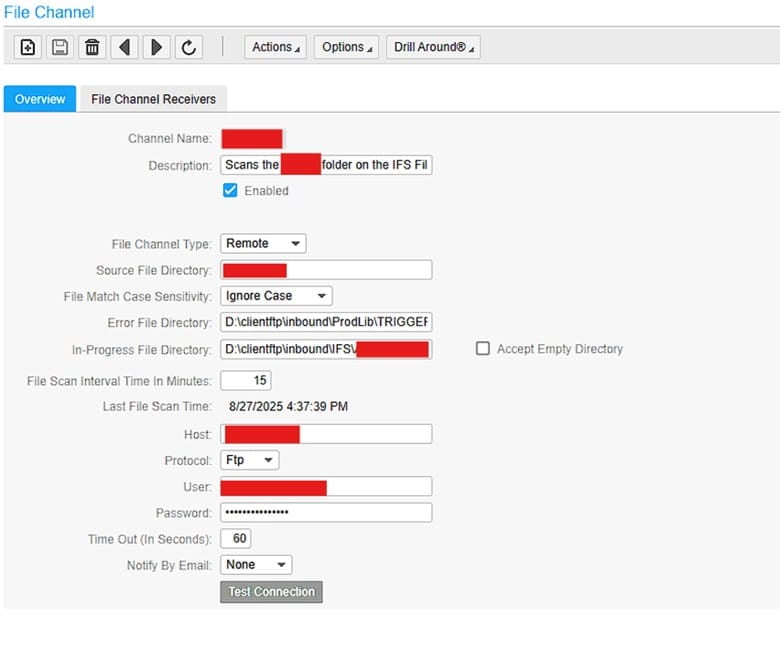
Since the above is an FTP directory, it has a default directory upon connection. You then define the Source File Directory after that. If the FTP server connects and starts on ..\inbound directory, and your source directory is ..\inbound\APFinance, then Source File Directory is simple APFinance
Error file and In-Progress File Directory are always directories on the local Landmark server so make sure you establish those directories first.
Additionally, you can change the File Channel Type. Local is Landmark, Amazon S3 is a specified Amazon server instance:
All other Parameters are self-explanatory so let’s move on to File Channel Receivers.
You can have multiple File Channel Receivers defining different file names for every File Channel. This way if you have one Source Directory, you can search different file names like ACH_*.txt, APC_*.xml etc.
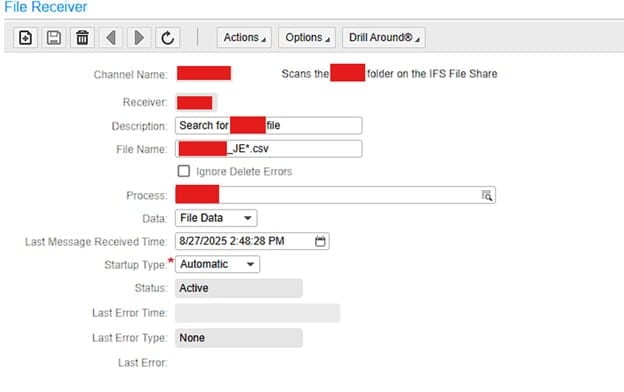
The “Process” field is the IPA process that will be processing the file.
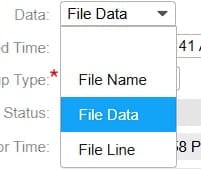
The Data field is also important. File Data is the ideal selection.
File Name: Triggers one workunit with just the file name.
File Data: Triggers one workunit with the file’s entire contents.
File Line: Triggers a separate workunit for each line of the file.
Once the file is picked up, it moves it to the in-progress directory while it gets processed regardless the the Data field setting. The in-progress directory acts like an archive folder in this way.
That’s it, File Channels are great when receiving a file from an outside organization that sends it on a schedule. That way if it happens to be delayed, the File Channel will still scan it when it finally gets to Lawson.
Retiring Lawson, PeopleSoft, or Oracle? APIX archives the entire application — every table, every year, attachments and security included — into your own AWS account in about 30 days, so you can decommission the legacy system and keep full access to the history.

