
How to fix certain Lawson LBI reports on dashboard prompting for ID and Password
Follow these steps to learn how to fix certain Lawson LBI reports on dashboard prompting for ID and Password. This typically happens after a migration to a new version of LBI. You’ll need to update these report parameters.
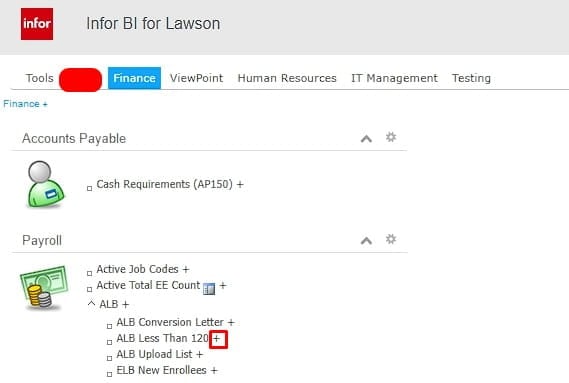
First, edit the report on dashboard:
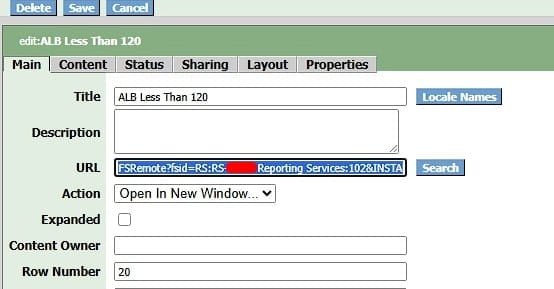
Next, copy the existing URL:
Run the report in Report Admin with data refresh and grab this part of the URL (see screenshot), append it to the end of the original URL above from the report you’re adding it from:

It should like this:
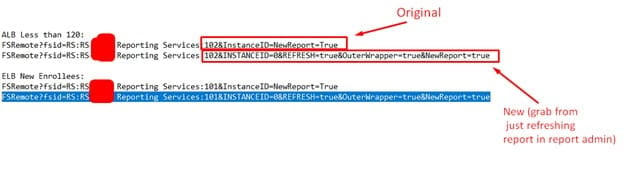
Now it should load properly without asking for credentials.
