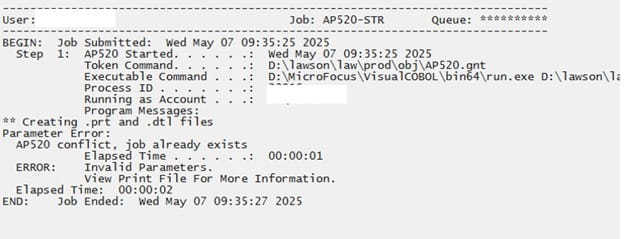
AP520 Error Job Already Exists
If your AP520 job goes into recovery with invalid parameters, and the examine log contains the error message “AP520 conflict, job already exists”, that means either an AP520 is already in recovery, or you will need to delete the conflicting record from APMONITOR. First, check to see if any user has an AP520 job in recovery. If they do, then resolve the issue and recover the job. If there is no AP520 in recovery, you will need to delete the conflict from APMONITOR. Either create a paint screen for the APMONITOR file, or connect to your database directly using a database utility. Look for a duplicate AP520 job to the one that you are trying to run. Remove that record from APMONITOR and recover your job.