
IPA Process Notifications
There may be some cases where you want to notify your IT or other staff that an Infor Process Automation (IPA) flow has run successfully, or has run with errors overall, in addition to internal notifications for specific events. Follow these steps to set up notifications on an IPA process.
- First, log into Process Administrator.
- Next, navigate to Configuration > Process Definitions > User Defined Process
- Open your Process.
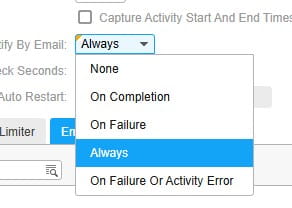
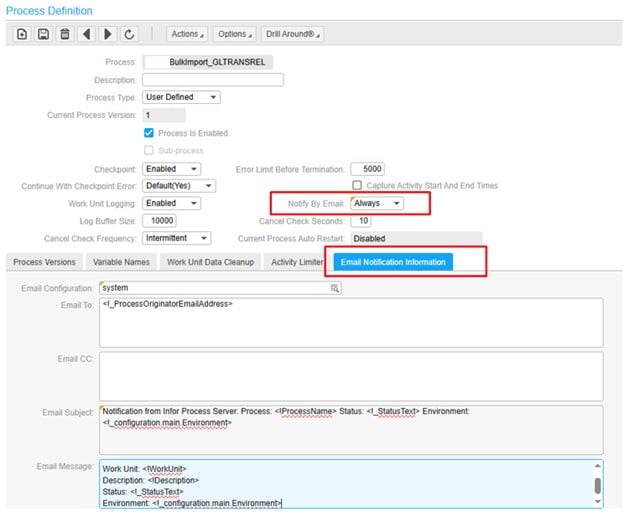
- On the “Notify by Email” option, select your preferred option.

- Once you select an email notification type, the email notification tab will open up.
- You can use global parameters in the email details.

You are now set up to receive notifications!
Retiring Lawson, PeopleSoft, or Oracle? APIX archives the entire application — every table, every year, attachments and security included — into your own AWS account in about 30 days, so you can decommission the legacy system and keep full access to the history.

