

Change the Passwords in install.cfg
The passwords in install.cfg are encrypted in later versions of lawson. If these passwords change, it would be ideal to also change them in install.cfg so the next update doesn’t run into any issue. To do this, follow the instructions below:
First, Open a command line utility with Lawosn env variables set.
Then type in the command java -cp %GENDIR%/java/thirdParty/installer.jar com.lawson.delivery.secure.PasswordAdministrator -s %LAWDIR%/system/install.cfg
Enter the Lawson configuration password
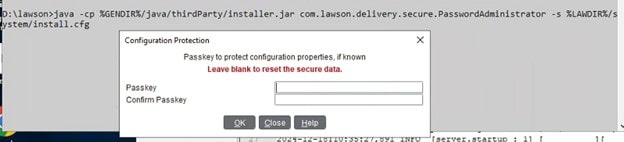
Next, View or edit passwords. You can show them in clear text by clicking the “Yes” radio button.
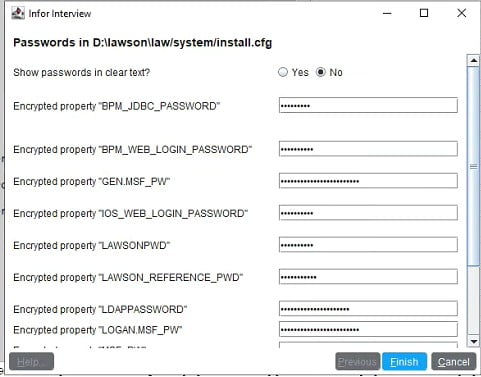
Click finish when done
Restart Lawson services, or reboot the server. This should make the necessary changes and prevent any issues.

