

How to bookmark a custom cobol ‘Vanilla’ Form
If you want to know how to bookmark a custom cobol ‘Vanilla’ Form, follow these simple instructions below:
This is how the custom cobol “vanilla” form in RD69 shows under ID it’s called XX3.1_TEST
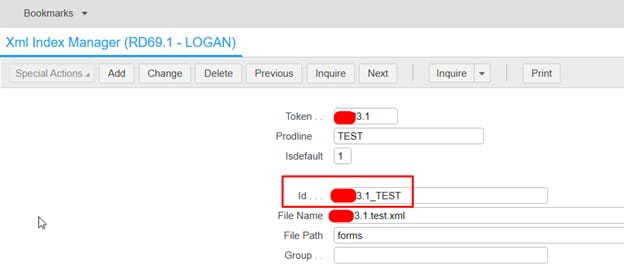
So you may think you need to add it in as XX3.1_TEST when adding as a favorite or creating a bookmark.
An example:
LAWFORM|PDL=PROD10|TKN=XX3.1|ID=XX3.1_TEST
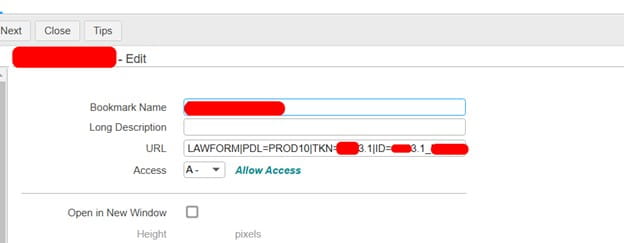
Instead, since it is the custom “vanilla” cobol program, you only need to mention the TKN, not the ID
LAWFORM|PDL=PROD10|TKN=XX3.1
That’s all there is to it! Just clear the IOS cache and browser cache, then you should be able to load the bookmark now.
Retiring Lawson, PeopleSoft, or Oracle? APIX archives the entire application — every table, every year, attachments and security included — into your own AWS account in about 30 days, so you can decommission the legacy system and keep full access to the history.

